69
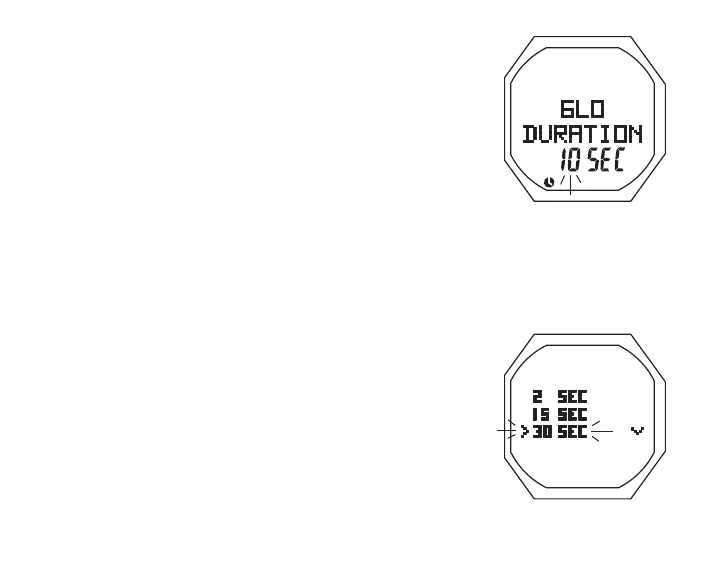
> Set Point 0 (or 5, 10, 30, 60) flashing with graphic SEC
• A (< 2 sec) to step upward through Set Points one at a time
• M (< 2 sec) to step back through Set Points one at a time
• S (< 2 sec) to save the setting and revert to the Set A Menu
Glo Dura (Backlight Duration) is the time the backlight will
remain On after L is released.
Set Sampling, information includes (Fig. 55):
> Set Point graphics 2 SEC, 15 SEC, 30 SEC, and 60 SEC;
Arrow ( > ) icon next to the one previously saved flashing
• A (< 2 sec) to step upward through Set Points one at a time
• M (< 2 sec) to step back through Set Points one at a time
• S (< 2 sec) to save the setting and revert to the Set A Menu
Sampling is the Rate at which data is sampled and stored for
download to the associated PC Interface program described on
page xx.
SET TMT MENU, information includes (Fig. 56):
S (< 2 sec) - to access Set TMT Menu while the selection Arrow
icon ( > ) is next to Set TMT on the NORM (or GAUG) Menu
Fig.54-SETBACKLIGHT
DURATION
Fig.55-SETSAMPLING
RATE



 To Next Page