33
• A < 2 sec to access ALT 2
• 5 sec reverts to Watch Default if A is not pressed
• L (on closure) to activate Backlight
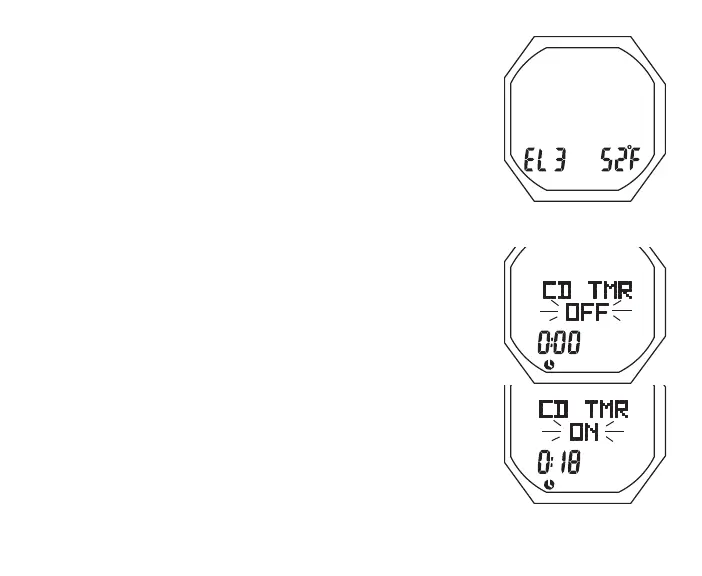
Alt 2, information includes (Fig. 10):
> Altitude graphic EL2 (to EL 7), blank if Sea level
> Temperature with ° icon and graphic F (or C)
• 5 sec, or A < 2 sec, revert to Watch Default
• L (on closure) to activate Backlight
WATCH MENU
M (< 2 sec) - to access Menu, while viewing Default Time.
A (< 2 sec) - to step down (forward) through selections.
M (< 2 sec) - to step up (backward) through selections.
S (< 2 sec) - to access selection indicated by Arrow icon ( > ).
CDT (Countdown Timer) STATUS
Upon access, the following is displayed (Fig. 11) -
> Graphics CD TMR solid with OFF (or ON) flashing.
> Countdown Time (hr:min). If OFF, 0:00 or the CDT time if
previously set. If ON, the remaining time (hr:min).
Fig.10-WATCHALT2
Fig.11-CDTSTATUS
(uponaccess)



 To Next Page