60
SET A (ALARMS) MENU
S (< 2 sec) - to access Set A Menu while the selection Arrow
icon ( > ) is next to Set A on the NORM (or GAUG) Menu
A (< 2 sec) - to step down (forward) through selections
M (< 2 sec) - to step up (back) through selections
S (< 2 sec) - to access selection indicated by Arrow icon ( > )
Refer to page 22 for additional information relating to Alarms.
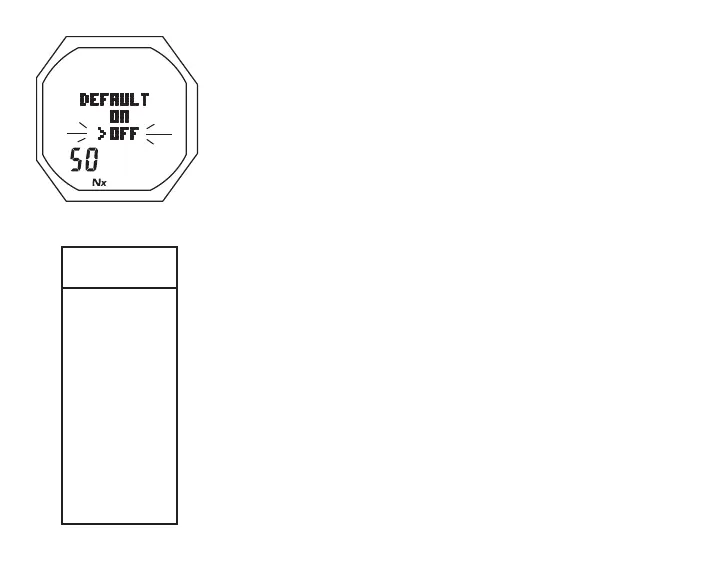
> Graphics DEFAULT and 50
> Set Point graphics ON and OFF; Arrow ( > ) icon next to
the one previously saved flashing
> Nx icon, blank if Air
• A (< 2 sec) to toggle Set Points
• S (< 2 sec) to save the setting and revert to the Set F Menu
Turning the FO2 Default feature On controls FO2 Nitrox settings
regardless of Set Points selected for Gases 1, 2, or 3.
Refer to page 86 for an overview of the 50% Default feature.
Fig.39-SETFO2DEFAULT
Set A
Menu
>
AUD
DEPTH
EDT
TLBG**
DTR**
TURN
END
PO2**
** NORM only



 To Next Page