74
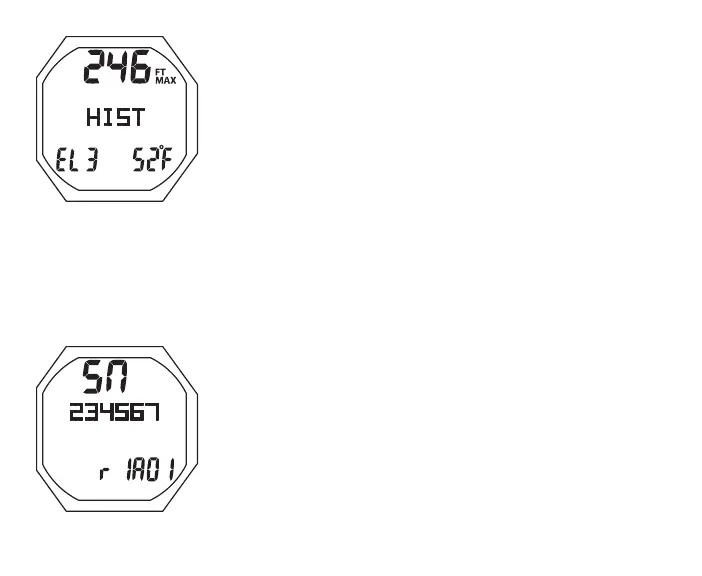
Fig.61-HISTORY2
> Max Depth ever (up to 660 FT/200 M) with MAX and FT
(or M) icons
> Graphic HIST
> Graphic SEA, or EL2 to EL7, highest Altitude at which a
dive was conducted
> Temperature with ° icon and graphic F (or C), lowest
recorded during any dive
• S (< 2 sec) to revert to NORM (or GAUG) Menu
SERIAL NUMBER
S (< 2 sec) - to access while the selection Arrow icon ( > ) is
next to it on the NORM Menu
Serial Number, information includes (Fig. 62):
> Graphic SN
> OC1's factory programmed SN
> Graphic r1A (or higher), indicating the revision level of the
Firmware (OC1's operating software); followed by 01 (or
higher), indicating the revision level of the Display
• S (< 2 sec) to revert to the NORM (or GAUG) Menu
BATTERY/TMT STATUS
Fig.62-SERIALNUMBER



 To Next Page