54
NORM/GAUG LOG MODE
Information from the latest 24 NORM and/or GAUG dives is
stored for viewing. After exceeding 24 dives, the most recent
dive is stored while the oldest is deleted.
> Dives are numbered from 1 to 24 starting each time NORM
(or GAUG) Dive Mode is activated. After the post dive 24
hour period has elapsed, the first dive of the next operation
period is #1.
> During the first 10 minutes after a dive (Transition Period),
that dive’s Log screens can be viewed. After 10 minutes,
the Log screens for all dives stored can be viewed.
> In the event that a dive’s elapsed time (EDT) exceeds 9:59
(hr:min), the data at the 9:59 interval is recorded in the Log
upon surfacing of the unit.
NORM Menu >> Log Preview >> Log Data 1 >> Log Data 2
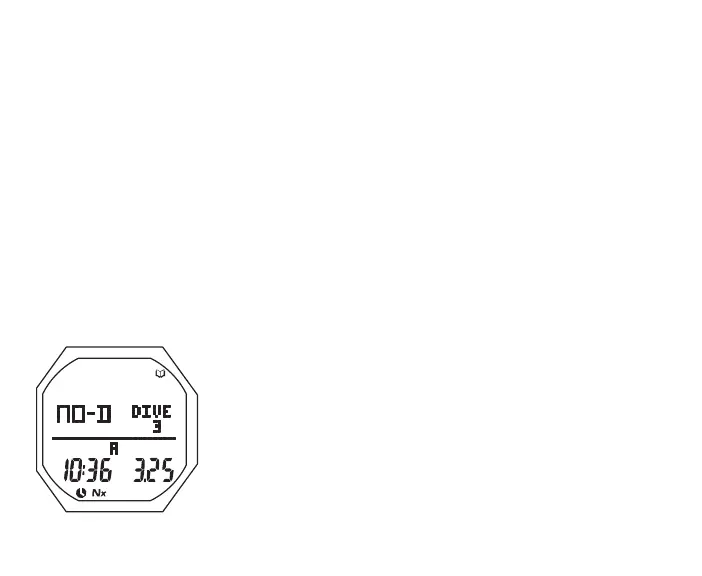
Log Preview, information includes (Fig. 33):
> Log Mode (book) icon
> Graphic NO-D (or DECO or GAUG or VIOL)
> Graphic DIVE and dive number (1 to 24, 0 if no dive yet).
> Time dive began (hr:min) with Time (clock) icon and A (or
P), and the graphic ALT if Alternate Time
> Date, the dive was conducted
> Nx icon, if Nitrox
• A (hold) to scroll upward through Preview screens at a rate
Fig.33-LOGPREVIEW



 To Next Page