9
Your Omnipod® Insulin Management System 11 Your Omnipod® Insulin Management System
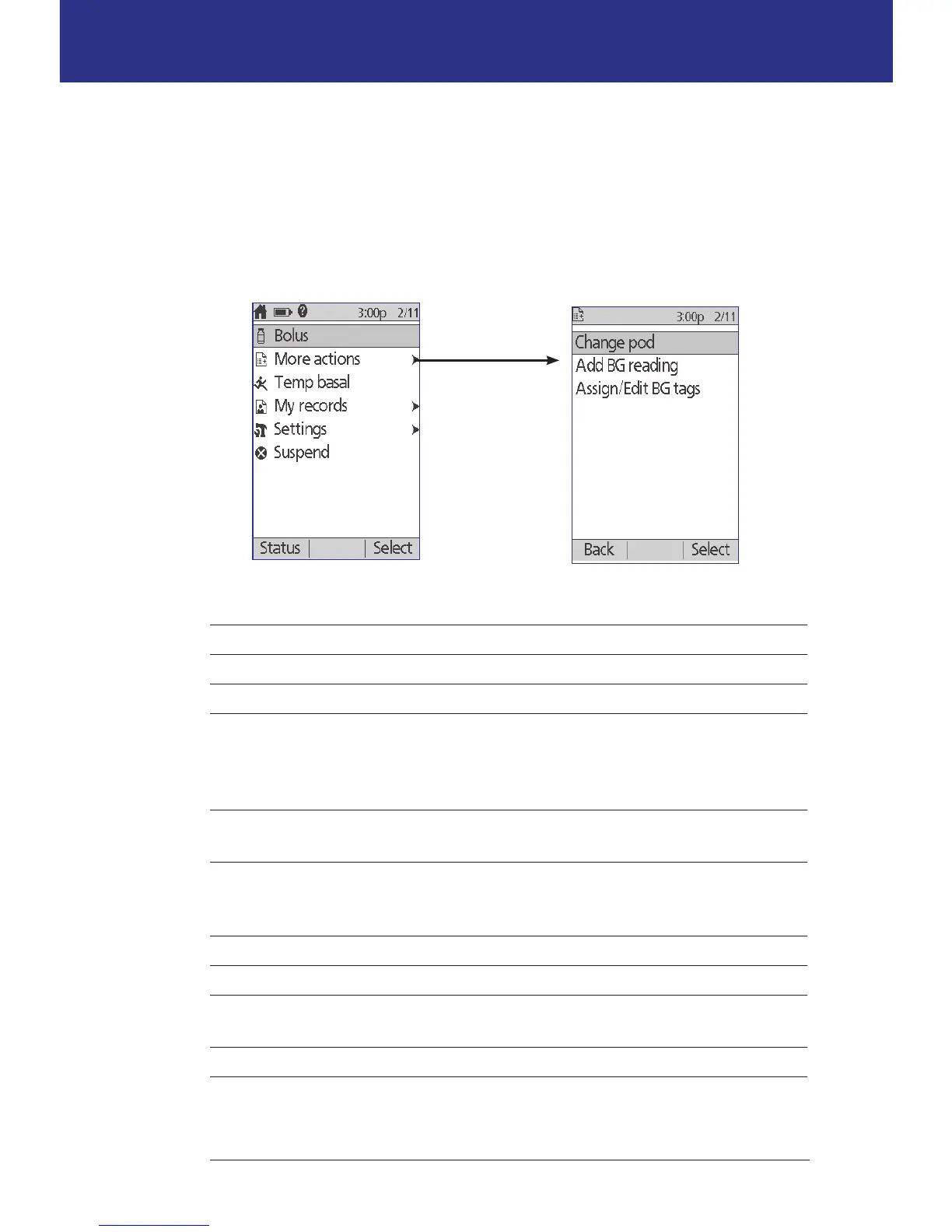
Home screen and More actions screen
e menu items on the Home screen and its More actions submenu give you
access to the Omnipod® System's features.
e Home screen can be accessed from most screens by pressing the Home/
Power button. Select More actions on the Home screen to see other useful menu
choices.
Menu item Allows you to ... See ...
Bolus Deliver boluses page 47
More actions Bring up the More actions screen page 9
Temp basal Dene a temporary basal rate (this menu
item does not appear if the temp basal
feature is turned o, see "Temp basal
conguration" on page 68)
page 55
My records View history of insulin delivery, blood
glucose readings, carbs eaten, and alarms
page 85
Settings Create and edit Basal Programs and presets,
and customize your settings, including
sound or vibration
page 61
Suspend Suspend, cancel, or resume insulin delivery page 59
Change pod Deactivate and activate a Pod page 23
Add BG reading Enter a BG reading taken with a separate BG
meter
page 44
Assign/Edit BG tags Label a BG reading for future reference page 45
The Home screen
The More actions screen



 To Next Page