53
Delivering a Bolus of Insulin 55 Delivering a Bolus of Insulin
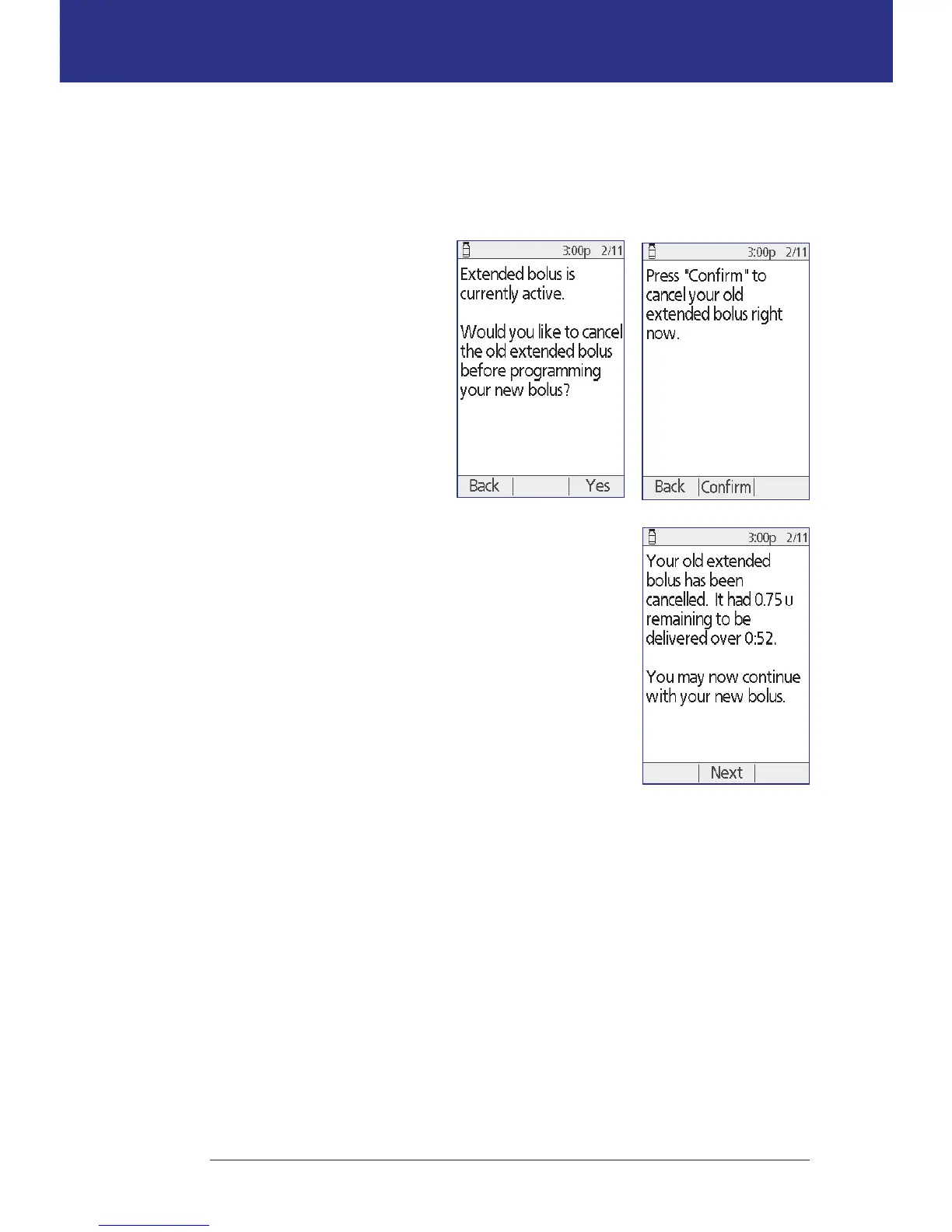
Replace an extended bolus
To replace an extended bolus with a new extended bolus:
1. Follow the instructions in "Bolusing with the Bolus Calculator" on page 47 or
"Manually-calculated Bolus" on page 50 to specify the amount of the new
bolus.
2. Aer entering the new
bolus amount, press
Extend. A screen appears
telling you that an
extended bolus is active.
3. Press Ye s to cancel the
extended bolus.
4. Press Conrm.
5. e next screen displays
the undelivered amount of
the old extended bolus. Write this number down if
you want to add it to the new extended bolus.
6. Press Next.
7. To add the undelivered amount of the old bolus, use
the Up/Down button to increase the bolus amount.
8. Press Extend and follow the on-screen instructions
to begin delivery of the new extended bolus.



 To Next Page