Delivering a Bolus of Insulin 5
48
5 Delivering a Bolus of Insulin
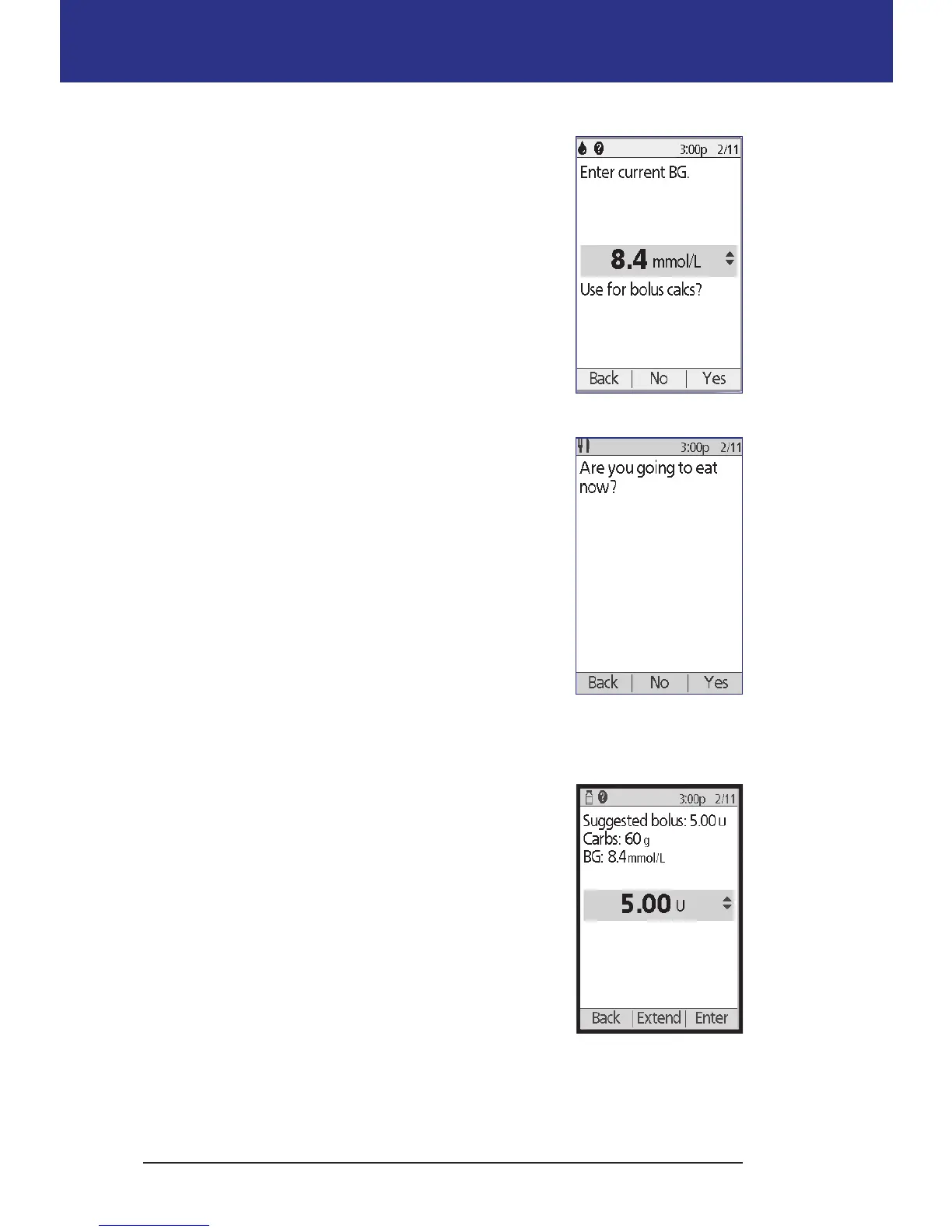
3. Enter your blood glucose reading:
• To enter a reading from a separate BG meter, use
the Up/Down button to enter the blood glucose
value, then press Yes .
• If you recorded a blood glucose value within
the past 10 minutes, the screen automatically
displays it. Press Ye s to use this value in the
calculations.
• Press No to tell the Bolus Calculator to perform
the calculation without accounting for your
current BG value.
4. e next screen asks if you are going to eat now.
• If you are not going to eat, press No.
• If you are going to eat, press Yes . en enter the
grams of carbohydrates you are going to eat:
• Use the Up/Down button to enter the grams
of carbs in your meal, then press Enter.
• Or, if you have dened one or more carb
presets, either (1) select a carb preset, or (2)
select [enter manually], use the Up/Down
button to enter the grams of carbs in your
meal, and press Enter.
To create a carb preset, see "Carb presets" on
page 73.
Deliver the bolus
e Bolus Calculator calculates a suggested bolus and
displays the result. It is called a suggested bolus because
you must either conrm it or modify it.
1. Review the suggested bolus. If you wish, press
the Up/Down button to increase or decrease the
suggested bolus.
Note: e "Carbs" entry and the "Extend" so key
label only appear if you are going to eat. In addition,
if the extended bolus option is o, the "Extend" so
key label does not appear on the screen. If insulin on
board is a factor in the calculation, the screen shows "adjusted for IOB."



 To Next Page