49
Delivering a Bolus of Insulin 55 Delivering a Bolus of Insulin
Warning: If the suggested bolus exceeds your Maximum Bolus,
"Exceeds max bolus" appears below the bolus. If you select Enter or
Extend, a screen warns you that the suggested bolus exceeds your
Maximum Bolus. Press Conrm to allow a one-time override of the
limit or Cancel to disallow it. Allowing this override does not change
your Maximum Bolus setting.
2. To deliver the entire bolus immediately, press Enter, then skip to step 4. (See
"Immediate and Extended Boluses" on page 143 for more information.)
3. To extend the delivery of part or all of the meal bolus:
a. Press Extend.
b. Use the Up/Down button to enter the amount or percent of the bolus to
deliver immediately. Press Enter.
c. Use the Up/Down button to enter the duration of the extended portion.
Press Enter.
Note: Your "extended bolus" setting determines whether the screen displays
percent (%) or units (U).
Note: You can only extend the meal portion of the bolus, and the extended
bolus option must be turned on. To view the correction bolus and meal bolus
portions of the suggested bolus, press the Info button.
4. If the BG reminder option is turned on and you want a reminder to check
your blood glucose, press Yes. Use the Up/Down button to enter the time for
the reminder. Press OK.
See "BG reminders" on page 77 if you want to turn
on or o the BG reminder. It is o by default.
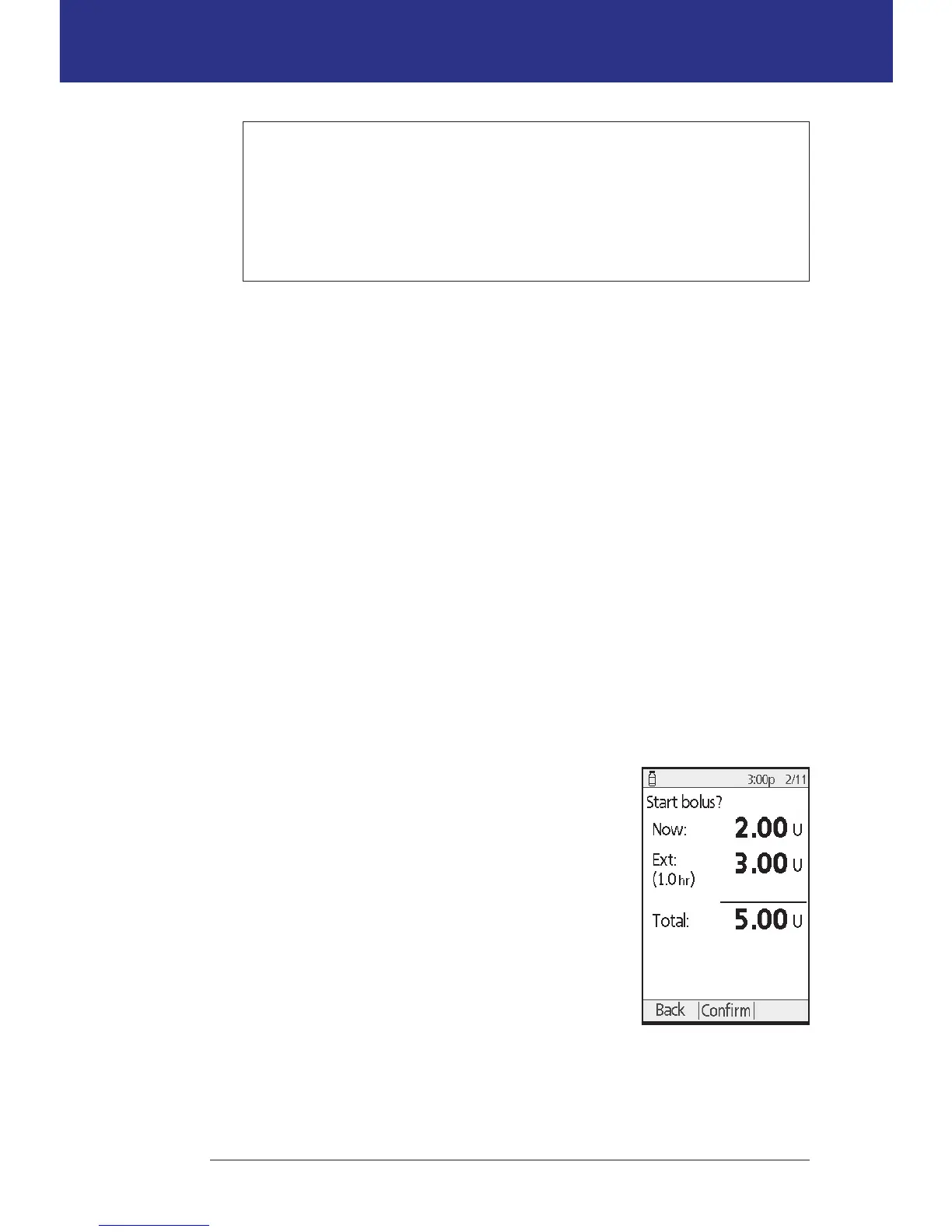
5. Review the bolus and press Conrm to begin
delivery.
Aer the bolus has started, the bolus amount and any
entered BG and carb values are stored in your history
records.
e screen displays a Delivering bolus message
throughout the delivery of an immediate bolus.
Tip: Once a bolus is started, the Pod nishes delivering
the bolus whether or not it is in range of the PDM.
During the extended portion of a bolus, check the
Status screen to see how much of the extended bolus remains to be delivered.
With extended bolus



 To Next Page