65
Adjusting Settings 77 Adjusting Settings
To change your Maximum Basal Rate:
1. Home > Settings > System setup > Bolus/basal/calcs > Max basal
2. Use the Up/Down button to specify your the Maximum Basal Rate, then
press Enter.
Note: You cannot set a Maximum Basal Rate that is lower than the highest basal
rate of an existing Basal Program, temp basal preset, or currently running temp
basal.
Basal Programs
You can have between one and seven Basal Programs. Each Basal Program can
contain from 1 to 24 basal rates.
Caution: Check with your healthcare provider before adjusting these settings.
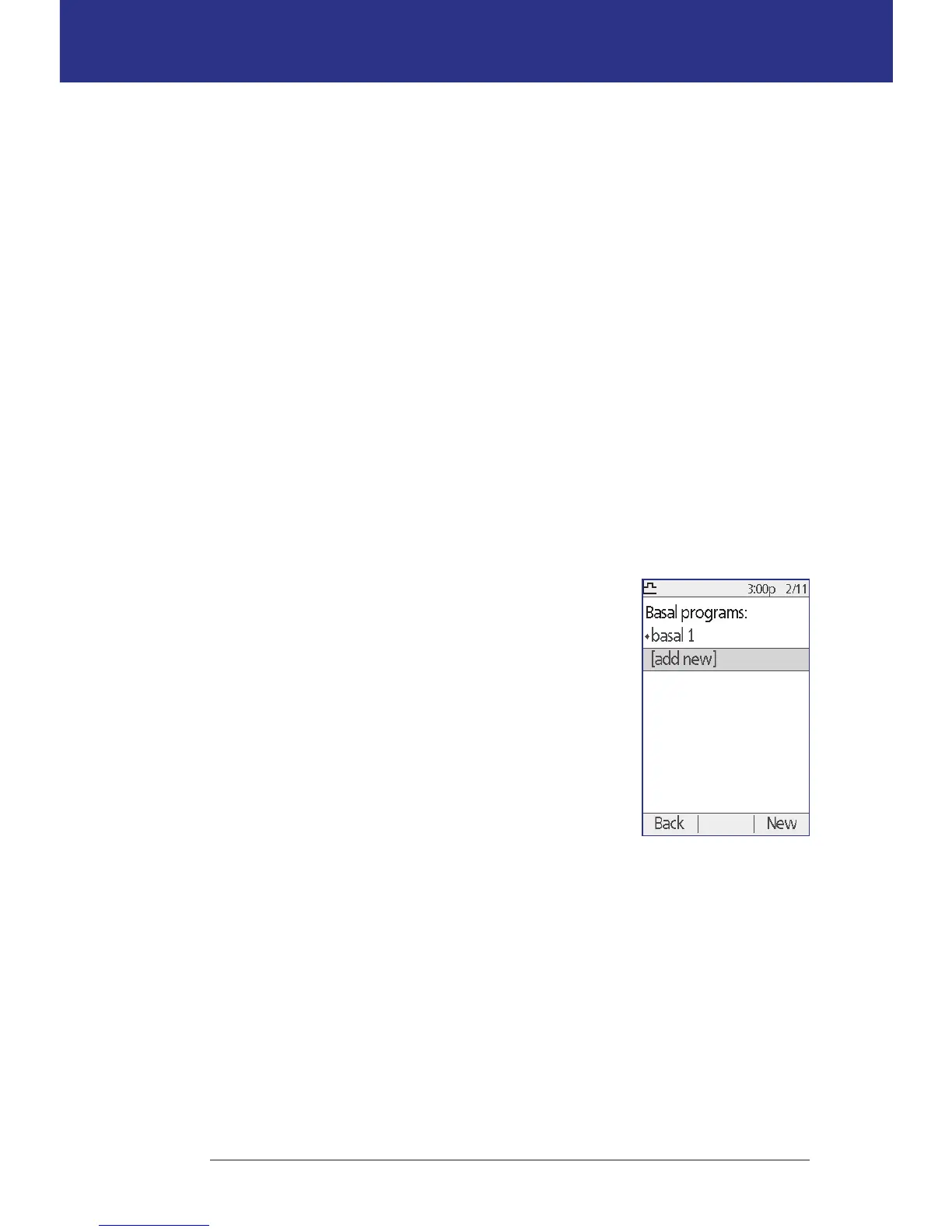
e Basal Programs screen displays your existing Basal Programs. A diamond
icon () appears next to the active Basal Program.
Create a new Basal Program
Tip: If your new Basal Program is similar to an existing
Basal Program, you can save time by using the "copy"
feature and modifying the copied program (see "Make a
new Basal Program from an existing Basal Program" on
page 67).
To create a new Basal Program:
1. Home > Settings > Basal programs > [add new]
Note: e [add new] option is not available if you
already have seven Basal Programs. In this case,
you must rst delete an existing Basal Program
before you can create a new one (see "Delete a Basal
Program" on page 67).
2. Press New.
3. Enter a meaningful name (see "Entering text" on page 6). Press Next.
Alternately, you can use the default naming system, which assigns names in
numerical order, such as basal 1, basal 2, basal 3.



 To Next Page