Adjusting Settings 7
66
7 Adjusting Settings
4. e next steps are the
same as those you
performed when you
set up your rst Basal
Program. Follow the on-
screen instructions or see
"Dene a Basal Program"
on page 15 for step-by-
step instructions.
Aer you conrm your new
Basal Program, the PDM
stores it for your future use.
Review a Basal Program
To review the details of a Basal Program:
1. Home > Settings > Basal programs
2. Highlight the Basal Program you would like to view,
and press Select.
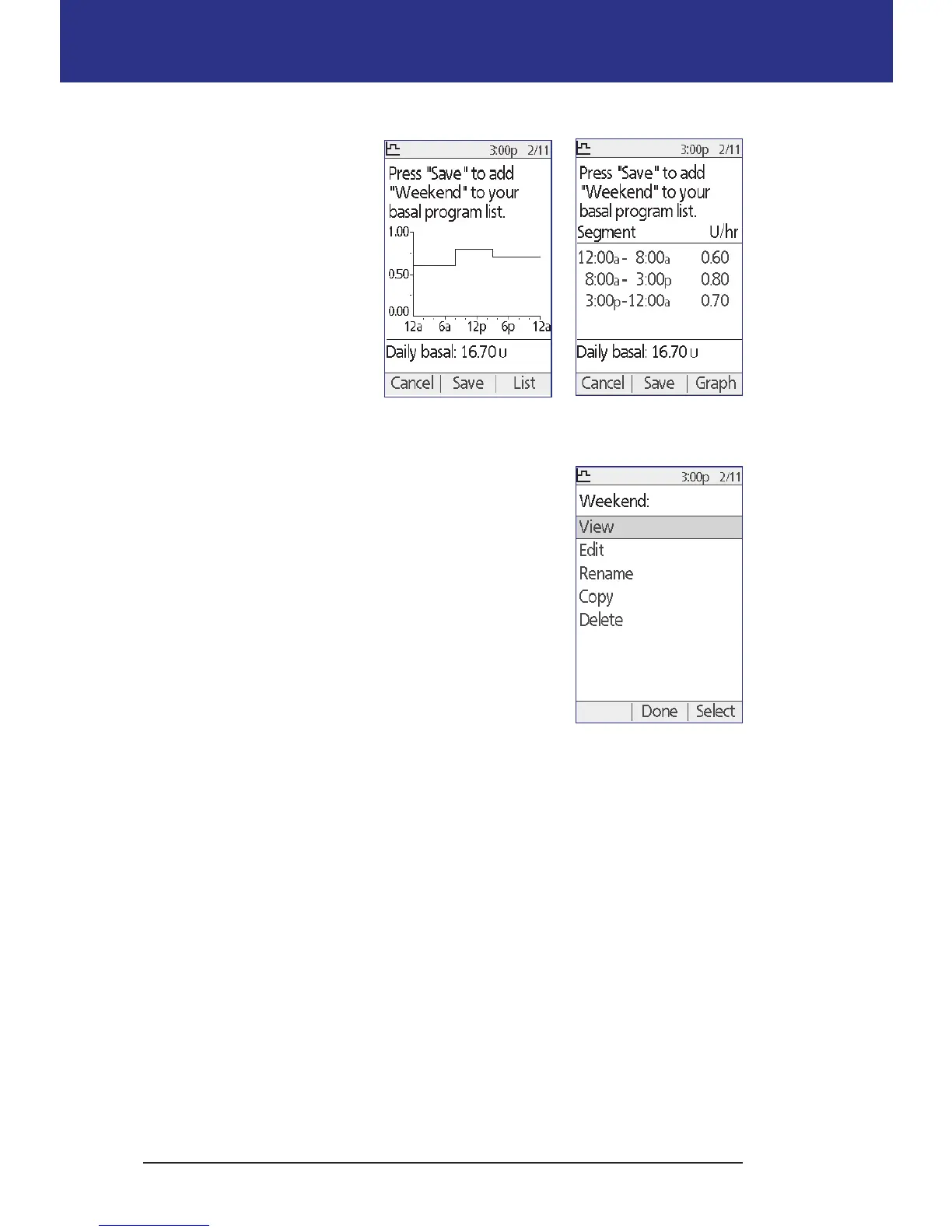
3. Highlight View and press Select.
4. A non-editable screen appears displaying the basal
segments for the selected Basal Program. Press List
or Graph to see the Program as text or a graph.
Modify a Basal Program
To modify a Basal Program:
1. Home > Settings > Basal programs
2. Highlight the Basal Program you would like to edit, and press Select.
Note: To edit the active Basal Program, you must either suspend insulin
delivery (Home > Suspend) or edit it when you have no active Pod during a
Pod change.
3. Highlight Edit and press Select. A screen appears showing all of the basal
segments for the selected Basal Program.
4. To add or edit segments, follow the on-screen instructions, or see "Adding
time segments" on page 19 for step-by-step instructions.
Basal Program as list
Basal Program as graph



 To Next Page