Adjusting Settings 7
70
7 Adjusting Settings
Bolus Calculator Settings
Warning: e Bolus Calculator displays a suggested bolus dose based on the
personalized settings you have programmed into the PDM. Check with your
healthcare provider before adjusting your Bolus Calculator settings.
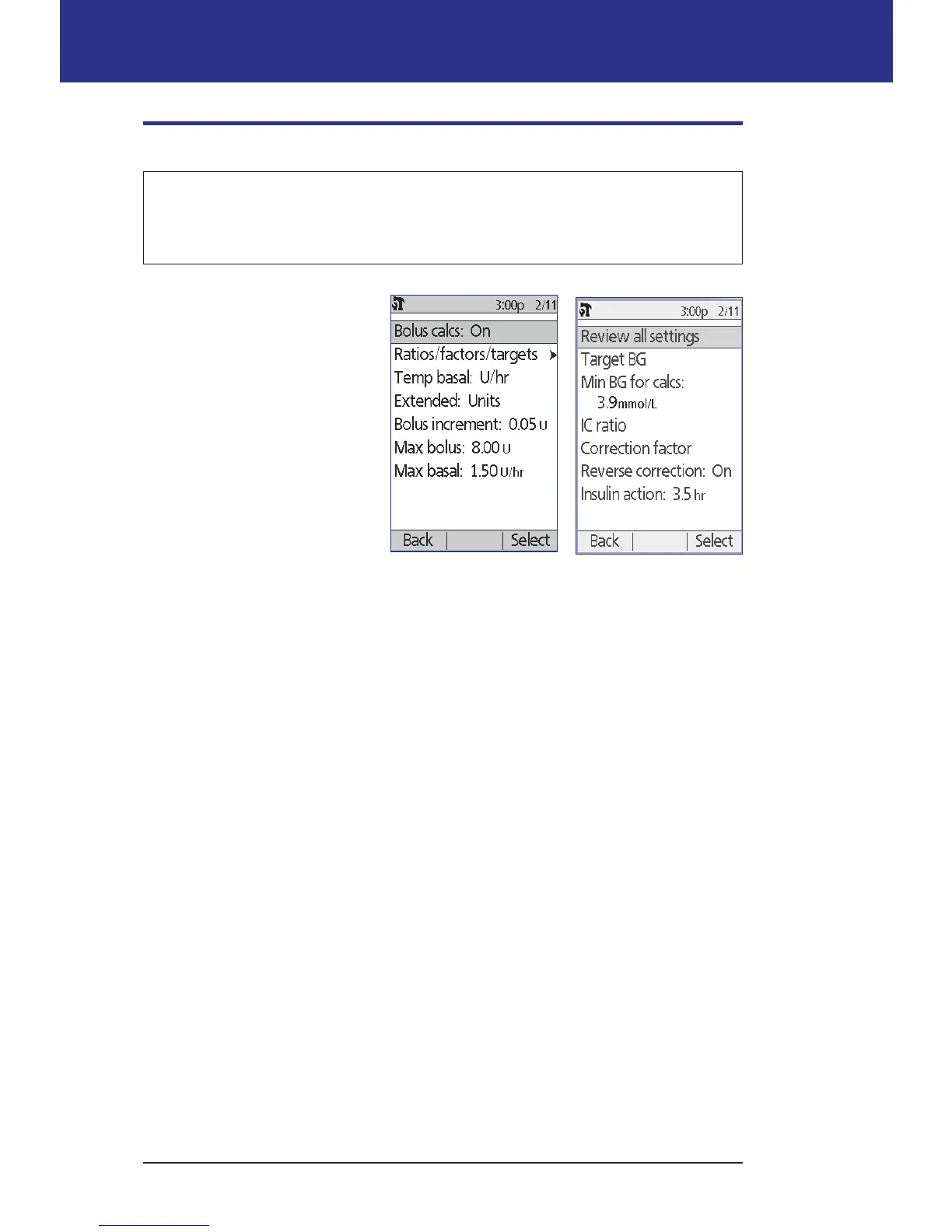
e following sections describe
how to edit individual Bolus
Calculator settings.
Note: To review all of the
Bolus Calculator settings
sequentially, navigate to
Home > Settings
> System setup
> Bolus/basal/calcs
> Ratios/factors/targets
> Review all settings
and follow the on-screen
instructions.
Turn the Bolus Calculator on or o
To turn the Bolus Calculator on or o:
1. Home > Settings > System setup > Bolus/basal/calcs > Bolus calcs
2. To turn the Bolus Calculator o, select O and press Done.
3. To turn the Bolus Calculator on, select On and press Next. e following
screens guide you through the personalized Bolus Calculator settings. For
detailed instructions, see the following pages or go to "Target BG and Correct
Above values" on page 17.
Note: If you have not previously set up the Bolus Calculator refer to "Bolus
Calculator settings" on page 17 for step-by-step instructions.
Target BG and Correct Above value
e Bolus Calculator aims to bring your blood glucose to your Target BG
value when calculating a correction bolus. However, the Bolus Calculator only
calculates a correction bolus if your blood glucose is above your Correct Above
setting. Your Target BG can range from 3.9 to 11.1 mmol/L, and your Correct
Above setting can range from your Target BG to 11.1 mmol/L.



 To Next Page