25
Changing Your Pod 33 Changing Your Pod
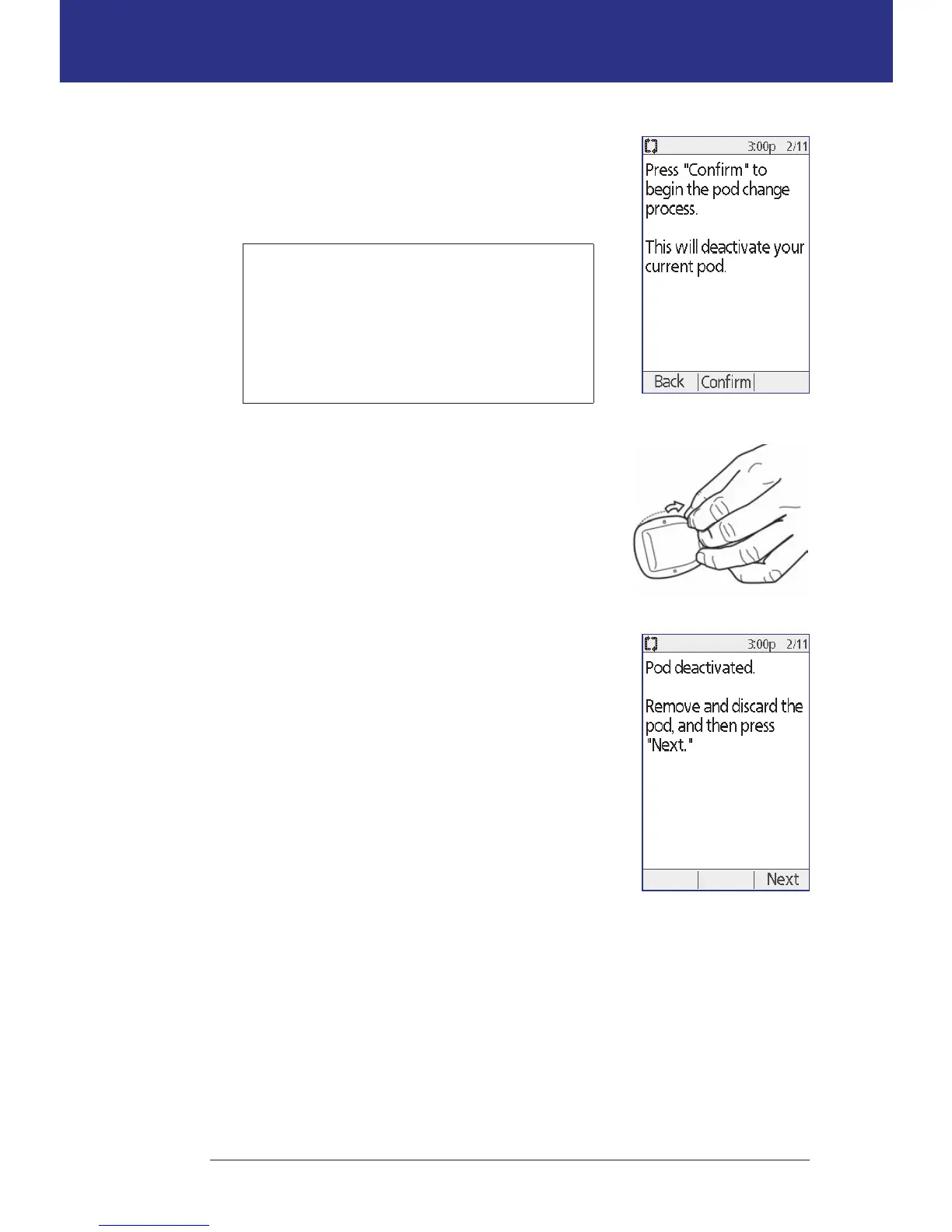
3. If a Pod is active, press Conrm to deactivate your
Pod.
If a temp basal or extended bolus is running, it is
canceled when you press Conrm.
Warning: Do NOT apply a new Pod until
you have deactivated and removed the old
Pod. A Pod that has not been deactivated
properly can continue to deliver insulin as
programmed, putting you at risk of over
infusion and possible hypoglycemia.
4. When deactivation is complete, remove the
deactivated Pod.
a. Gently li the edges of the adhesive tape from
your skin and remove the entire Pod.
Tip: Remove the Pod slowly to help avoid possible
skin irritation.
b. Use soap and water to remove any adhesive that
remains on the skin, or, if necessary, use an
adhesive remover.
c. Check the infusion site for signs of infection. See
"Avoid Infusion Site Infections" on page 33.
d. Dispose of the used Pod according to local waste
disposal regulations.
5. Aer removing the old Pod, press Next.



 To Next Page