Checking Your Blood Glucose 4
38
4 Checking Your Blood Glucose
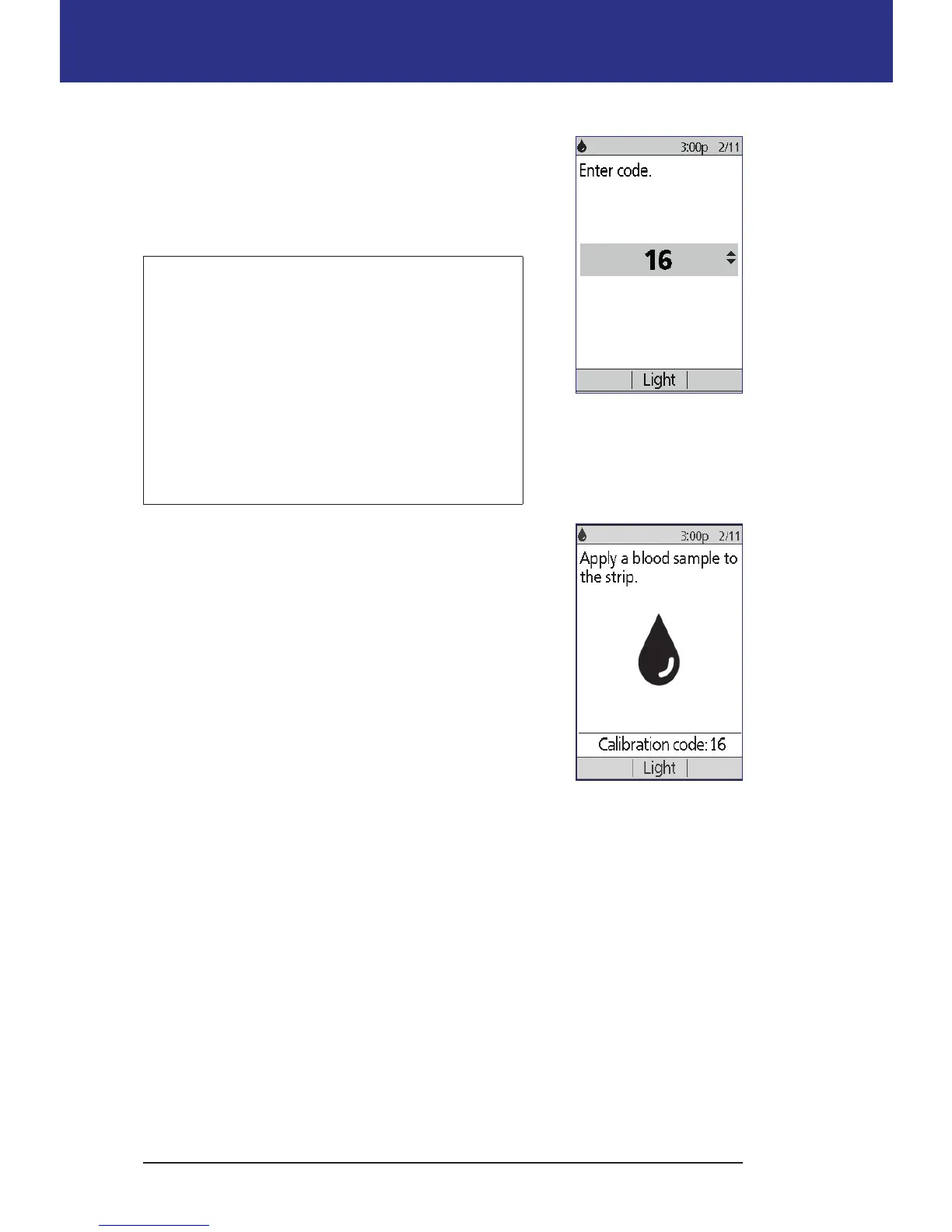
3. When the PDM detects the test strip, the screen
displays a code number for two seconds. Check that
the code number matches the number on the test
strip vial. If necessary, use the Up/Down button to
adjust the code.
Warning: Always verify that the code on the
PDM matches the code on the test strip vial.
Failure to do so will result in an inaccurate
reading. It is important to always enter a code
whether using FreeStyle or Freestyle Lite with
the Omnipod® System, even if some FreeStyle
Lite products indicate that no coding is
required. No coding only applies when these
strips are used with certain Abbott meters, and
does not apply to the Omnipod® System.
Note: If you need to adjust the code number aer
the PDM has moved to the next screen, press the
Up/Down button. e code screen reappears and
you can adjust the number.
Note: It is important to always enter a code
whether using FreeStyle or FreeStyle Lite with the
Omnipod® System, even if some FreeStyle Lite
products indicate that no coding is required. No
coding only applies when these strips are used with
certain Abbott meters, and does not apply to the
Omnipod® System.
4. Wait for the screen that says, "Apply a blood sample
to the strip," along with an image of a blinking drop of blood.



 To Next Page