Checking Your Blood Glucose 4
40
4 Checking Your Blood Glucose
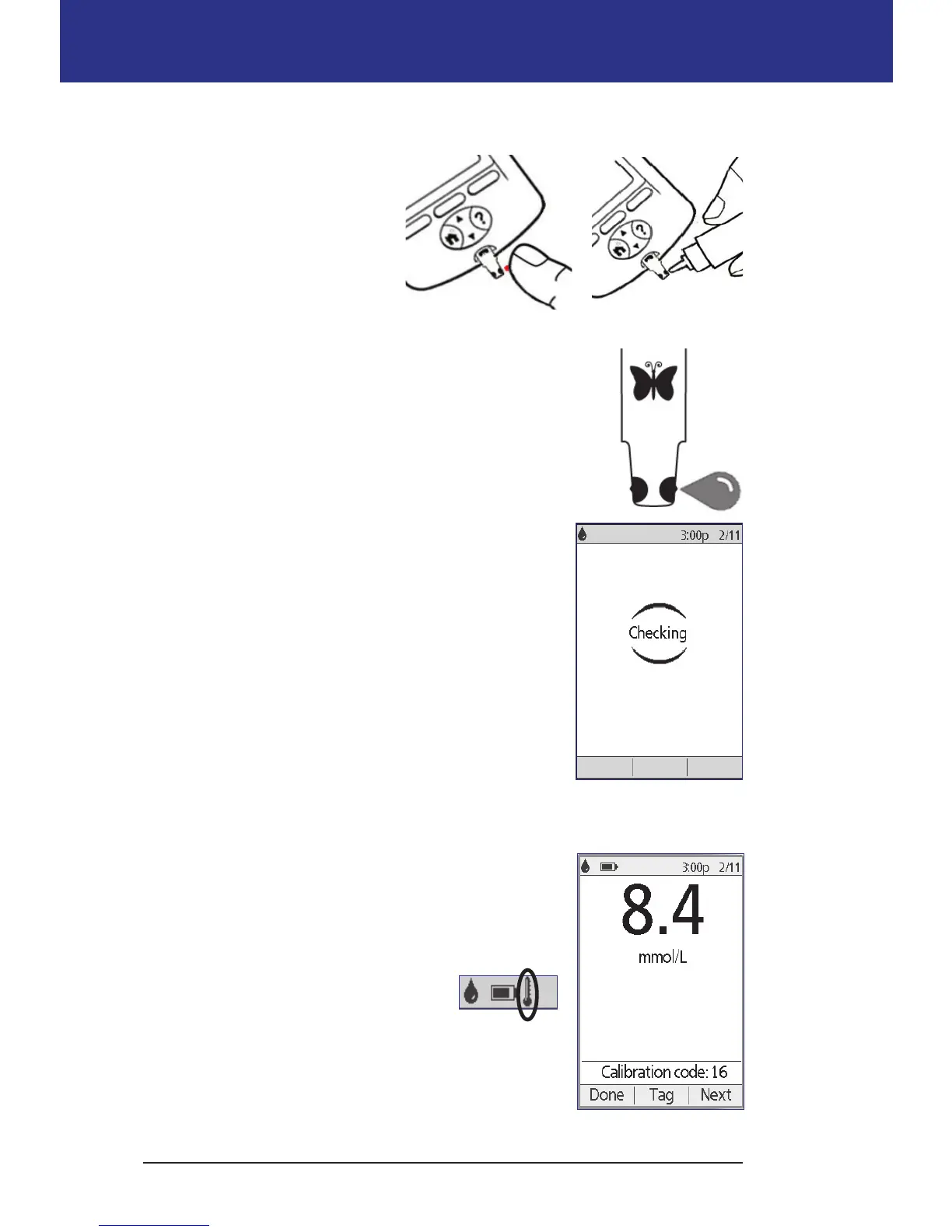
4. Position the PDM so the test strip's sample area meets the blood or control
solution at a slight angle.
Note: If you do not apply
a drop of blood or control
solution within two
minutes of inserting the test
strip, the PDM powers o.
To restart the PDM, take
out the unused strip and
reinsert it, or press-and-hold the Home/Power button.
5. Gently touch the drop of blood or control solution to the
sample area. e test strip wicks the drop inside.
Note: Apply blood to one side of the test strip only.
6. Continue to hold the test strip to the sample until the
Checking screen appears. You will hear the PDM beep
once if BG sound is set to on.
If the PDM does not display “Checking” aer ve
seconds, the sample may be too small. You can add
more blood to the same edge of the strip up to 60
seconds aer the rst application.
7. Continue to watch the PDM screen. When the
blood glucose reading is complete, the result is displayed on the screen. Also,
if BG sound is on, the PDM beeps twice.
Note: e higher your blood glucose level, the
longer the test takes.
Note: If the built-in BG meter is too cold or too hot,
a thermometer symbol appears in the header bar of
the screen indicating that the result
is unreliable. e Bolus Calculator is
temporarily disabled until the PDM
returns to the proper temperature range. e blood
glucose reading is saved in the BG history records,
but it is tagged with a note saying that the meter
temperature was out of range.



 To Next Page