Modifying Basal Insulin Delivery 6
56
6 Modifying Basal Insulin Delivery
4. If temp basals are congured as a at rate (U/h), skip to step 6. If temp
basals are congured as a percent change (%), select Increase or Decrease
depending on whether you want more or less insulin delivery in the near
future.
5. Press Next.
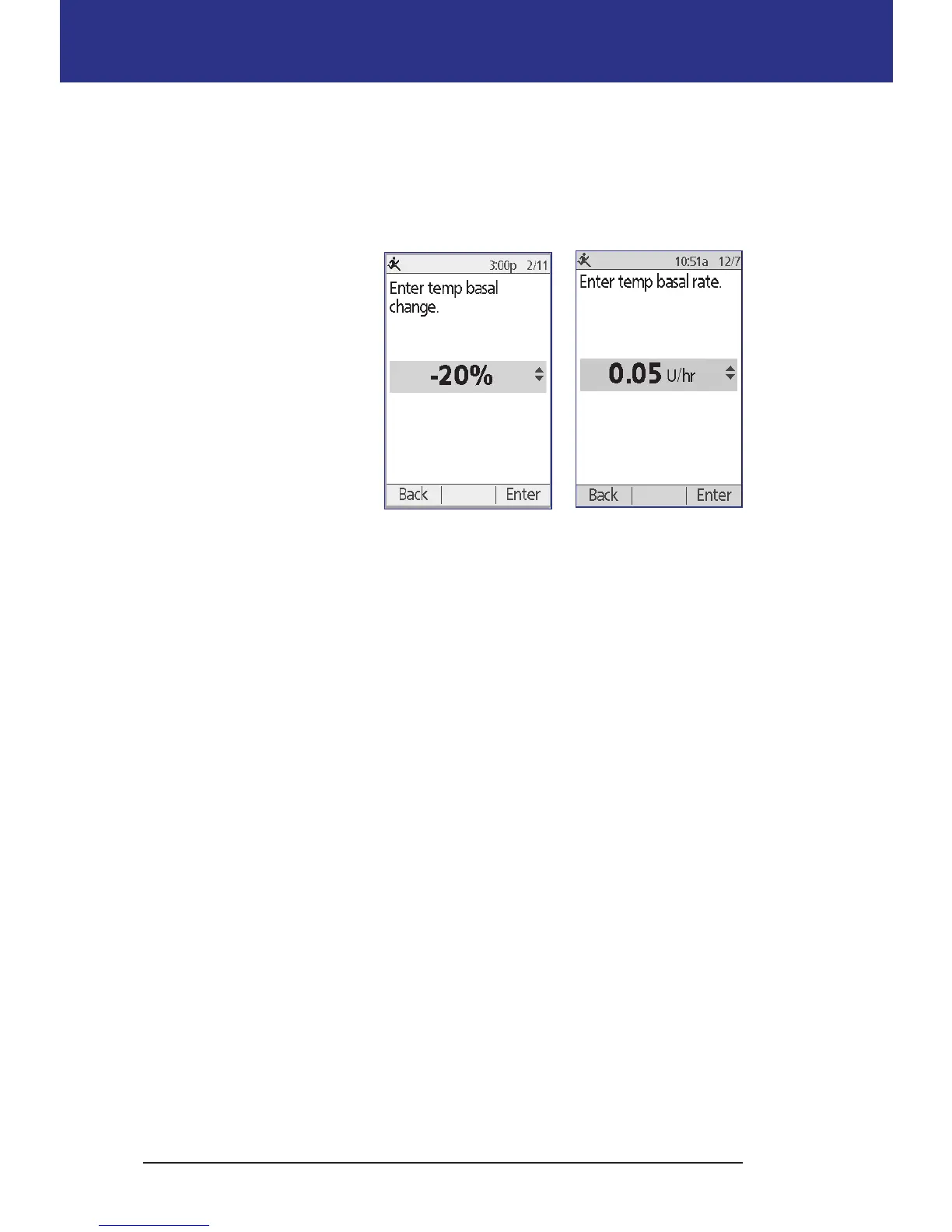
If temp basals are
congured as a percent
change (%), the screen on
the le appears. If temp
basals are congured as a
at rate (U/hr), the screen
on the right appears.
6. Use the Up/Down button
to specify the amount by
which you would like to
increase or decrease the
basal rate.
Note: Decreasing a temp basal to OFF turns o insulin delivery for the
specied time period. For more information, see "Temp basal limitations"
on page 141. For a comparison of methods to stop insulin delivery, see
"Methods to temporarily stop insulin delivery" on page 142.
7. When the screen shows the desired temp basal rate, press Enter.
8. Use the Up/Down button to specify how long you want the temp basal to last.
9. Press Enter.
10. Aer reviewing the specied temp basal rate and duration, press Conrm to
activate it.
Aer conrmation, the Status screen indicates that the temp basal is running
and how much time remains. At the end of the temp basal time period you do not
need to take any action, the Pod automatically switches back to the active Basal
Program.
Temp basal set to U/hr
Temp basal set to %



 To Next Page