A-113
Appendices
CJ2 CPU Unit Hardware User’s Manual
A-5 Installing the USB Driver
App
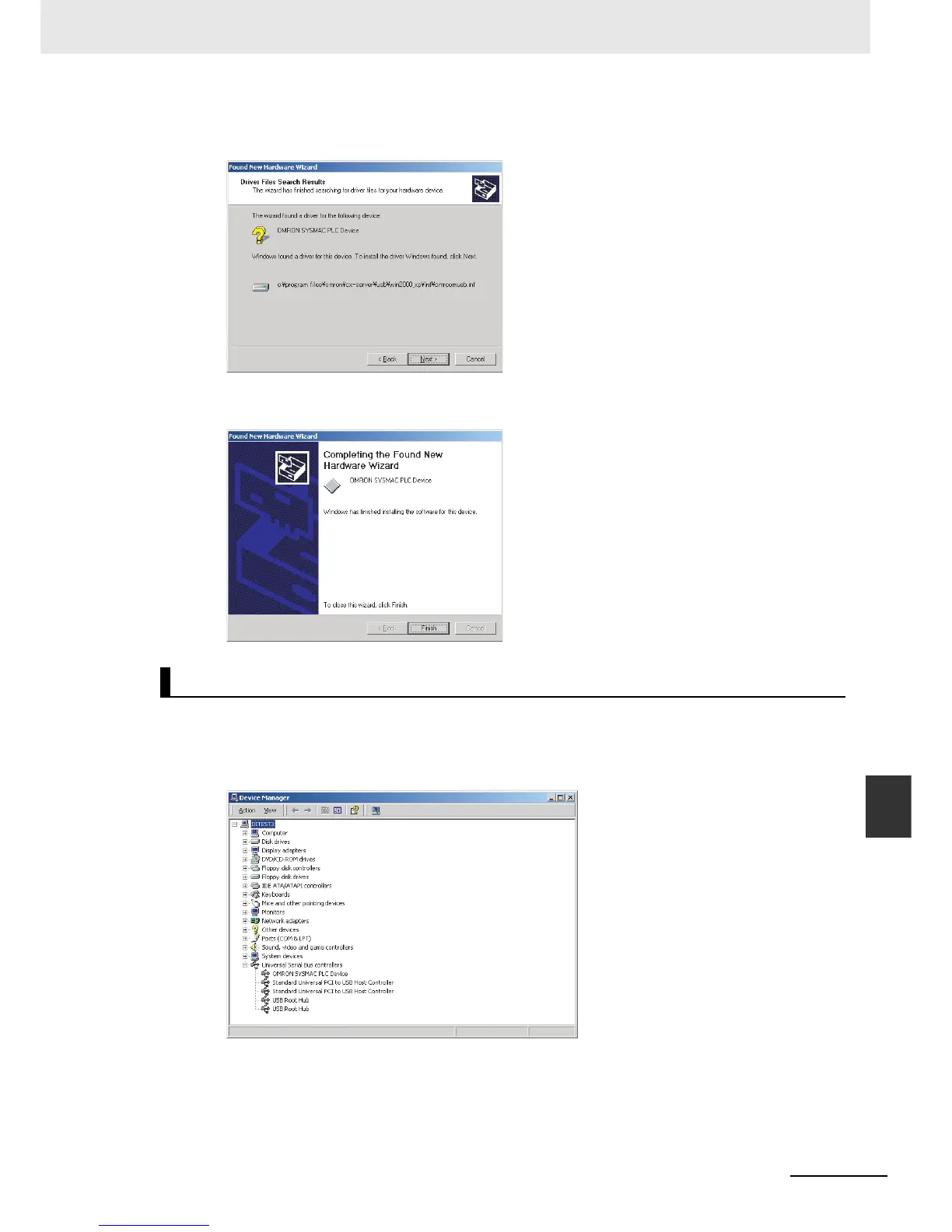
6. A search will be made for the driver and the following window will be displayed. Click the Next
Button. The driver will be installed.
7. After the driver has been successfully installed, the following window will be displayed. Click the
Finish Button.
1. Display the Device Manager at the computer.
2. Click USB (Universal Serial Bus) Controller, and confirm that OMRON SYSMAC PLC Device is
displayed.
Checking after Installation













 To Next Page