HS-360X Handheld DPM Scanner User Manual 2-3
Data Capture
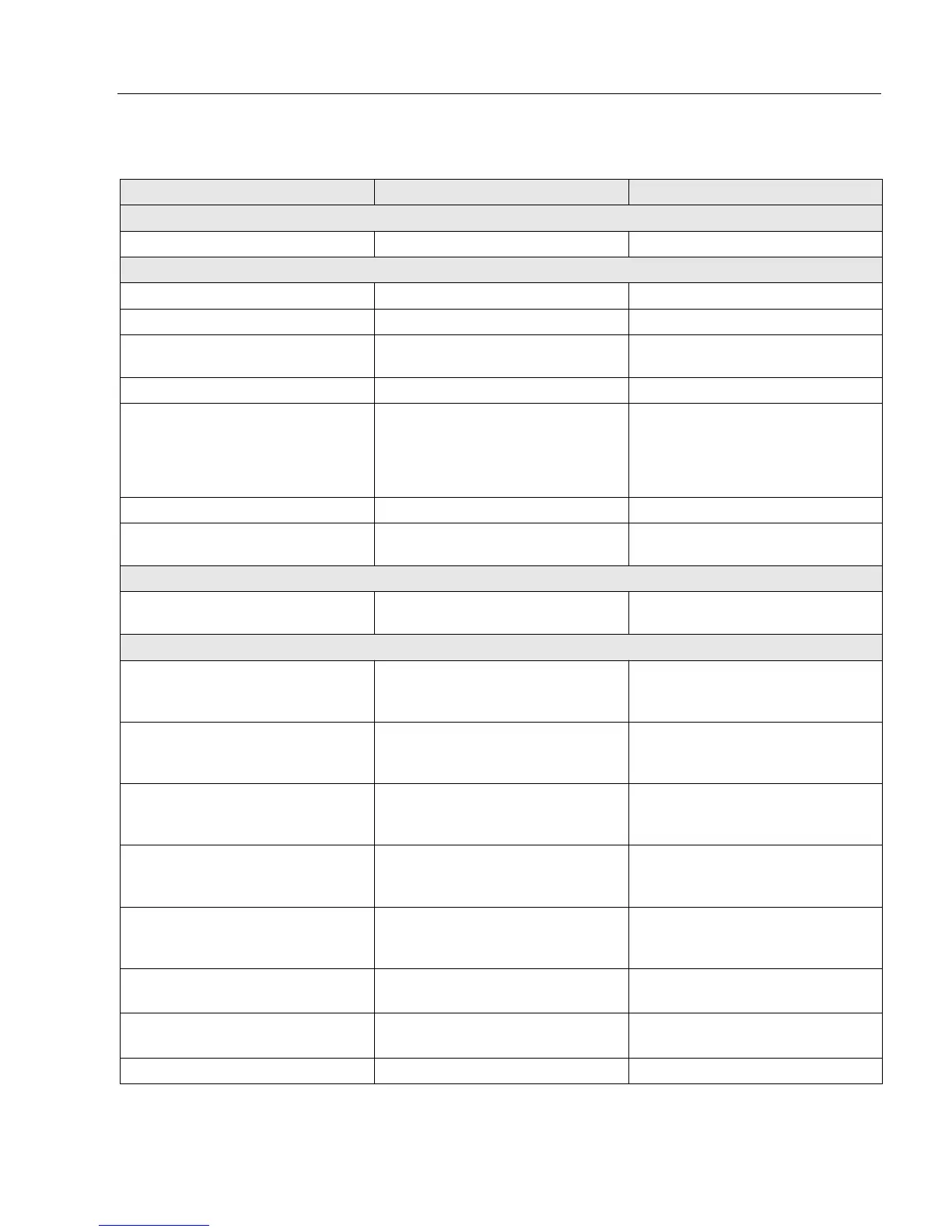
HS-360X Wireless Scanner Beeper and LED Definitions
Event Beeper Sequence LED
Standard Use
Power up. Low/medium/high beeps Green
Scanning
Presentation Mode on. None Green solid
Presentation Mode off. None No LED; green LED is turned off
A barcode was successfully
decoded.
Medium beep (or as configured) Green flash
Parity error. Low/low/low/extra low beeps Red
A transmission error was detected
in a scanned symbol. The data is
ignored. This occurs if a unit is not
properly configured. Check option
setting.
Four long low beeps Red
Conversion or format error. Five long low beeps Red
A <BEL> character is received
over RS-232.
High None
Wireless Operation
Out of batch storage memory,
unable to store new barcode.
Low, high, low, high Red
Radio Indications
Scanner inserted into a cradle
(may be disabled).
Low
System LED: None
Radio LED: None
Bluetooth connection established. Low, high
System LED: Green
Radio LED: Green (Stays on after
trigger hold for 3 seconds)
Bluetooth disconnection event. High, low
System LED: Red
Radio LED: Red (Stays on at
trigger pull)
Bluetooth Page timeout; remote
device is out of range/not powered.
Long low, long high
System LED: Red
Radio LED: Red (Stays on at
trigger pull)
Bluetooth connection attempt was
rejected by remote device.
Long low, long high, long low, long
high
System LED: None
Radio LED: Red (Stays on at
trigger pull)
Bluetooth attempting reconnection. None
System LED: None
Radio LED: Red blinking
Bluetooth attempting reconnection
(default is disable).
Five high
System LED: None
Radio LED: Red blinking
Paging state indication Six high System LED: Blue (fast, fast, slow)


 To Next Page