EasyManua.ls Logo

Omron HS-360X - User Manual

Omron HS-360X
478 pages
Print Icon
To Next Page IconTo Next Page
Loading...
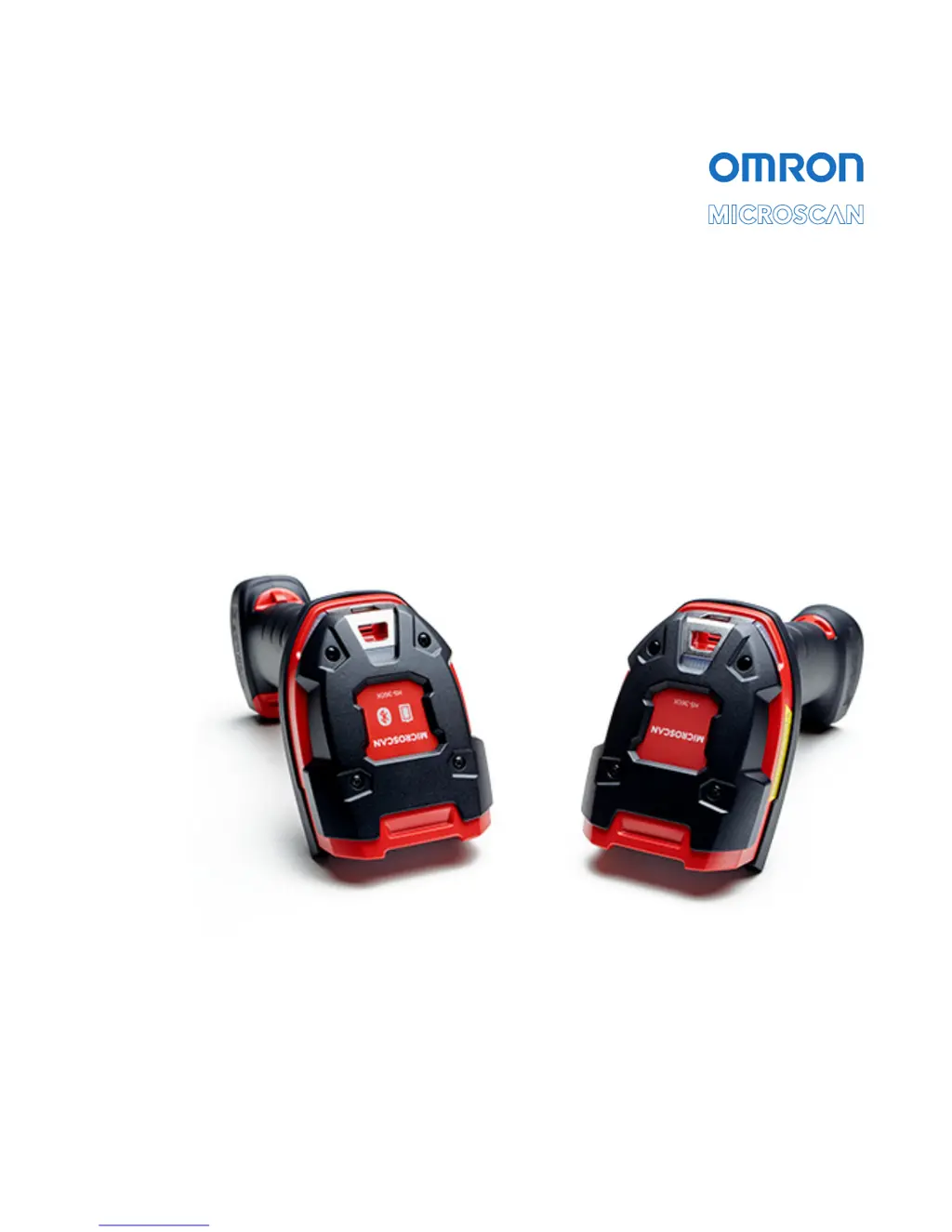
HS-360X Handheld DPM Scanner
User Manual
P/N 84-9000360-02 Rev A

Table of Contents

Other manuals for Omron HS-360X

Questions and Answers

  • G
    George ClarkAug 7, 2025
    How to fix when my Omron HS-360X emits frequent beeps?
    • E
      Erin DiazAug 7, 2025
      If your Omron Scanner is emitting frequent beeps, it could be due to a few reasons. First, check the system power to ensure the scanner is receiving adequate power. If the configuration requires a power supply, reconnect it. Second, verify that the correct host interface cable is being used; if not, connect the correct cable. Lastly, check for loose cable connections and re-connect any loose cables.
  • P
    Phillip PearsonAug 12, 2025
    Why does my Omron Scanner emit aiming pattern but not decode the barcode?
    • R
      Richard WhiteAug 12, 2025
      If your Omron Scanner emits the aiming pattern but fails to decode the barcode, it may be due to several reasons. Ensure that the scanner is programmed for the correct barcode type. If it is, the barcode symbol may be unreadable; scan test symbols of the same barcode type to determine if the barcode is defaced. Also, make sure the barcode symbol is completely within the aiming pattern. Finally, the distance between the scanner and barcode might be incorrect, so move the scanner closer to or further from the barcode.
  • E
    Erin TuckerAug 17, 2025
    What to do if my Omron HS-360X Scanner displays scanned data incorrectly on the host?
    • R
      Rebecca JonesAug 17, 2025
      If your host displays scanned data incorrectly from the Omron Scanner, it may be because the scanner is not programmed to work correctly with the host. Try scanning the appropriate host type programming symbol. If you are using RS-232, set the scanner's communication parameters to match the host's settings. You might also need to program the proper editing options, such as UPC-E to UPC-A Conversion.
  • E
    Eric CuevasAug 22, 2025
    Why doesn't the aiming pattern appear when I press the trigger on my Omron Scanner?
    • G
      gchaneyAug 22, 2025
      If the aiming pattern does not appear when you press the trigger on your Omron Scanner, there could be several reasons: * There may be no power to the scanner. If the configuration requires a power supply, reconnect it. * The incorrect host interface cable may be in use. Connect the correct host interface cable. * Interface/power cables may be loose. Re-connect cables. * The aiming pattern may be disabled. Enable the aiming pattern.
  • K
    Kaitlyn LynnAug 27, 2025
    What does it mean when my Omron Scanner emits five long low beeps after decoding a barcode?
    • R
      robertbennettAug 27, 2025
      If your Omron Scanner emits five long low beeps after a barcode is decoded, it indicates a conversion or format error. This means the scanner’s conversion parameters are not properly configured. Ensure the scanner’s conversion parameters are properly configured. Alternatively, a barcode was scanned with characters that can't be sent for that host. In this case, change the barcode, or change to a host that can support the barcode.
  • T
    thomashillNov 1, 2025
    What to do if my Omron HS-360X Scanner decodes the barcode but doesn't transmit data to the host?
    • C
      Catherine ArnoldNov 1, 2025
      If your Omron Scanner decodes a barcode but doesn't transmit the data, there might be several reasons. First, verify that the scanner is programmed for the correct host type by scanning the appropriate host type programming symbol. Also, check if the interface cable is loose and reconnect it if necessary. If you are using a cradle, ensure it is programmed for the correct host type by checking the scanner host parameters or editing options. If the scanner is not paired to the host-connected interface, pair it by scanning the PAIR symbol on the cradle. If the cradle has lost connection to the host, disconnect the power supply, then the host cable, wait three seconds, reconnect the host cable, and then the power supply, and reestablish pairing. If the scanner emits 4 long low beeps, a transmi...

Summary

Quick Start Guide

HS-360 X Scanner and Cradle Setup

Covers parts, connection, power, battery, and pairing for wireless/wired models.

Data Capture and Indicators

Radio Communications and Bluetooth Setup

Radio Communications Parameter Defaults

Lists default settings for radio communication parameters.

Bluetooth Host Types and Profiles

Explains connection types like HID, SPP for Bluetooth hosts.

User Preferences and Configuration

USB Interface Setup and Configuration

RS-232 Interface Setup and Configuration

Barcode Symbologies Configuration

Symbology Parameter Defaults

Lists default settings for various barcode symbologies.

WebLinkPC Software Configuration

Install and Connect WebLinkPC

PC requirements and steps to start the software.

Configure Scanner Settings with WebLinkPC

Using WebLinkPC views to configure cycle, performance, and symbology.

Omron HS-360X Specifications

General IconGeneral
BrandOmron
ModelHS-360X
CategoryScanner
LanguageEnglish

Related product manuals