6-4 Operator’s Manual – OPTI CCA-TS
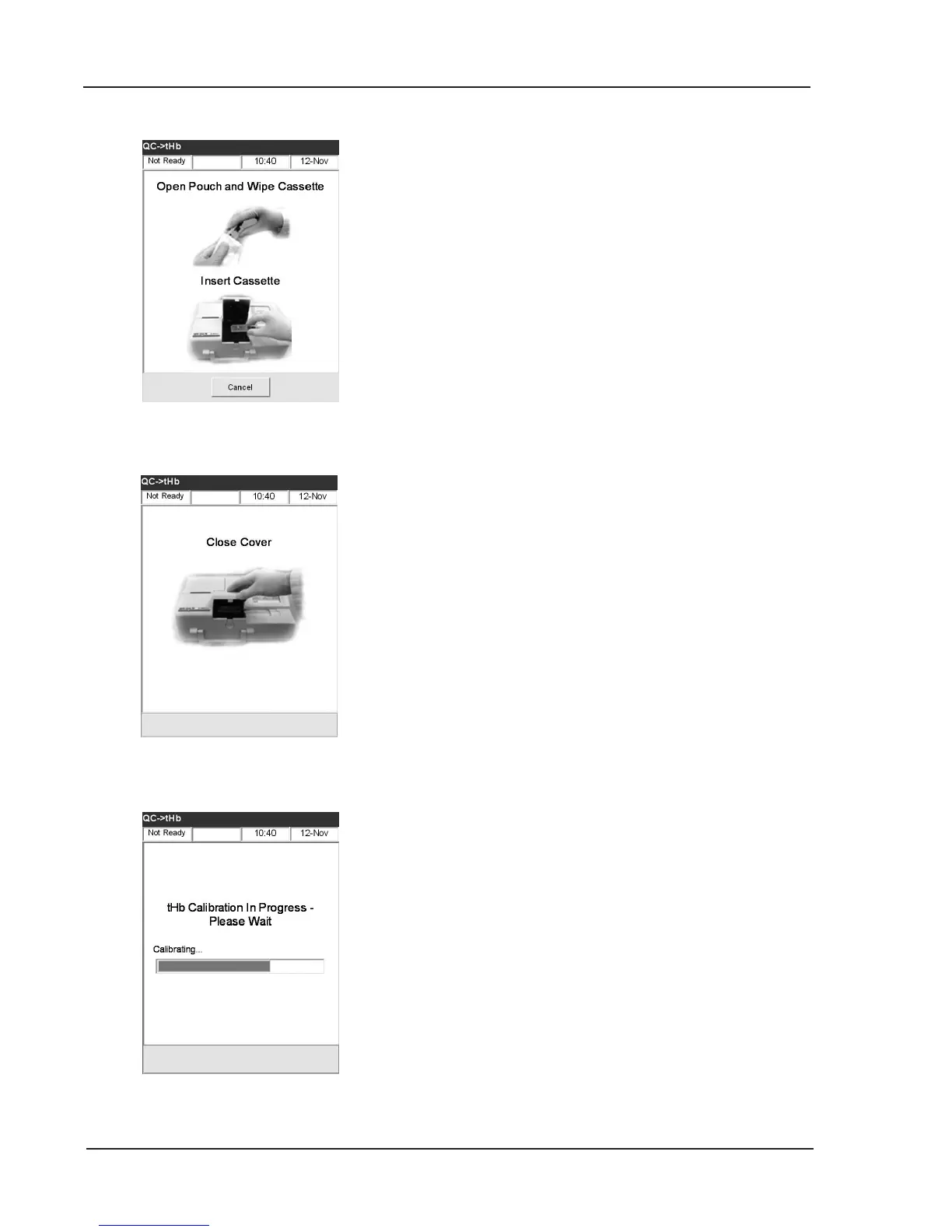
Fig. 6-9 tHb Calibration
9. Gently wipe both sides of the tHb-Calibrator
Cassette with a clean dry cloth and examine it to
ensure it is clean. Insert it into the chamber and
press down to properly seat the cassette
(Fig. 6-7).
10. Close the sample chamber cover (Fig. 6-8).
After the cover has been closed, the instrument will
automatically detect the presence of the calibrator
cassette and begin calibration (Fig. 6-9).
11. After the calibration is complete you will be
prompted to open the sample chamber cover and
remove the cassette.
12. Place the calibrator cassette back into its pouch
immediately after removal from the instrument.
NOTE: Makesuretokeepthecalibratorcassette
withtheinstrumentatalltimes.
Fig. 6-8 Close Cover
Fig. 6-7 Wipe and Insert Cassette



 To Next Page