Operator’s Manual – OPTI CCA-TS 2-7
7. Performing tHb Calibration
The tHb Calibrator Cassette should be run prior
to patient testing when rst setting up your
analyzer. The tHb calibrator should then be
run quarterly. Your OPTI CCA-TS will remind
you when the tHb calibration is due. The tHb
Calibrator Cassette can be found in the storage
compartment in the back of your analyzer.
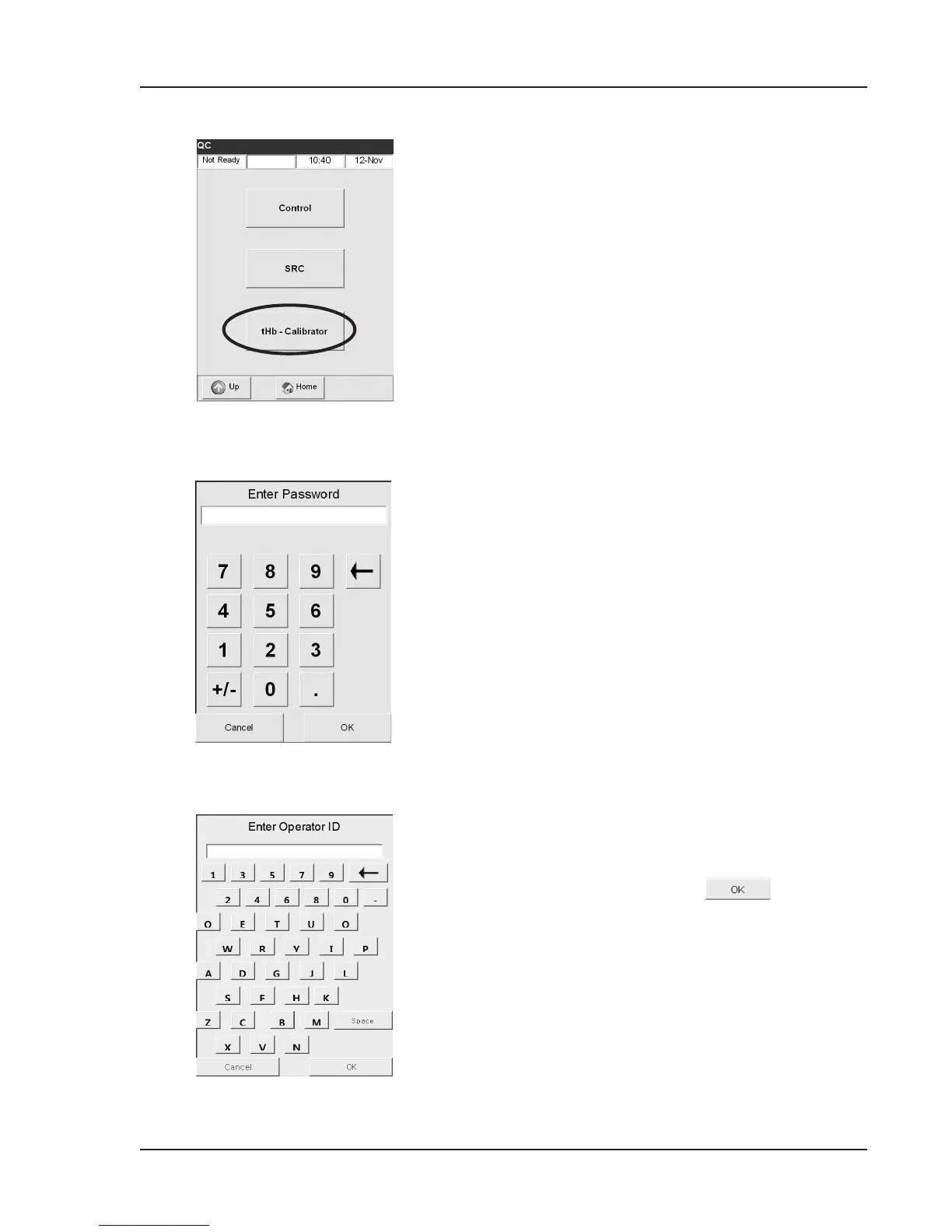
• In the <Ready> display, select <QC
Manager>.
• In the <QC Manager> menu, select
<tHb-Calibrator> (Fig. 2-13).
• Use the numeric keypad to enter the
password (factory default 404) (Fig. 2-14).
• Use the alphanumeric keypad to enter the
Operator ID or press
to bypass this
function (Fig. 2-15).
• If Secure Op. IDs is activated under Setup
(see Section 3.3.2.4.3) your 4-digit PIN #
will be required in place of your Operator
ID.
Fig. 2-13 Select tHb-Calibrator
Fig. 2-15 Enter Operator ID
Fig. 2-14 Enter Password



 To Next Page