4-10 Operator’s Manual – OPTI CCA-TS
4 CALIBRATION AND QUALITY CONTROL
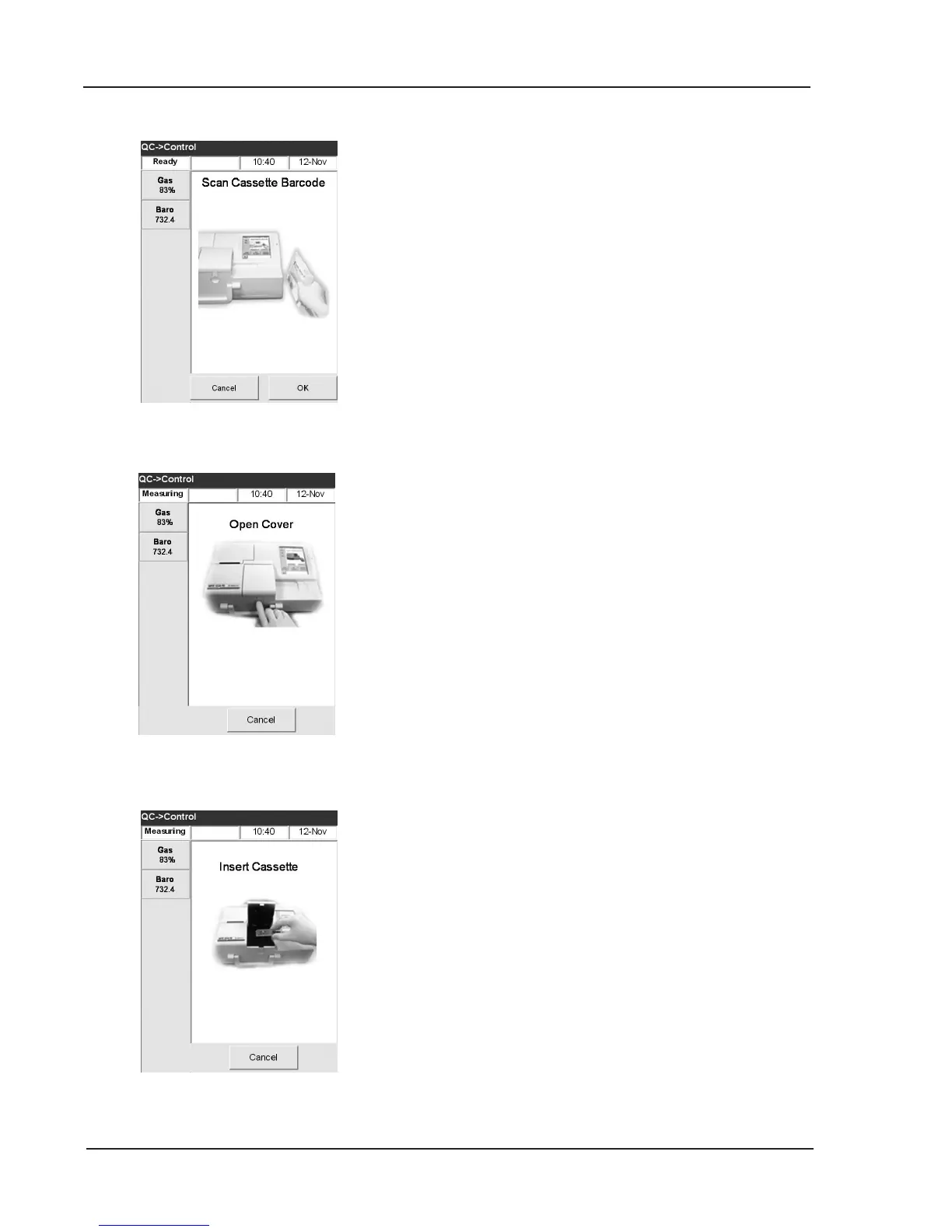
Fig. 4-19 Insert Cassette
Fig. 4-18 Open Cover
Fig. 4-17 Scan Bar Code
6. Scan the bar-coded strip on the OPTI Cassette
package by holding it 2-3 inches (5-8 cm) from
the bar code scanner located on the bottom right-
hand corner of the analyzer to automatically
record the lot and calibration information for the
specic cassette (Fig. 4-17).
• The red line from the barcode scanner
should cover the entire bar code.
• The unit will beep and the status light will
turn green to conrm a valid bar code.
• In case of an expired cassette, the light will
turn red.
NOTE:Refertospecialhandlinginstructionsinside
thecassetteboxforrefrigeratedcassettes.
NOTE: Ifthebarcodeisdamagedorunreadable,
press <Manual Entry>andenterthebar
codedigitsprintedonthebarcodelabel
usingthenumerickeypad.
NOTE: Acontrolmeasurementmaybemadeusing
anycassettelotorcassettetype.
7. Open the sample chamber cover by pressing the
release button (Fig. 4-18).
8. Tear open the cassette pouch being careful not
to tear the bar code. Remove the cassette and
wipe any excess moisture from the cassette with
a clean dry cloth.
NOTE: IftheQCsampleistobeintroducedwitha
capillarytube,removethesyringeadapter
beforeplacingthecassetteintothechamber.
9. Insert the cassette into the chamber.
Press down to ensure that the cassette is seated
properly (Fig. 4-19).
NOTE:Runcassettesimmediatelyafteropening
pouch,ifpossible,butnolaterthan15
minutesafteropeningthepouch.



 To Next Page