5-10 Operator’s Manual – OPTI CCA-TS
5 SAMPLE HANDLING AND PATIENT TESTING
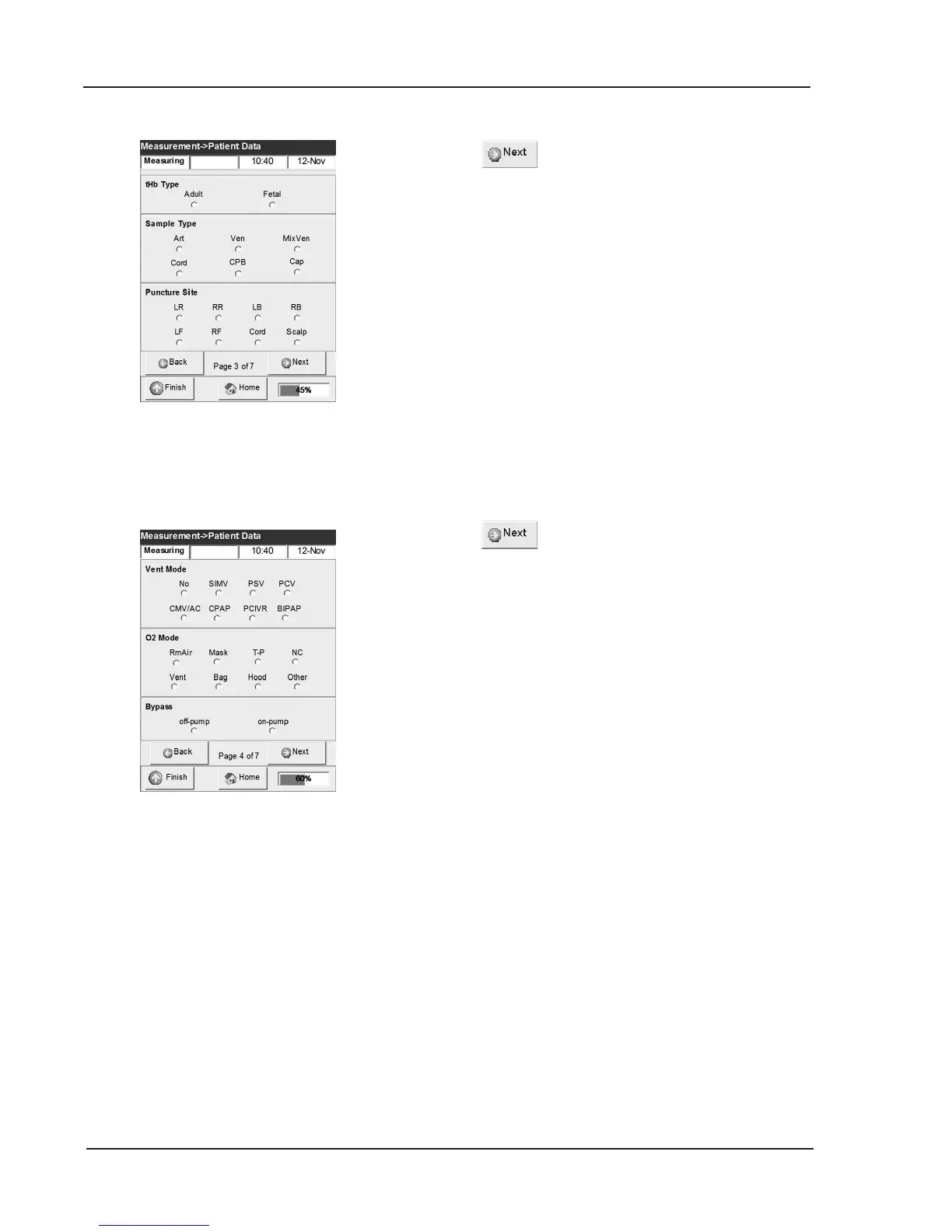
12. Press again and the following patient
information is displayed (Fig. 5-16):
• Hb Type (adult or fetal, default is adult)
• Patient Sample Type: (Art/Ven/MixVen/Cap/
Cord/CPB), where:
Art = Arterial
Ven = Venous
MixVen = Mixed Venous
Cap = Capillary
Cord = Cord
CPB = Cardio Pulmonary Bypass
• Puncture Site (LR/RR/LB/RB/LF/RF/Cord/
Scalp), where:
LR = Left Radial RR = Right Radial
LB = Left Brachial RB = Right Brachial
LF = Left Femoral RF = Right Femoral
Cord = Cord Scalp = Scalp
13. Press for the following information
(Fig. 5-17):
• Vent Mode: (No/SIMV/PSV/PCV/CMV-AC/
CPAP/PCIVR/BIPAP/PRVC), where:
No = None
SIMV = Synchronized Intermittent
Mandatory Ventilation
PSV = Pressure Supported Ventilation
PCV = Pressure Control Ventilation
CMV/AC = Controlled Mechanical
Ventilation / Assist Control
CPAP = Continuous Positive Airway
Pressure
PCIVR = Pressure Control Inverse Ratio
BIPAP = Bi-Level Positive Airway Pressure
PRVC = Pressure-Regulated Volume Control
•
O2 Mode: (Rm Air/Mask/T-P/NC/Vent/Bag/
Hood/Other), where:
RmAir = Room Air
Mask = Mask
T-P = T-Piece
NC = Nasal Canula
Vent = Vent
Bag = Bag (Manual Resuscitation)
Hood = Hood
Other = Other
• Bypass (Off-pump or on-pump)
Fig. 5-16 Edit patient data (3)
Fig. 5-17 Edit patient data (4)



 To Next Page