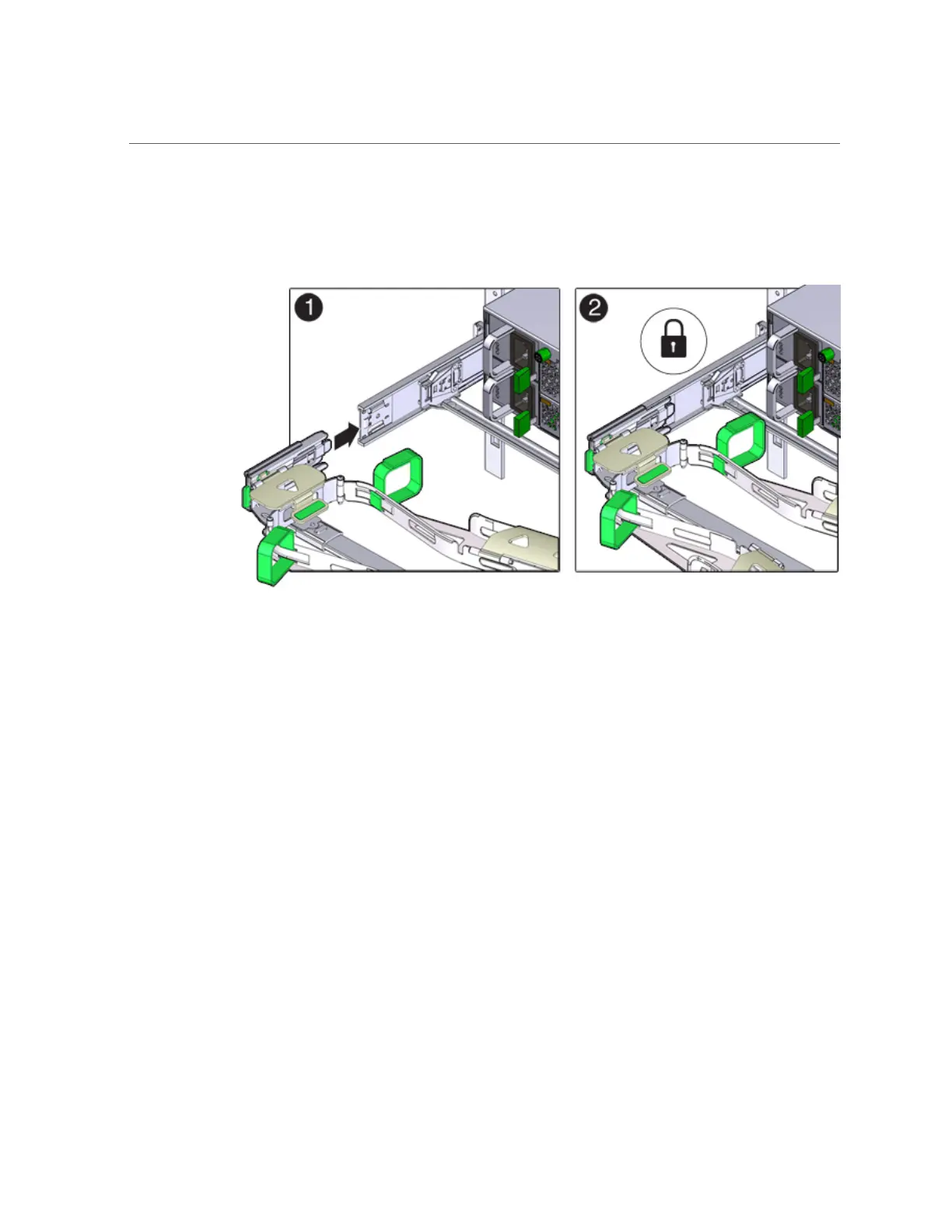
Installing a ZS3-2 Cable Management Arm
When inserting connector D into the slide-rail, the preferred and easier method is to install
connector D and the latching bracket as one assembly into the slide-rail.
12.
Gently tug on the left side of the CMA's rear slide bar to verify that connector D
is properly seated.
13.
Gently tug on the four CMA connection points to ensure that the CMA
connectors are fully seated before you allow the CMA to hang by its own weight.
14.
Verify that the slide-rails and the CMA are operating properly before routing
cables through the CMA:
a.
Ensure all rack anti-tilt devices are extended to prevent the rack from
tipping.
198 Oracle ZFS Storage Appliance Installation Guide, Release OS8.8.x • August 2021











 To Next Page