EasyManua.ls Logo

Orion FLEX Series - User Manual

Orion FLEX Series
92 pages
Print Icon
To Next Page IconTo Next Page
Loading...
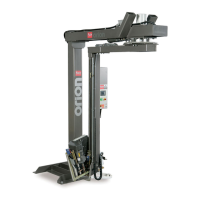
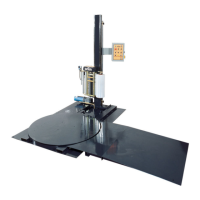
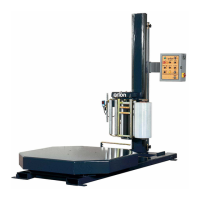
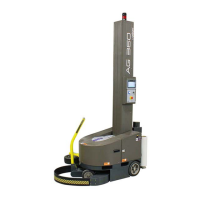
AG360 Flex
STRETCHWRAPPER
MANUAL
Model
AG 360 RoboWrapper
Revision Date - June 28, 2017
Machine Manual
Revision 1.1
4750 County Road 13 NE
Alexandria, MN 56308
Phone: (901) 888-4170
Toll Free: (800) 333-6556
FAX: (901) 365-1071

Table of Contents

Questions and Answers

  • F
    Frederick MorganSep 8, 2025
    What does up-down drive fault (E-7) mean on Orion FLEX Stretch Wrapping Systems?
    • S
      Shawn GonzalezSep 8, 2025
      If you're experiencing an Up-down drive fault (E-7) on your Orion Stretch Wrapping Systems, it means there's low voltage or signals are not on. Check the lift driven plate voltage.
  • J
    Jason KelleySep 10, 2025
    What does it mean if the height photocell is not finding object (E-8) on my Orion Stretch Wrapping Systems?
    • V
      Veronica KleinSep 10, 2025
      If the height photocell is not finding an object (E-8) on your Orion Stretch Wrapping Systems, it could be because the photocell is not finding the object at the start or is broken. Check for a circuit fault.
  • T
    Thomas MirandaSep 12, 2025
    What to do if the lift unit is not in home position (E-9) on Orion FLEX?
    • K
      Katherine JonesSep 12, 2025
      If the lift unit is not in the home position (E-9) on your Orion Stretch Wrapping Systems, it could be due to a lift unit low journey fault or a circuit fault. Check the lift unit position.
  • J
    Jack TaylorSep 13, 2025
    What does brake open (E-13) mean on my Orion FLEX Stretch Wrapping Systems?
    • W
      wilkinsonkatherineSep 14, 2025
      If you receive a 'Brake open (E-13)' error on your Orion Stretch Wrapping Systems, it indicates the manual brake mechanism is open or there is a circuit fault. Check the brake protection proximity fault.
  • J
    jcooperSep 15, 2025
    How to make my Orion FLEX Stretch Wrapping Systems operate when the side panel is open?
    • M
      mary85Sep 15, 2025
      To resolve the issue where your Orion Stretch Wrapping Systems machine does not operate when the side panel is open, ensure that each side door is completely closed and the interlock connector is properly engaged into the switch, because the interlock switch prevents operation.
  • D
    Dr. Ryan Flowers MDSep 18, 2025
    What to do if manual drive walking feature does not function on Orion Stretch Wrapping Systems?
    • R
      Raymond SmithSep 18, 2025
      If the manual drive walking feature does not function on your Orion Stretch Wrapping Systems, ensure the handle is straight forward and the proximity sensor is met, because the proximity sensor may not be detecting the handle position.

Summary

1. Introduction and Safety

Introduction and Manual Overview

Overview of Orion stretch-wrapping equipment and the manual's purpose and structure.

Legal and Warranty Information

Details copyright restrictions and the 1-year warranty coverage for AG360 by Orion stretch wrappers.

Safety Precautions and Procedures

Covers general safety, system, operation, maintenance, hazards, and lockout/tagout procedures.

Installation and Setup Procedures

Guides for initial inspection, unloading, assembly, parameter checks, and first-time power-up.

2. System Description

Machine Specifications

Details technical specifications of the AG 360 RoboWrapper, including load capacity, speed, and power.

Machine Layout Drawings

Provides visual representations of the machine's dimensions and layout.

Machine Component Identification

Identifies and labels the various components of the AG 360 RoboWrapper.

3. System Operation

Basic Operation Procedures

Covers essential procedures like charging, starting, shutting down, and transporting the AG 360 machine.

Film Loading and Adjustment

Instructions for loading film and adjusting the carriage prestretch percentage for optimal wrapping.

Interface Navigation and Screens

Guides for using the HMI interface, including Run, Recipe, and Menu screens for operation.

Machine Settings and Calibration

Procedures for calibrating sensors, adjusting HMI settings, and configuring machine parameters.

4. Troubleshooting

Component Inspections

Guides for inspecting common components like battery connections and electrical disconnects for troubleshooting.

Alarm Message Chart

Details common alarm codes, their faults, and suggested solutions for troubleshooting.

5. Maintenance

General Maintenance Guidelines

Provides general maintenance recommendations and guidance on accessing machine panels.

Component Maintenance Procedures

Details procedures for adjusting lift chain, maintaining raceways, cleaning rollers, and adjusting handle/bumper tension.

6. Electrical Prints and Mechanical Drawings

Electrical Prints

Schematics and wiring diagrams for the AG 360 RoboWrapper's electrical systems.

Mechanical Drawings

Download link for visual representations and diagrams of the machine's mechanical components.

Orion FLEX Series Specifications

General IconGeneral
BrandOrion
ModelFLEX Series
CategoryStretch Wrapping Systems
LanguageEnglish

Related product manuals