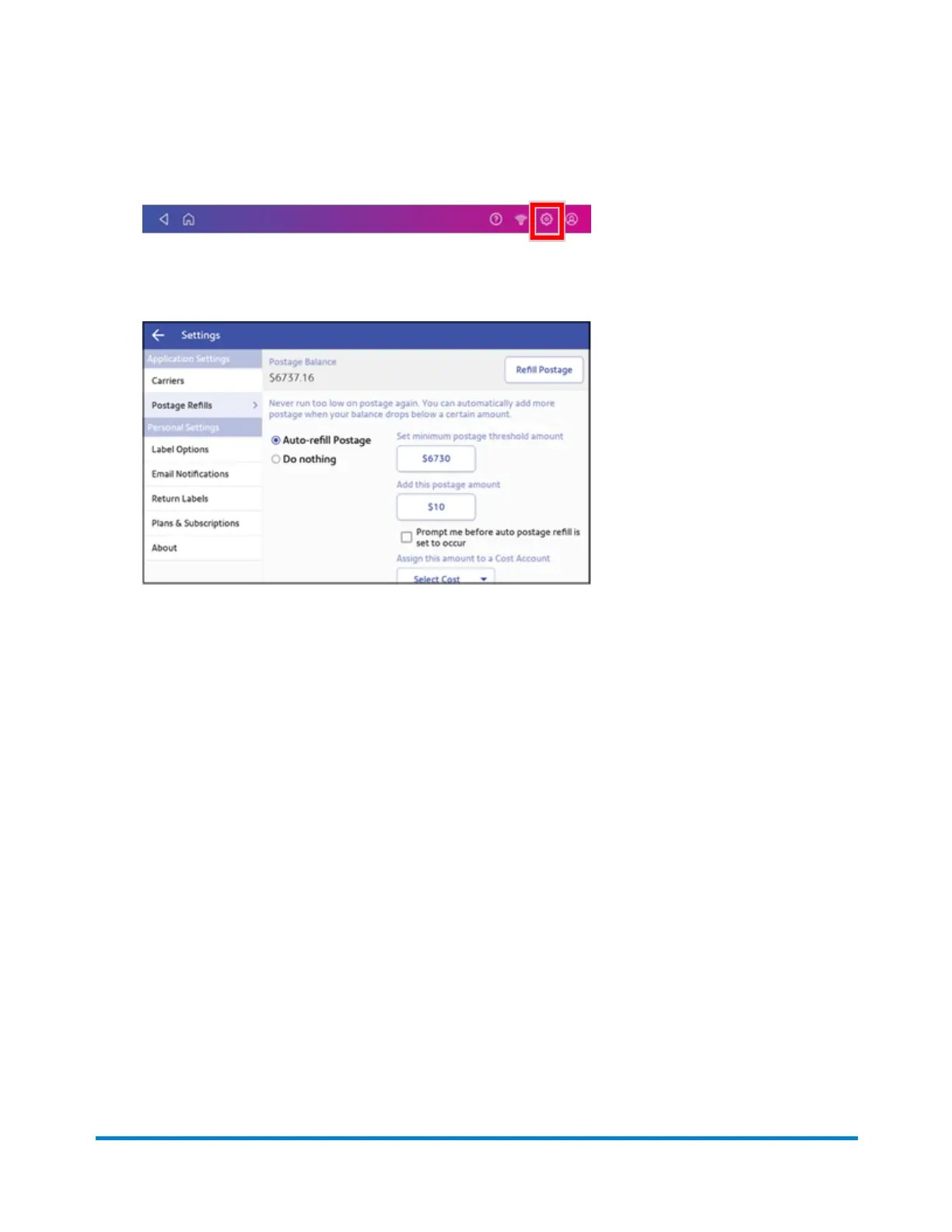
1. Tap Settings.
2. Scroll down to Shipping Refills.
3. Tap Shipping Refills.
4. If you have enabled cost accounts for shipping labels, you must select a cost account. Tap
Select Cost and choose an account from the drop-down list.
5. Tap Refill Postage on the upper right corner of the screen.
6. Use the numeric keypad to enter the amount you wish to refill.
7. Tap Refill Postage. When complete, the updated shipping label postage amount appears.
8. Tap Home to return to the Home screen.
Setting an alert when shipping label postage refill is
pending
Arrange to have your device alert you when a shipping label postage refill is pending.
In order to set up the alert you must also define a minimum postage threshold amount.
To refill your shipping labels postage account:
Managing Shipping Labels
Pitney Bowes Operator Guide April 2022 130












 To Next Page