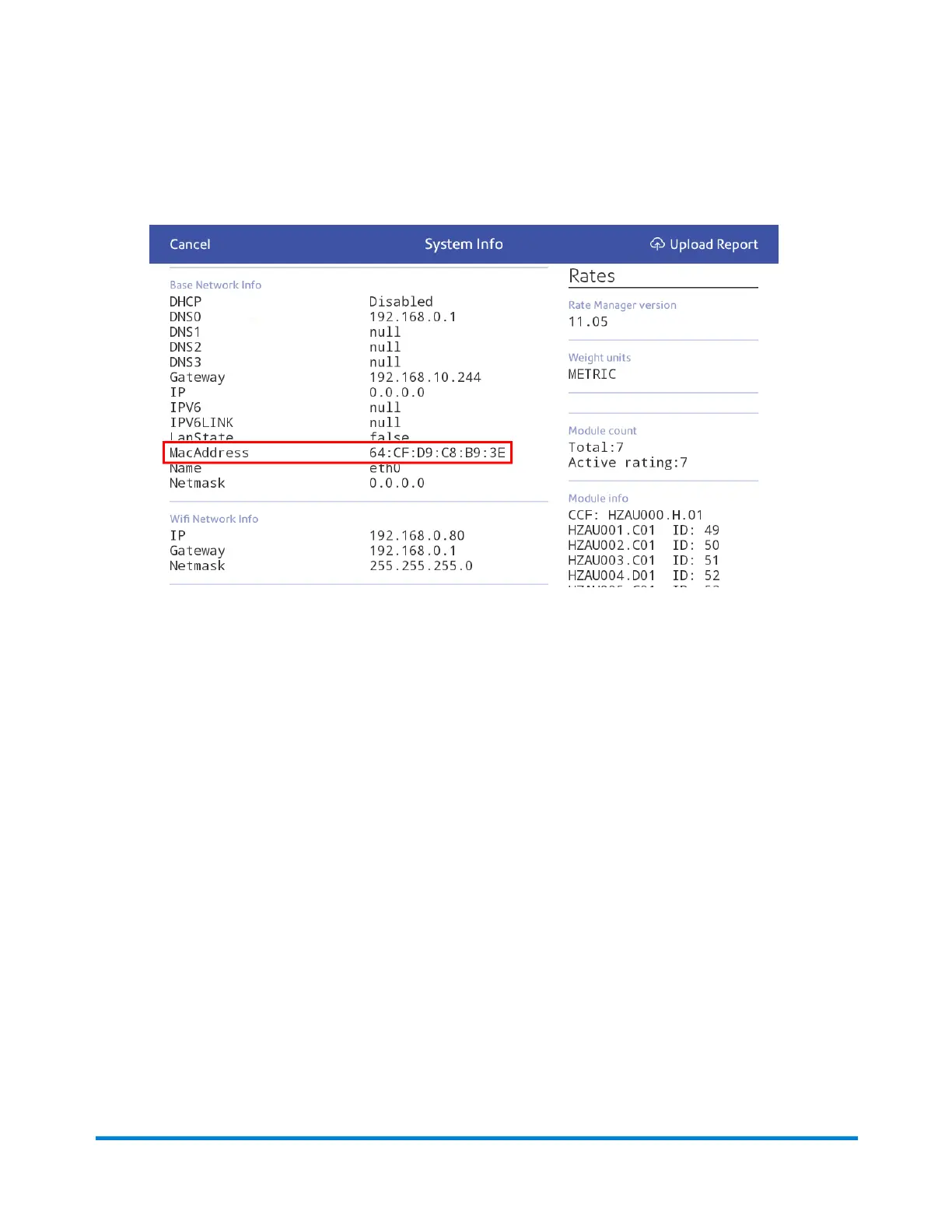
2. Scroll down to the Advanced Device Options section and tap About this C-Series.
3. Scroll down to the Base Network Info section to locate the MAC Address.
4. Tap Cancel to return to the Home screen.
Setting up a Proxy server
A Proxy server is a computer that acts as a gateway between your local network, your device, and the
internet. Proxy servers provide increased performance and security.
If your network requires a proxy server, you must contact your IT department or service provider to
obtain the proxy server information to set up a proxy server.
Choose the connection type
Choose how you connect your device to set up a Proxy server:
l
Setting up a proxy server using a Wi-Fi network connection
l
Setting up a proxy server using a wired network connection
Connectivity information
Pitney Bowes Operator Guide April 2022 73












 To Next Page