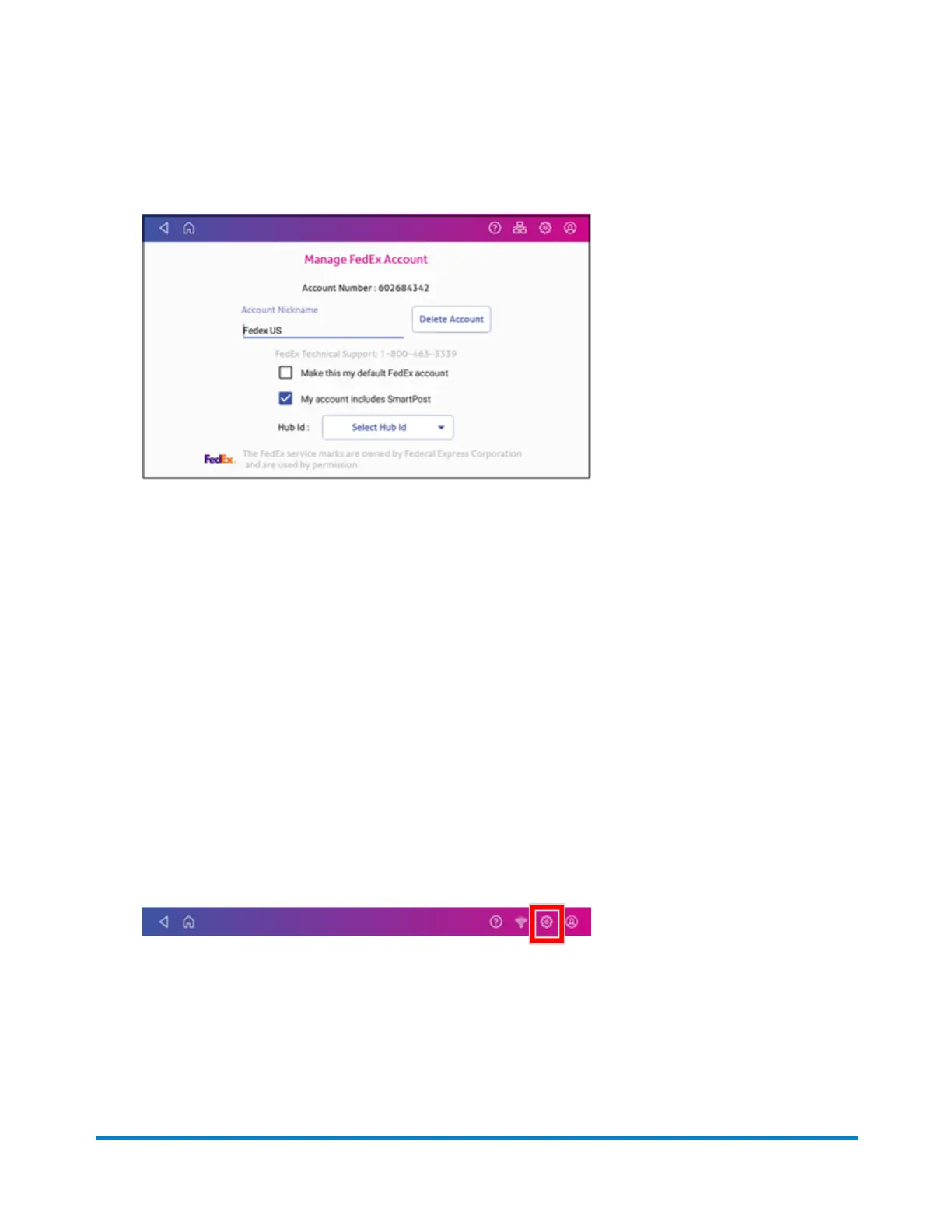
6. Tap the My account includes SmartPost box if your account includes SmartPost and you
wish to use this service.
7. Tap Select Hub Id and select the appropriate carrier location from the drop-down list.
8. Tap Apply to confirm and save your selection.
Setting up your UPS account
Use SendPro Online or PitneyShip to set up your UPS account. You must do this before you use UPS
for shipping labels.
You cannot set up a UPS account on your SendPro C, SendPro+. In your web browser, go to
https://login.pitneybowes.com/sendpro and sign in with your SendPro C, SendPro+ user ID and
password.
Once you have set up your UPS account using SendPro Online or PitneyShip, you can view your
account information on your device:
1. Tap Settings.
2. Scroll down to Shipping Settings.
3. Tap Carrier Settings.
4. Tap Manage next to UPS.
Managing Shipping Labels
Pitney Bowes Operator Guide April 2022 133












 To Next Page