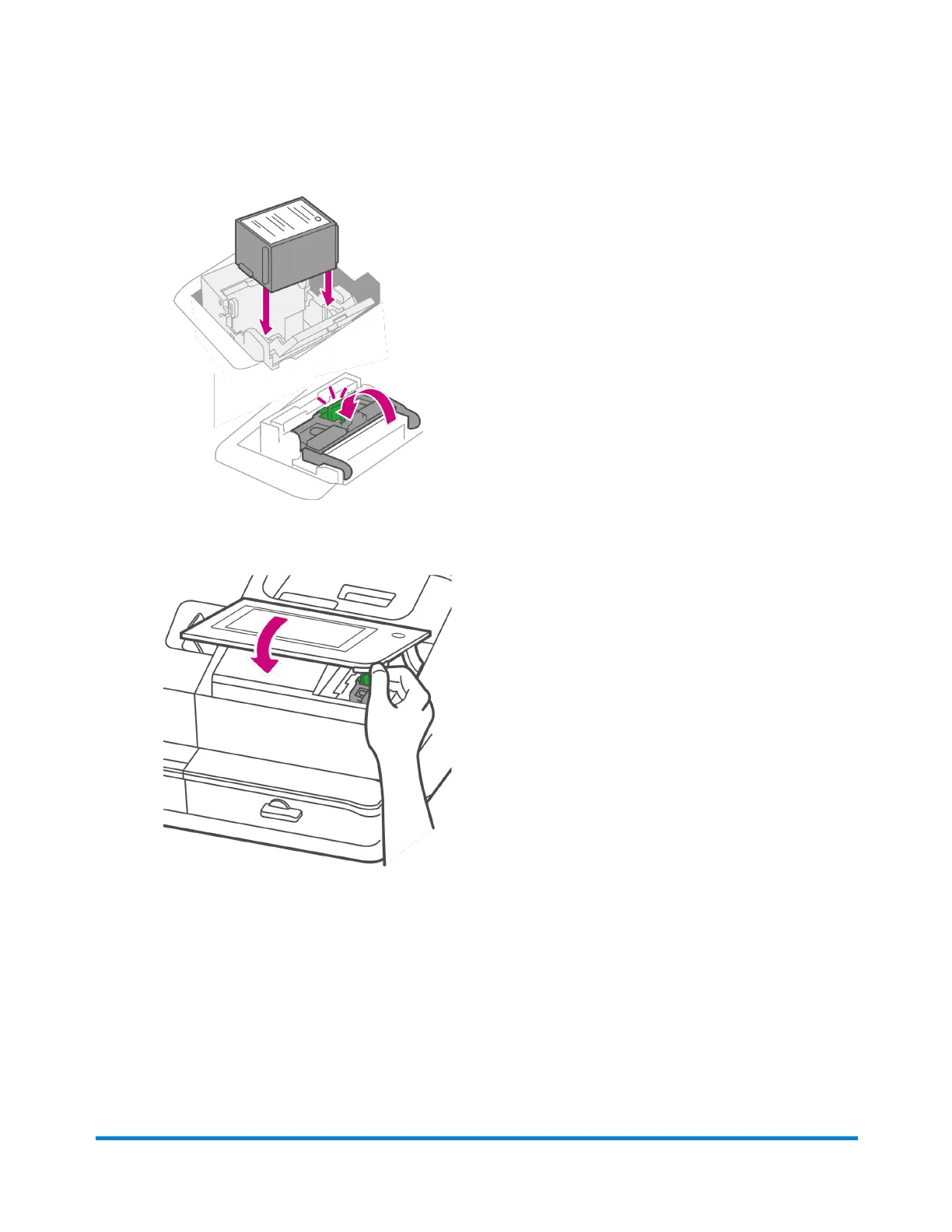
6. Insert the new ink cartridge, then close the ink cartridge guard.
7. Close the top cover.
8. The cartridge repositions itself and the Mail Printer Maintenance screen appears.
9. Print a test pattern to ensure that your ink cartridge installs properly.
Cleaning the printhead
If you clean the print nozzle and you still get a bad test print pattern, try cleaning the printhead.
Maintenance
Pitney Bowes Operator Guide April 2022 184












 To Next Page