Finding the MAC address for wired and wireless
networks
The MAC address is the network identifier for the device. IT uses it to allow the device onto the
network.
Your device contains two MAC addresses: One for wireless connections and one for wired
connections.
Locating the MAC address for wireless connections
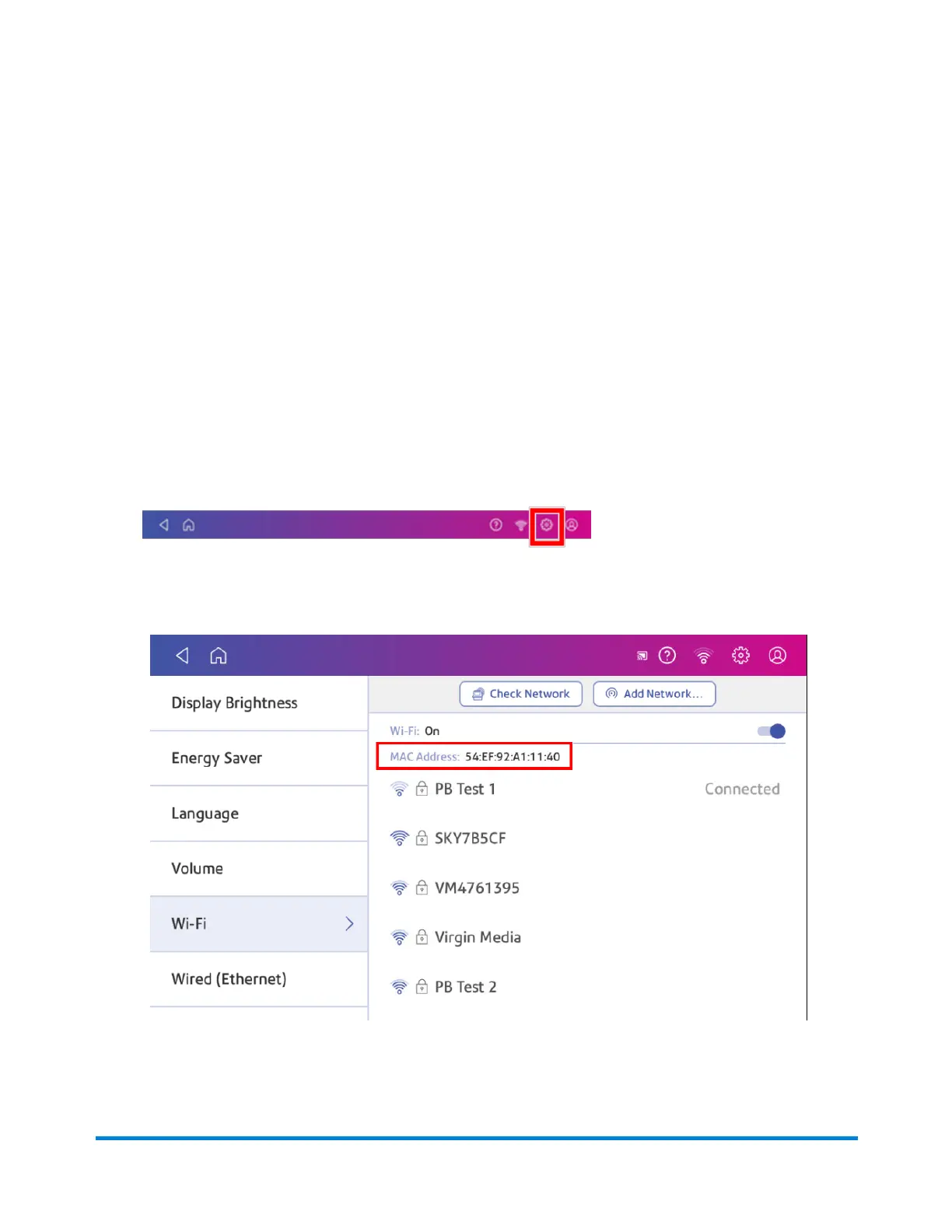
1. Tap Settings.
2. Tap Wi-Fi.
3. The MAC address appears above the list of wireless networks.
Connectivity information
Pitney Bowes Operator Guide April 2022 70












 To Next Page