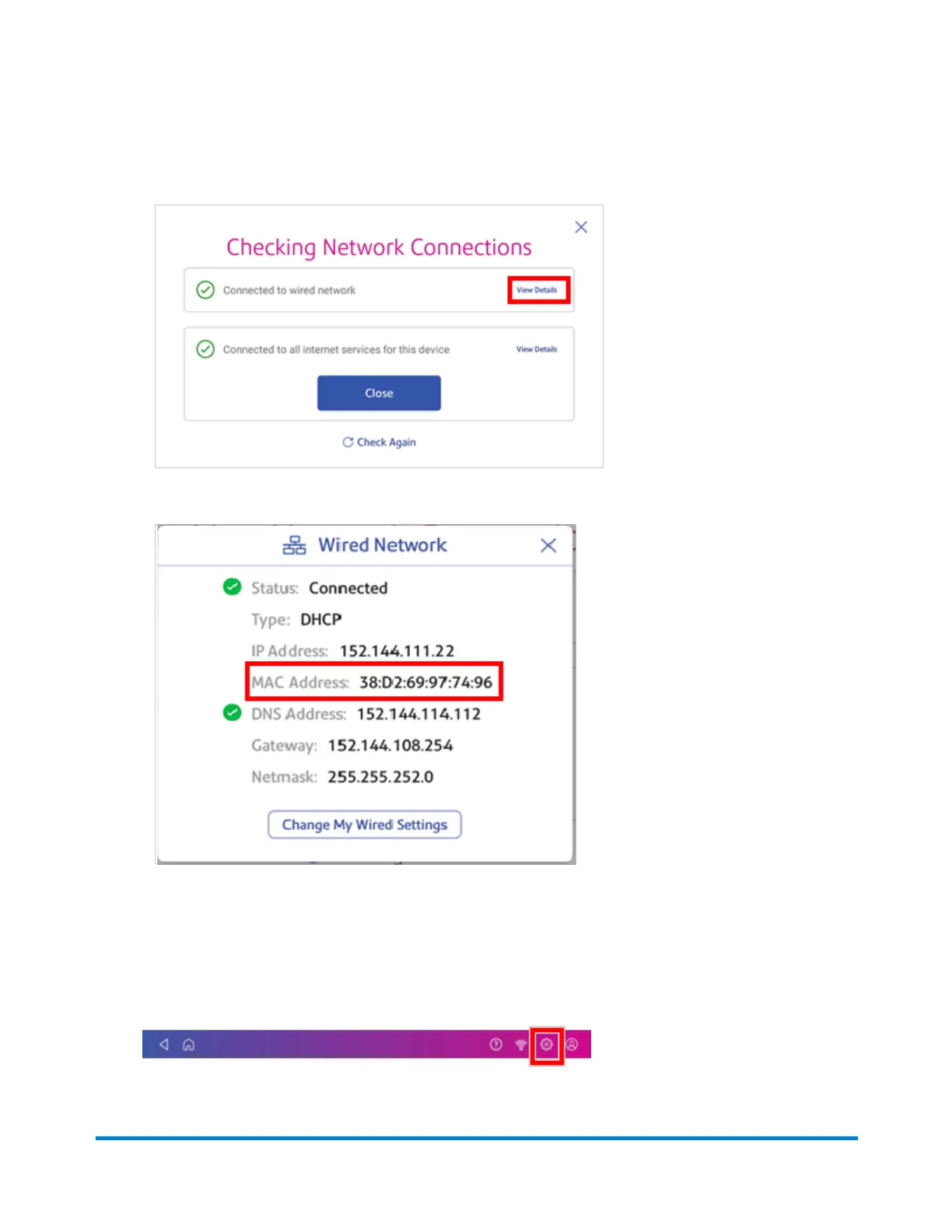
4. Tap View Details in the Connected to wired network box when the test finishes.
The MAC address appears:
5. Tap X to close this window.
6. Tap Close, then the back arrow to return to the Home screen.
If the MAC address does not appear, try these steps:
1. Tap Settings.
Connectivity information
Pitney Bowes Operator Guide April 2022 72












 To Next Page