Setting up a proxy server using a Wi-Fi network connection
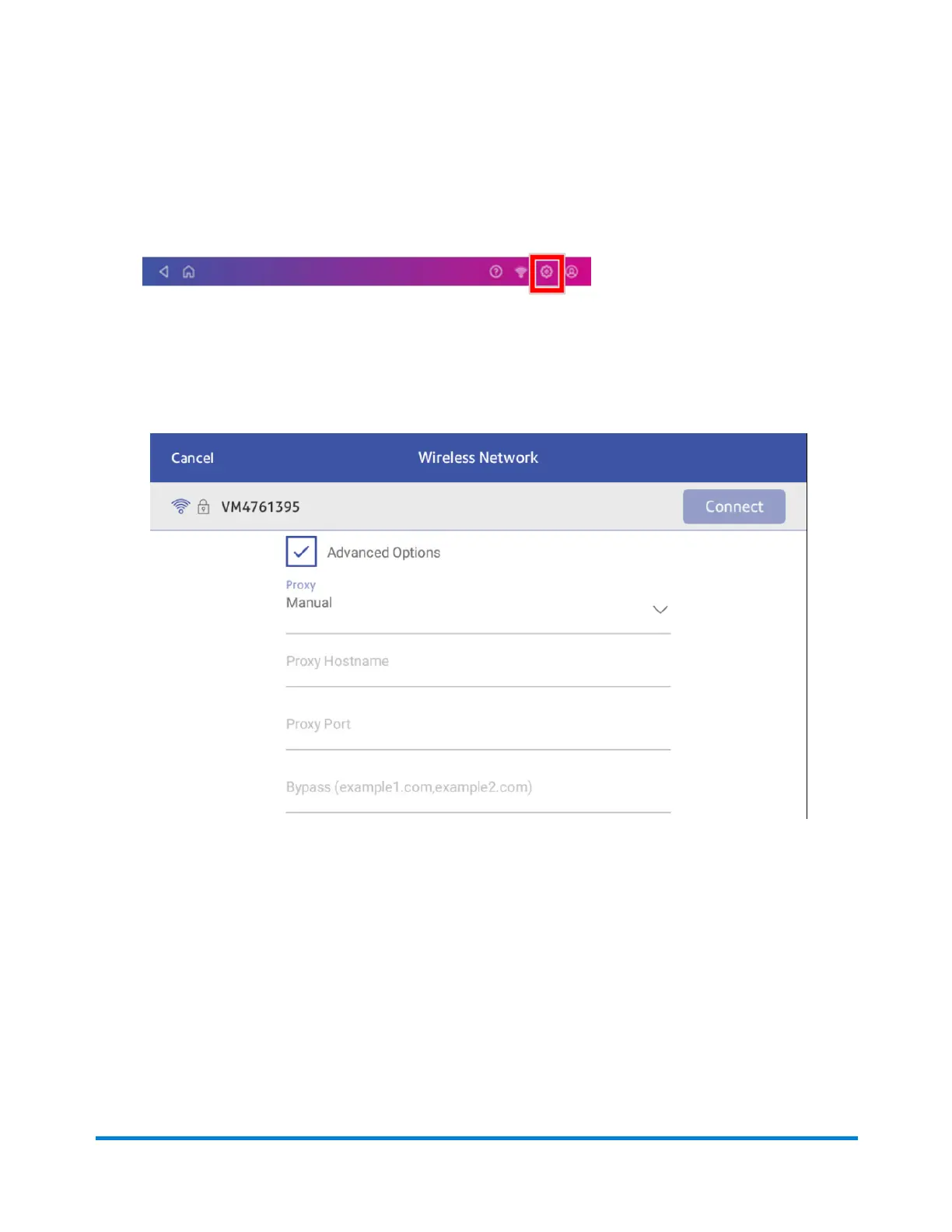
1. Tap Settings.
2. Tap Wi-Fi in the Device & Network section.
3. Select the network from the list.
4. Tap on the Advanced Options checkbox to select it.
5. Scroll down and tap the arrow next to Proxy, then select Manual.
6. Enter the IP address, HTTP or HTTPS proxy address of your proxy server in the Proxy
Hostname field.
7. Enter the port number for the proxy server in the Proxy Port field.
8. (Optional) Enter any specific URLs or URL patterns (such as internal addresses) that you wish
to bypass the proxy in the Bypass field.
Connectivity information
Pitney Bowes Operator Guide April 2022 74












 To Next Page