1. Tap Envelope Printing on the Home screen.
2. Tap Account.
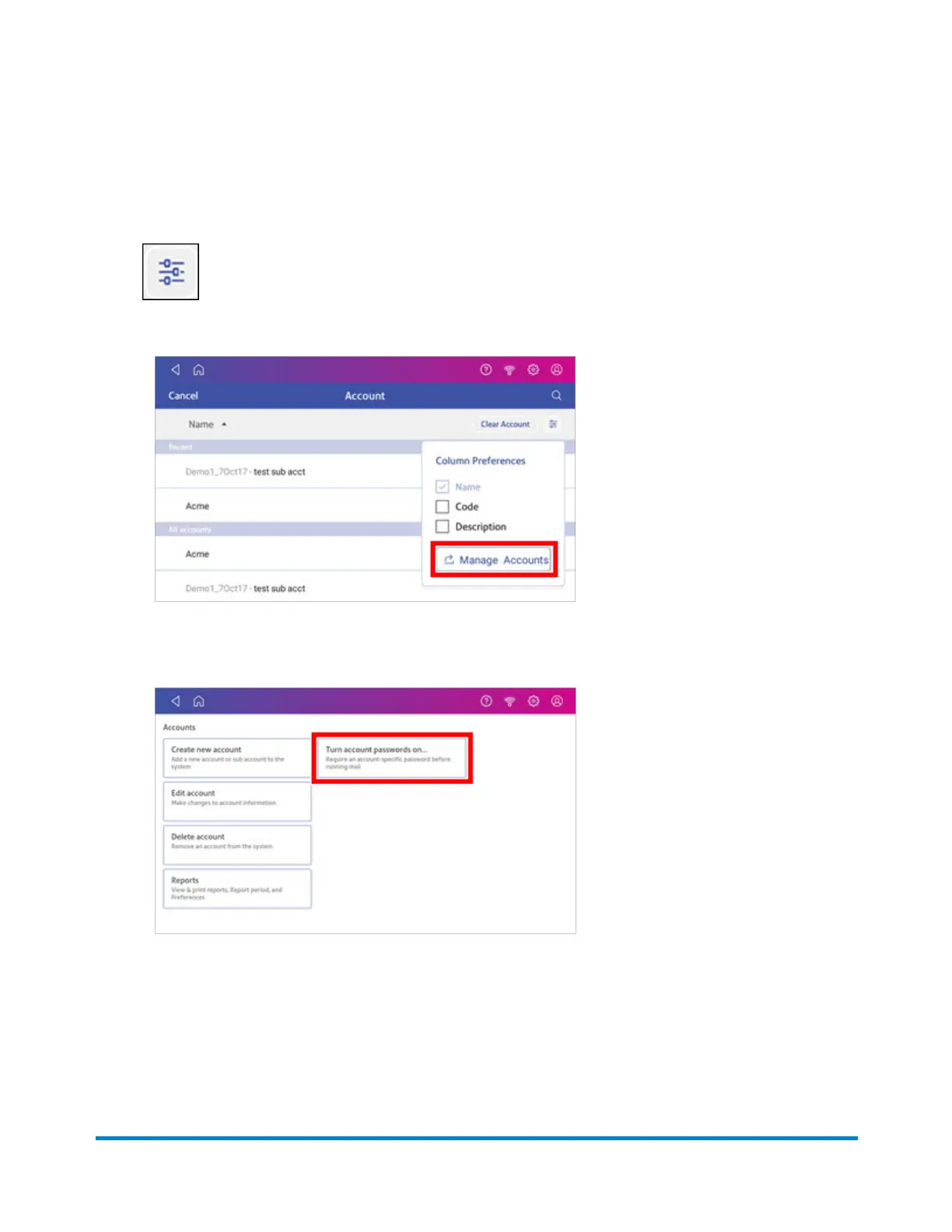
3. Tap Preferences.
4. Tap Manage Accounts.
5. The Manage Accounts screen opens.
l
Tap Turn account passwords on if account passwords are off and you wish to turn them
on. Tap OK.
l
Tap Turn account passwords off if account passwords are on and you wish to turn them
off. Tap OK.
6. Tap the back arrow on the top left side of the screen to return to the list of accounts.
Managing Printing on Envelopes
Pitney Bowes Operator Guide April 2022 168












 To Next Page