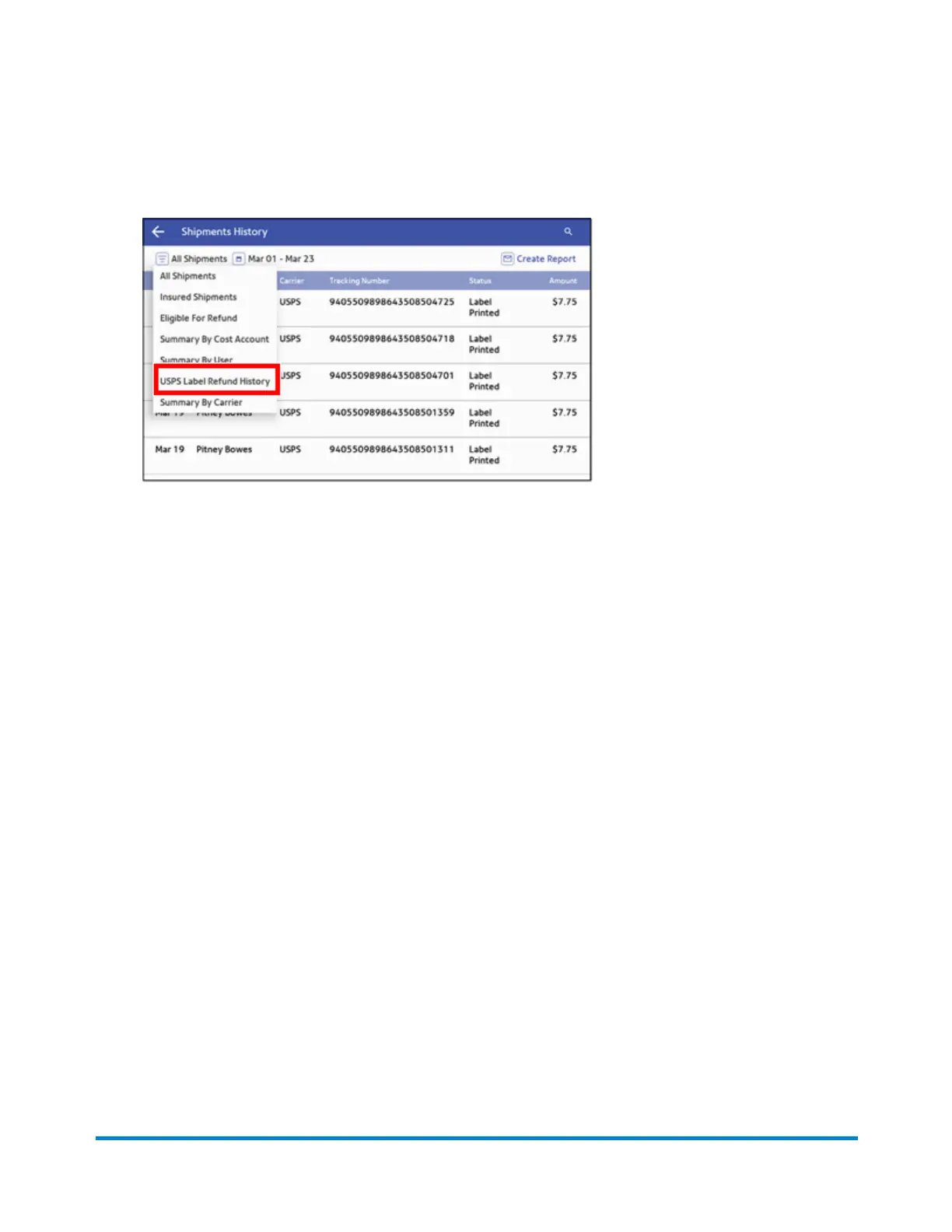
1. Tap SendPro Apps on the Home screen, then tap Shipping History.
2. Tap All Shipments and select USPS Label Refund History.
3. All the refunded USPS labels appear on the screen. To view the details of a specific shipping
label refund, tap the shipment.
4. (Optional) To create an email report of all the USPS shipping label refunds:
a. Tap Create Report.
b. Enter the email address. Tap the green check mark to confirm.
c. Tap Email Report.
d. You will receive an email with an attached .csv transactions history file.
View and Print Reports
Pitney Bowes Operator Guide April 2022 180












 To Next Page