Setup & User Guide
135 |
DOC-246-GDE-Pivot3 Acuity 2.3 Setup & User Guide-v1.0.docx
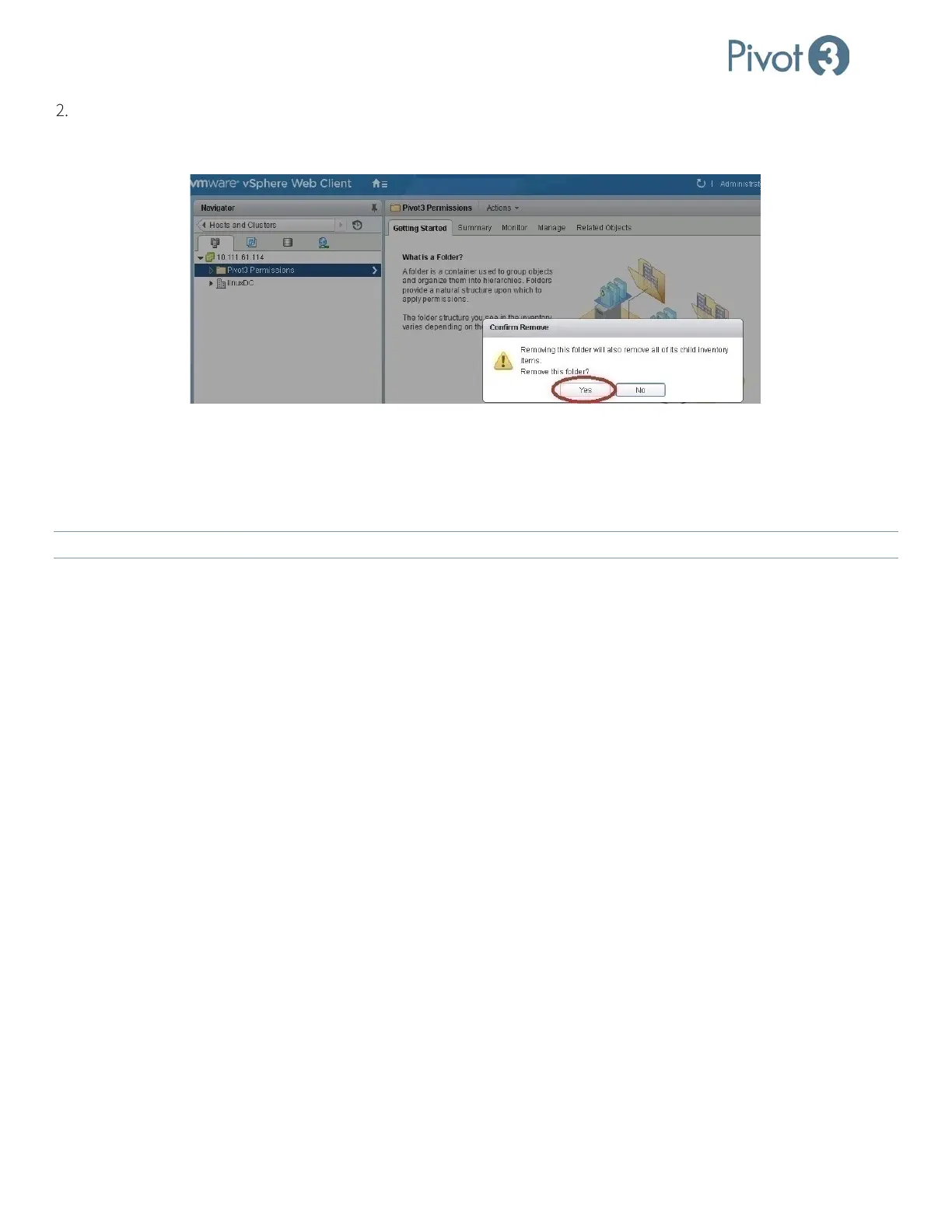
Restart vSphere Web Client service. Log in to vCenter using the vSphere Web Client and navigate to Home > Hosts
and Clusters. Right-click on the Pivot3 Permissions folder and select Remove from Inventory. Click Yes to confirm
in the pop-up dialog.
Upgrading Pivot3 vCenter Plugin
To upgrade the Pivot3 vCenter Plugin, follow the installation instructions covered in Follow Installation Wizard.
Complete these steps with the latest .exe Plugin installer to upgrade the Pivot3 vCenter Plugin. In Step 7 for Windows or
Step 14d for Linux, the choice This computer is the vCenter Server must be true and selected.
NOTE:
If this is not the case, begin the procedure again on the vCenter Server.
Acuity Data Usage Reporting
The Acuity software platform will report data usage on several different screens including volume sizes, snapshot sizes,
and data transferred for replication. A small amount of space is also consumed for Pivot3’s patented Erasure Coding. This
appendix addresses volume, snapshot, and replication data reporting, but not Erasure Coding.
Snapshots & Replications: Reporting Discrepancies Explained
Data sizes reported may differ from expected sizes, depending on block sizes of data written, its alignment, whether the
data is written sequentially or randomly, and its sparseness quality. The Acuity software platform uses several different
internal mechanisms to allocate and store data. In particular, data space is allocated and reported on 256K chunk or 1MB
page-size boundaries. If data is written sequentially, the amount of customer data will translate directly to the amount of
data reported in a volume, and if a snapshot is taken of this volume, it will also have the same size.
However, if small blocks of data are written randomly or sparsely to the volume, the amount of data reported to the user
may not be the same as the amount of data written. For example, if data is written in 4K writes randomly to the volume,
each 4K write will allocate a 256K chunk of data. Then the amount of data reported in the volume may be much greater
than the amount of data written from the host.
When a snapshot is taken, the snapshot infrastructure will record meta-information about each 1MB page of the volume.
When the snapshots are viewed through the UI, the snapshot information is reported in units of 1MB. If data was written
sequentially to the volume, then the volume size and the snapshot size will be very similar. However, if the data was
written as 4K random writes, then each 4K random write could potentially be reported as 1MB of space consumed by the
snapshot.



 To Next Page