Setup & User Guide
| 134
DOC-246-GDE-Pivot3 Acuity 2.3 Setup & User Guide-v1.0.docx
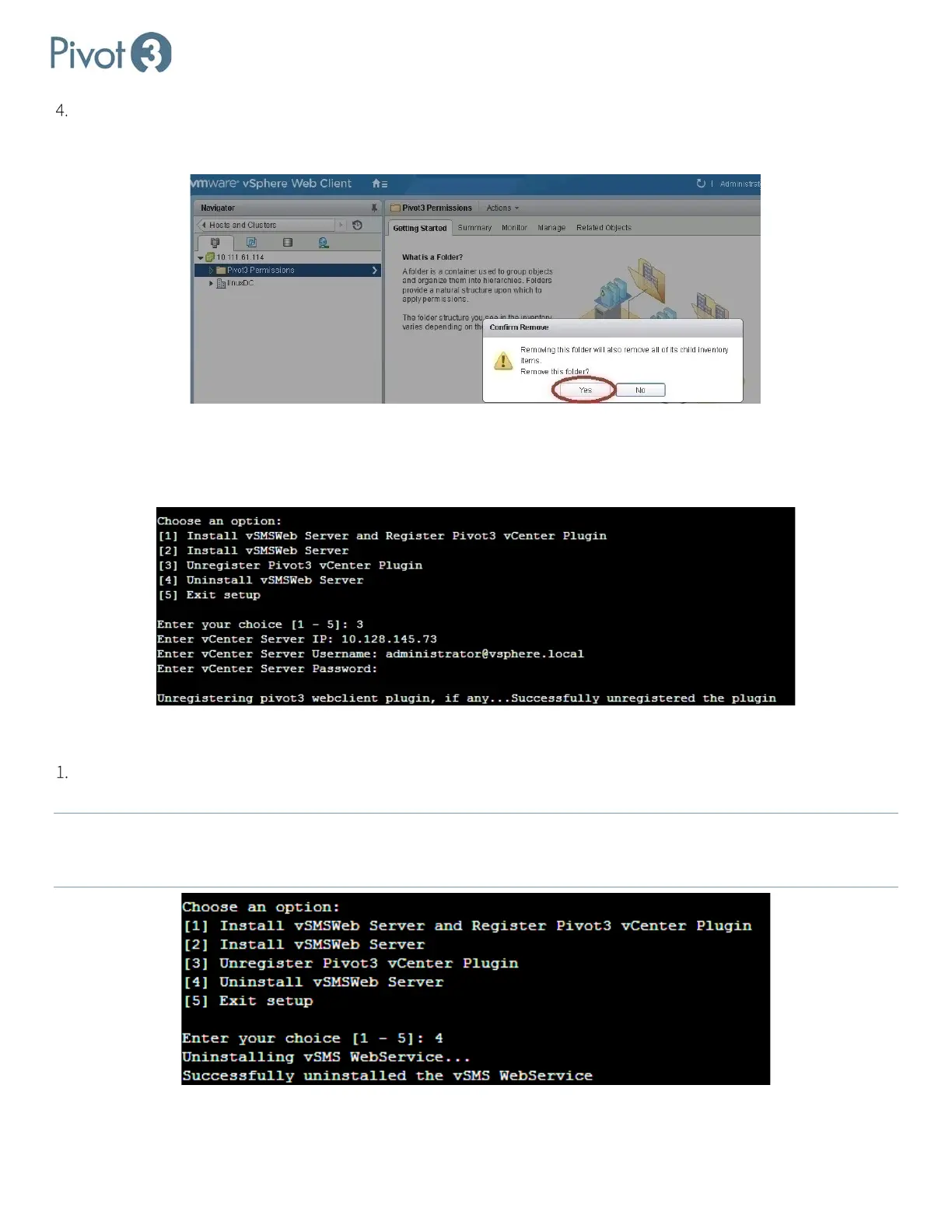
Restart vSphere Web Client service. Log in to vCenter using the vSphere Web Client and navigate to Home > Hosts
and Clusters. Right-click on the Pivot3 Permissions folder and select Remove from Inventory. Click Yes to confirm
in the pop-up dialog.
Unregister Plugin Using Installer File for Linux
Perform step 4, then steps 12-14a in Section 5. Then choose option 3 to Unregister vSMS Web Server. Follow the
prompts to enter credentials for this action.
Uninstall Plugin
Choose option 4 to Uninstall vSMS Web Server. The default installation is cd /opt/pivot3/, but this can be
chosen by the Administrator during installation and locations may vary.
NOTE:
This step is optional and contingent on whether the administrator wants the previous configuration to carry over to
potential future reinstalls. If this directory is deleted, all information entered during installation must be re-entered
during the next reinstall (if applicable).



 To Next Page