User’s Manual of MGSW-24160F
135
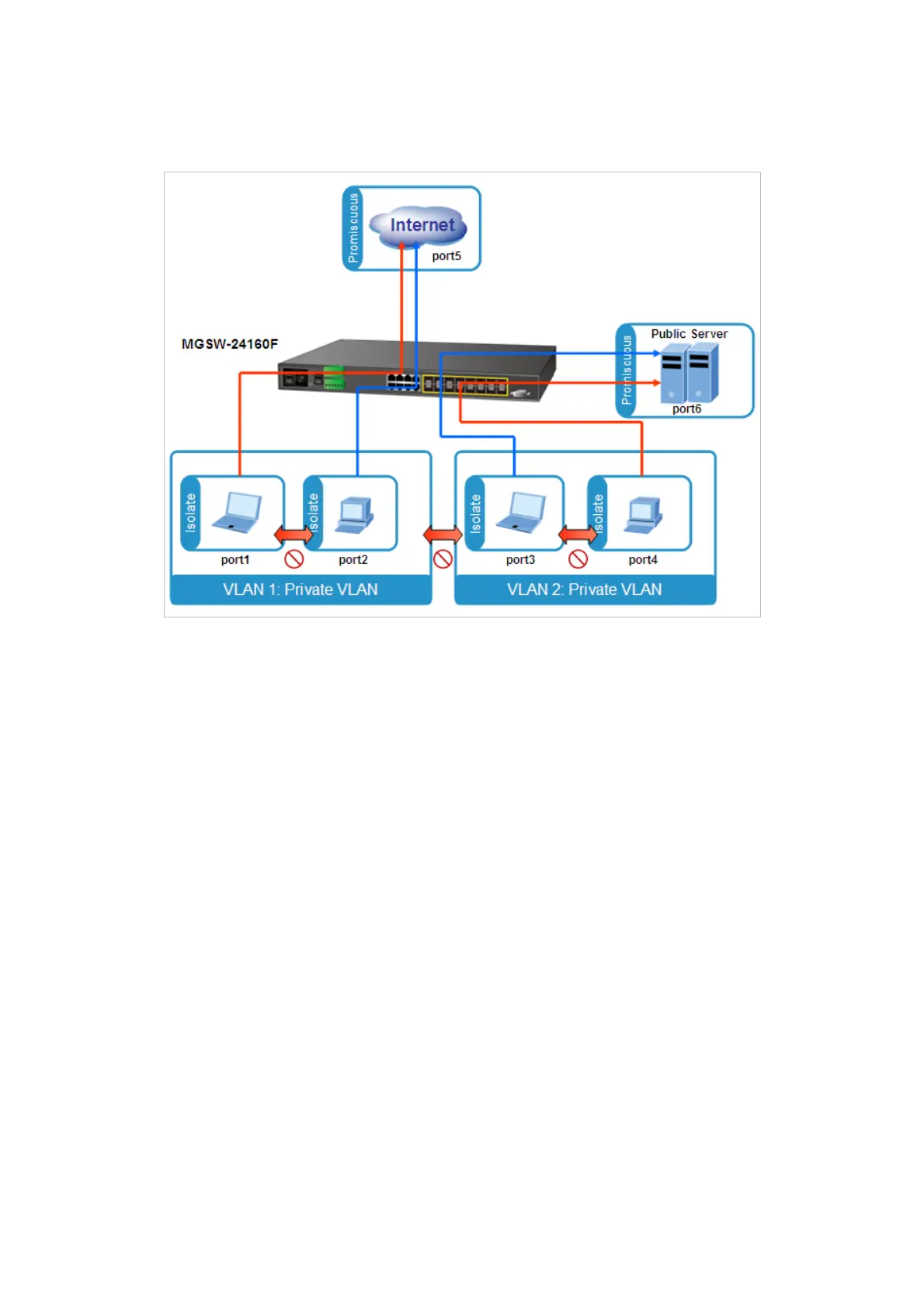
each other PCs of each isolate port. But they all need to access with the same server/AP/Printer. The screen in Figure 4-6-14
appears. This section will show you how to configure the port for the server – that could be accessed by each isolate port.
Setup steps
1. Assign Port Mode
Set Port-1~Port-4 in Isolate port.
Set Port5 and Port-6 are to Promiscuous port. The screen in Figure 4-6-15 appears.



 To Next Page
 Loading...









