User’s Manual of MGSW-24160F
93
When set each port to run at 100M Full, 100M Half, 10M Full, and 10M Half-speed modes. The
Auto-MDIX function will disable.
Buttons
: Click to save changes.
: Click to undo any changes made locally and revert to previously saved values.
: Click to refresh the page. Any changes made locally will be undone.
4.4.2 Port Statistics Overview
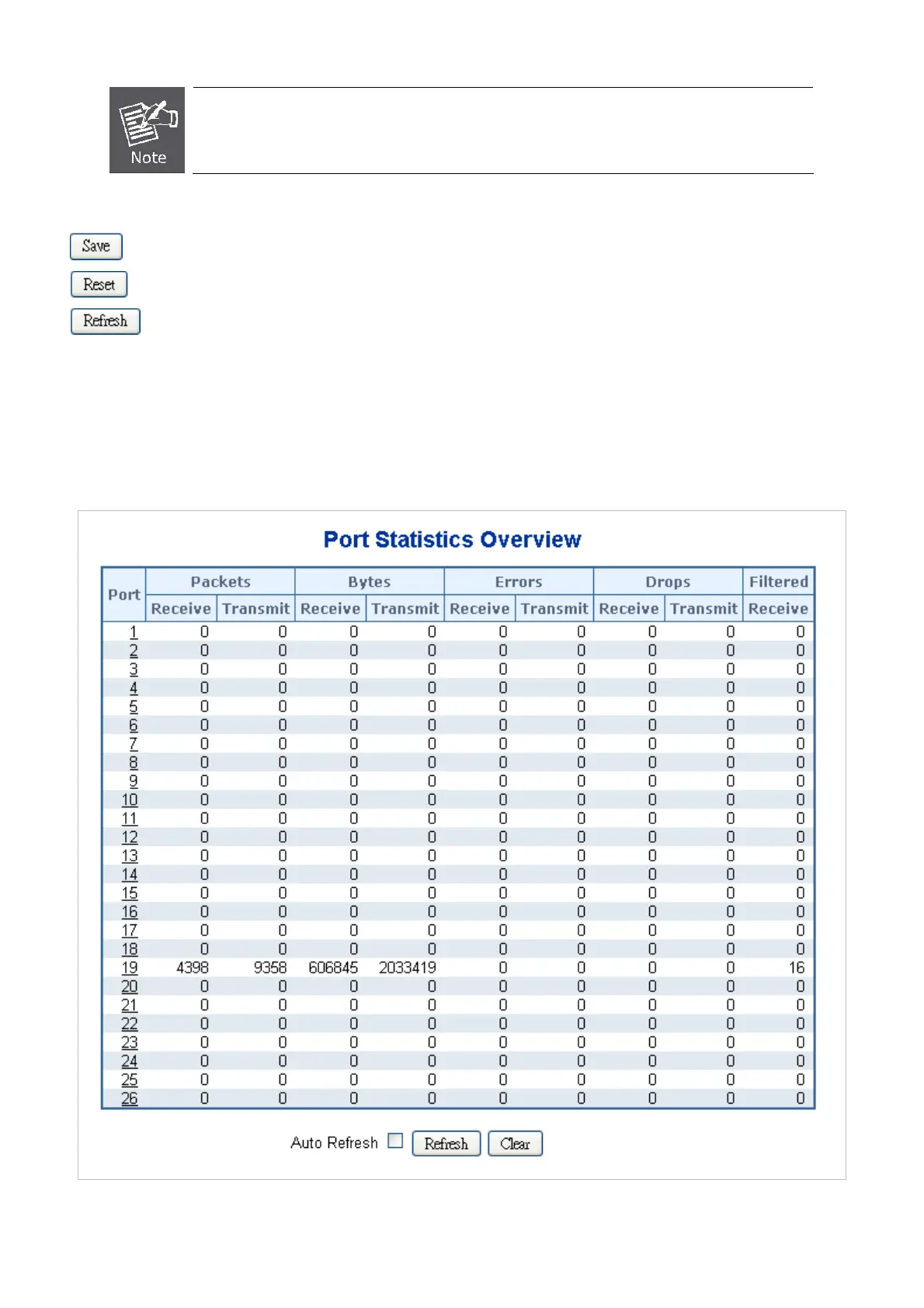
This page provides an overview of general traffic statistics for all switch ports. The ports belong to the currently selected unit, as
reflected by the page header. The Port Statistics Overview screen in Figure 4-4-2 appears.
Figure 4-4-2 Port Statistics Overview Page Screenshot



 To Next Page
 Loading...









