User’s Manual of MGSW-24160F
165
Port
The logical port for the settings.
Filtering Group
The IP Multicast Group that will be filtered.
Buttons
: Check to delete the entry.
: Click to add a new entry to the Group Filtering table.
: Click to save changes.
: Click to undo any changes made locally and revert to previously saved values.
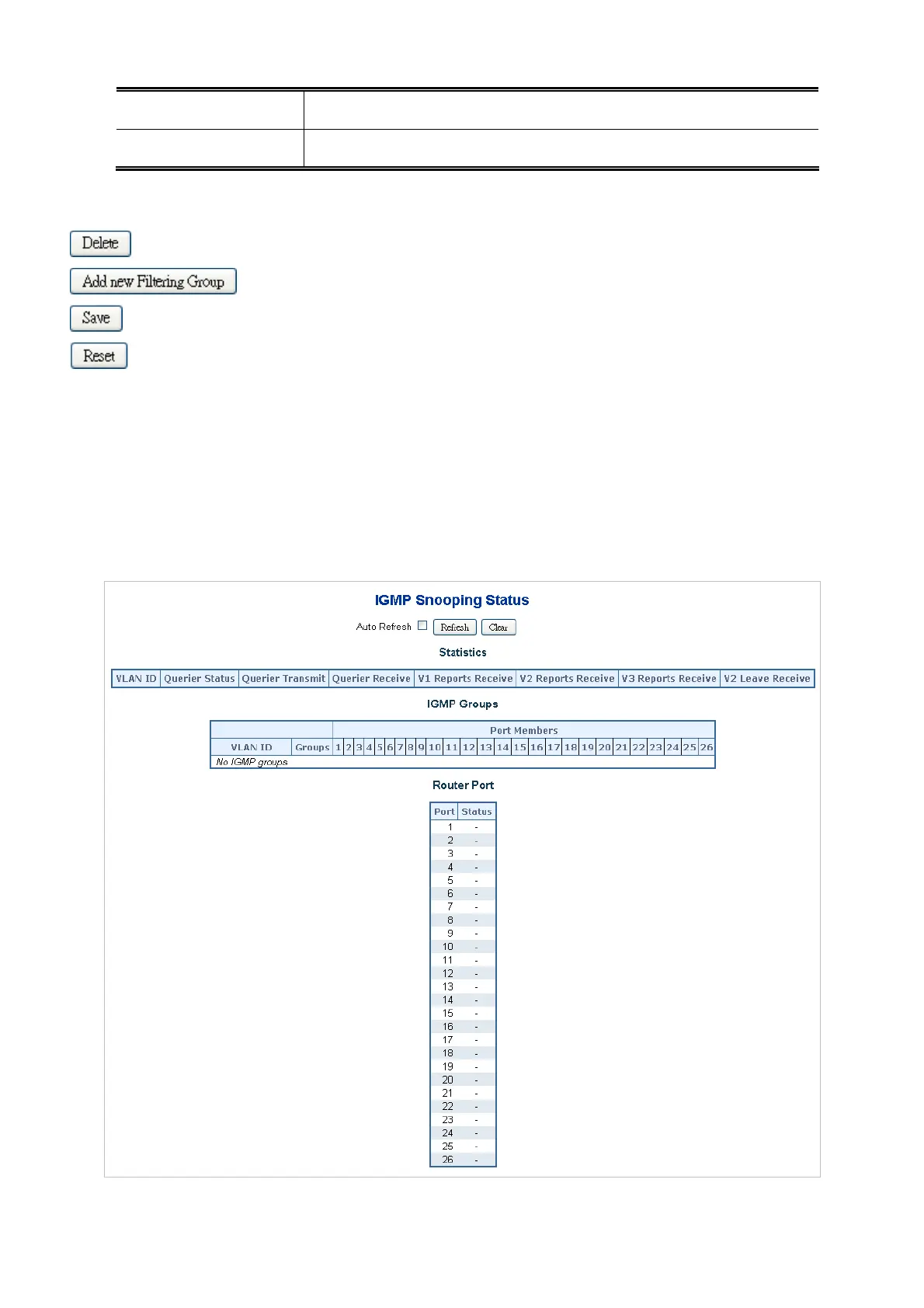
4.8.6 IGMP Snooping Status
This page provides IGMP Snooping status.
The status relate to the currently selected unit, as reflected by the page header. The IGMP Snooping Status screen in Figure
4-8-9 appears.
Figure 4-8-9 IGMP Snooping Status Page Screenshot



 To Next Page
 Loading...









