User’s Manual of MGSW-24160F
176
4.9.2.3 Set up ToS Precedence Mapping
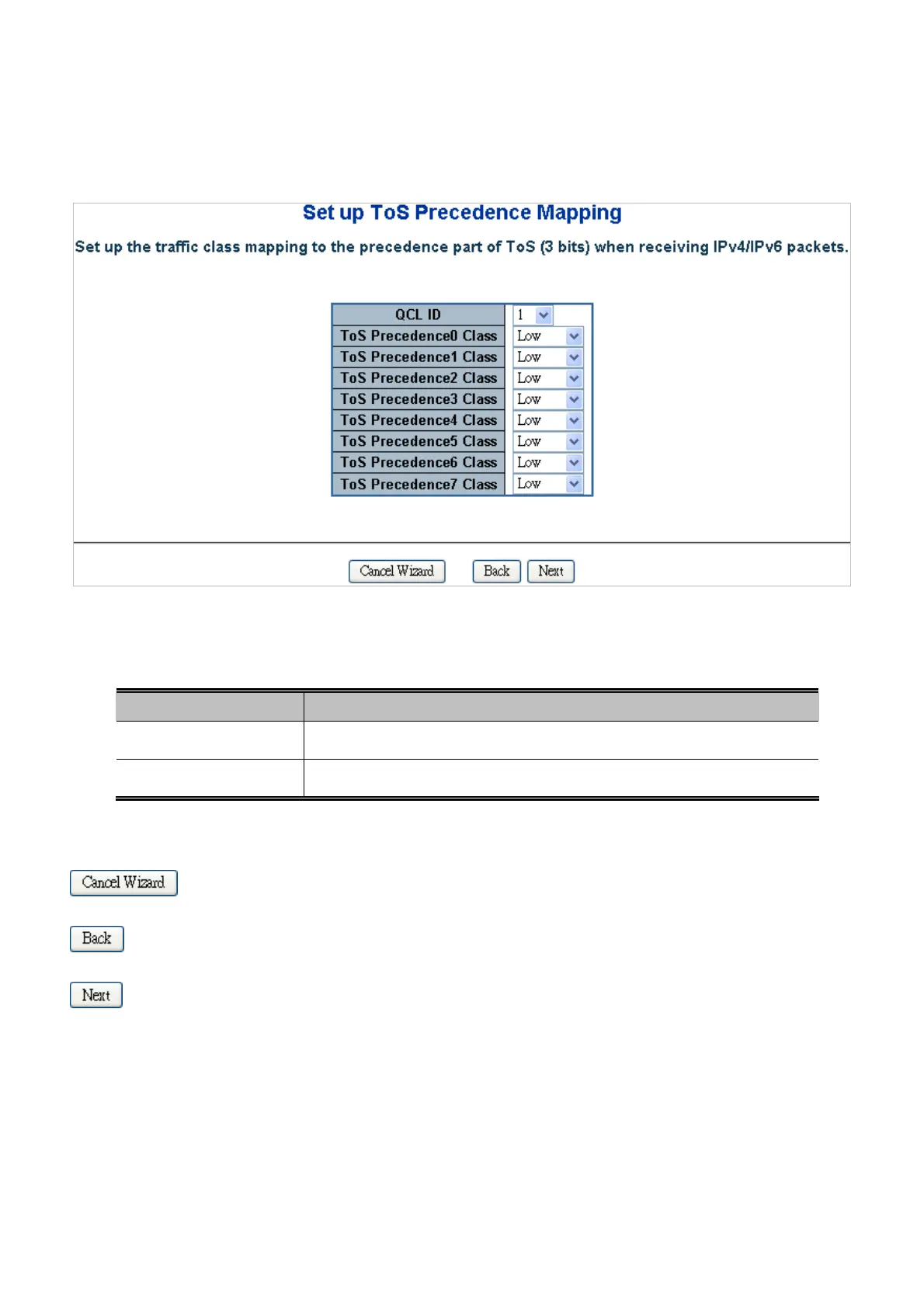
Set up the traffic class mapping to the precedence part of ToS (3 bits) when receiving IPv4/IPv6 packets. The Set up ToS
Precedence Mapping screen in Figure 4-9-5 appears.
Figure 4-9-5 Set up ToS Precedence Mapping Page Screenshot
The page includes the following fields:
Object Description
QCL ID
Select the QCL ID to which this QCE applies.
ToS Precedence Class
Select a traffic class of Low, Normal, Medium, or High to apply to the QCE.
Buttons
: Click to cancel the wizard.
: Click to go back to the previous wizard step.
: Click to continue the wizard.
The QCL configuration wizard is finished, and the new configuration is ready for use.



 To Next Page
 Loading...









