User’s Manual of MGSW-24160F
235
4.11.7 RADIUS Overview
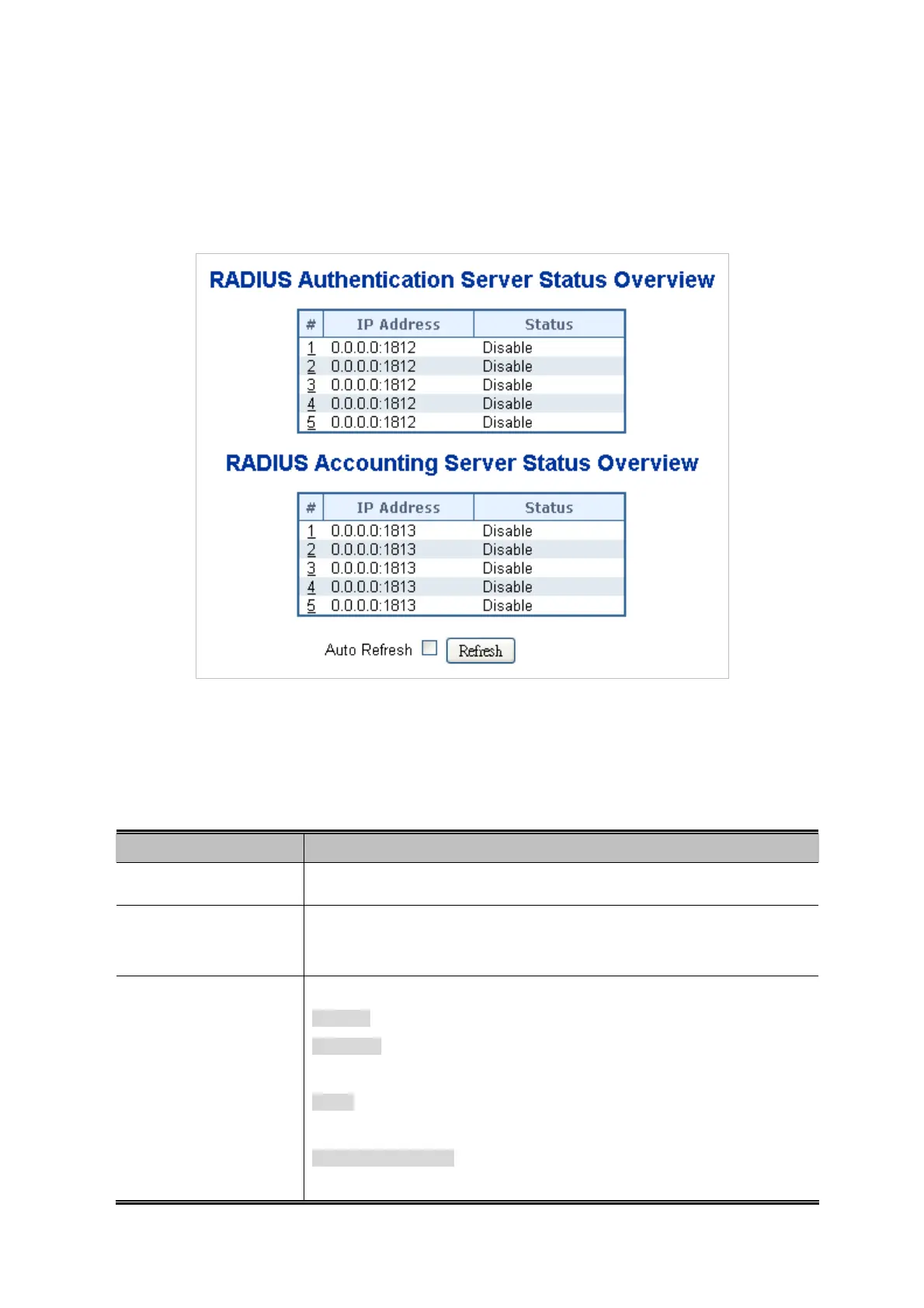
This page provides an overview of the status of the RADIUS servers configurable on the Authentication configuration page. The
RADIUS Authentication/Accounting Server Overview screen in Figure 4-11-8 appears.
Figure 4-11-8 RADIUS Authentication/Accounting Server Overview Page Screenshot
The page includes the following fields:
RADIUS Authentication Servers
Object Description
#
The RADIUS server number. Click to navigate to detailed statistics for this server.
IP Address
The IP address and UDP port number (in <IP Address>:<UDP Port> notation) of
this server.
State
The current state of the server. This field takes one of the following values:
Disabled: The server is disabled.
Not Ready: The server is enabled, but IP communication is not yet up and
running.
Ready: The server is enabled, IP communication is up and running, and the
RADIUS module is ready to accept access attempts.
Dead (X seconds left): Access attempts were made to this server, but it did not
reply within the configured timeout. The server has temporarily been disabled,



 To Next Page
 Loading...









