User’s Manual of MGSW-24160F
178
: Click to continue the wizard.
The QCL configuration wizard is finished, and the new configuration is ready for use.
4.9.3 QoS Control List Configuration
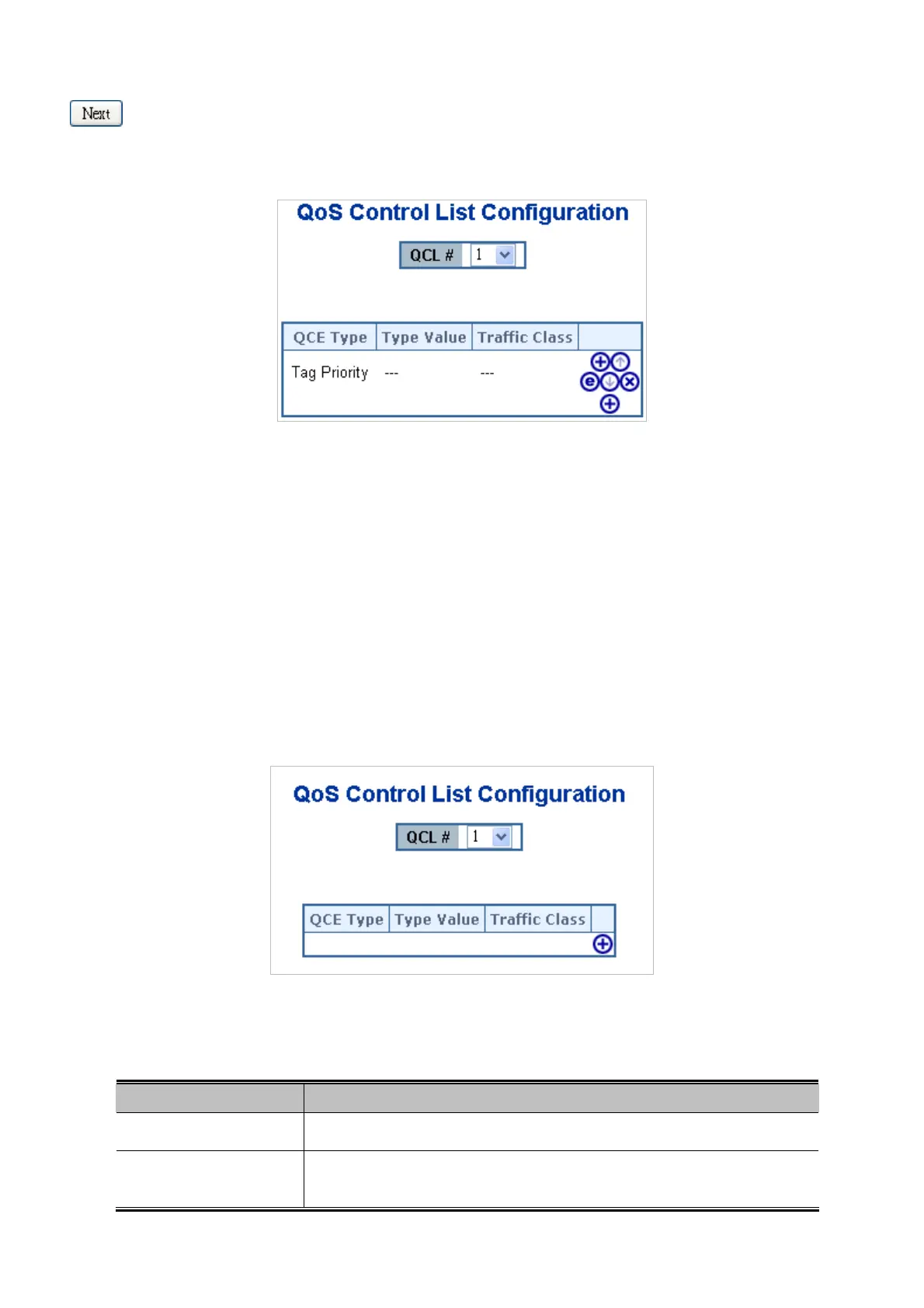
This page lists the QCEs for a given QCL.
4 different QoS classes classified Frameswhich are Low, Normal, Medium, and High.
The classification is controlled by QoS assigned to each port.
A QCL consists of an ordered list of up to 12 QCEs.
Each QCE can be used to classify certain frames to a specific QoS class.
This classification can be based on parameters such as VLAN ID, UDP/TCP port, IPv4/IPv6 DSCP or Tag Priority.
Frames not matching any of the QCEs are classified to the default QoS Class for the port.
The QoS Control List Configuration screen in Figure 4-9-7 appears.
Figure 4-9-7 QoS Control List Configuration Page Screenshot
The page includes the following fields:
Object Description
QCL #
Select a QCL to display a table that lists all the QCEs for that particular QCL.
QCE Type
Specifies which frame field the QCE processes to determine the QoS class of the
frame.



 To Next Page
 Loading...









