User’s Manual of MGSW-24160F
205
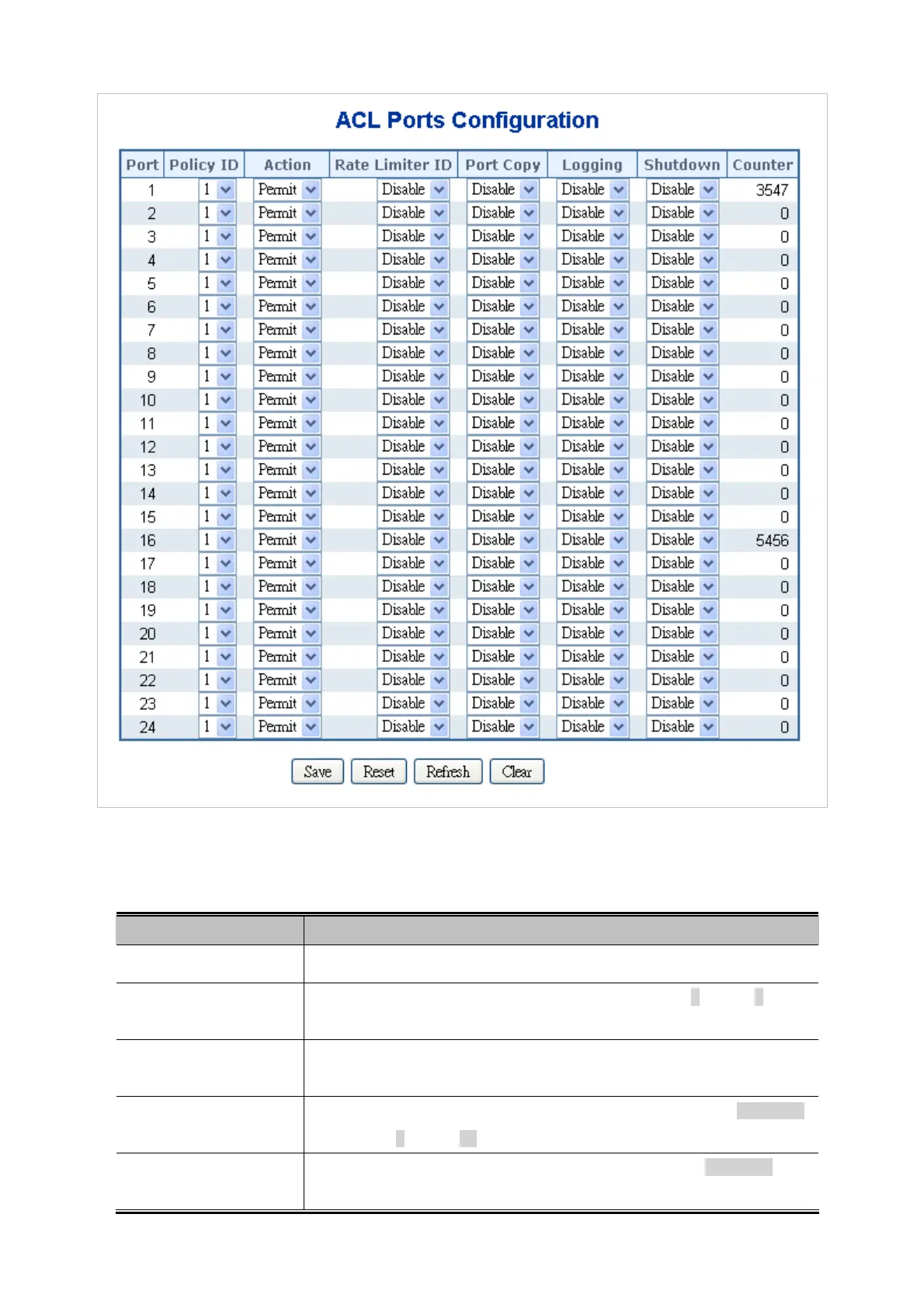
Figure 4-10-4 ACL Ports Configuration page screenshot
The page includes the following fields:
Object Description
Port
The logical port for the settings contained in the same row.
Policy ID
Select the policy to apply to this port. The allowed values are 1 through 8. The
default value is 1.
Action
Select whether forwarding is permitted ("Permit") or denied ("Deny"). The default
value is "Permit".
Rate Limiter ID
Select which rate limiter to apply to this port. The allowed values are Disabled
or the values 1 through 15. The default value is "Disabled".
Port Copy
Select which port frames are copied to. The allowed values are Disabled or a
specific port number. The default value is "Disabled".



 To Next Page
 Loading...









