User’s Manual of MGSW-24160F
68
Figure 4-2-17 Web Firmware Upgrade Page Screenshot
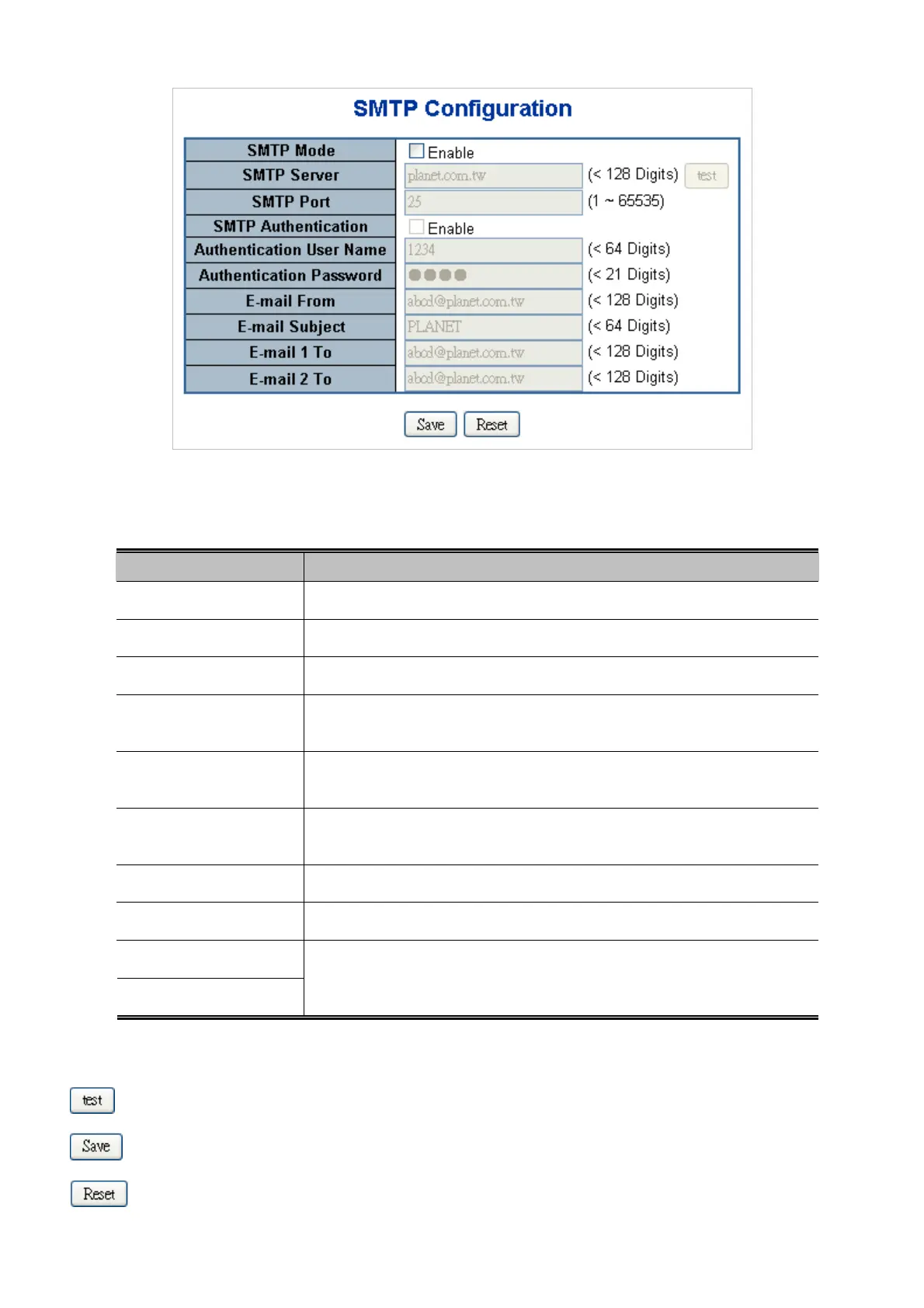
The page includes the following fields:
Object Description
SMTP Mode
Controls whether SMTP is enabled on this switch.
SMTP Server
Type the SMTP server name or the IP address of the SMTP server.
SMTP Port
Set port number of SMTP service.
SMTP Authentication
Controls whether SMTP authentication is enabled If authentication is required
when an e-mail is sent.
Authentication User
Name
Type the user name for the SMTP server if Authentication is Enable.
Authentication
Password
Type the password for the SMTP server if Authentication is Enable.
E-mail From
Type the sender’s E-mail address. This address is used for reply e-mails.
E-mail Subject
Type the subject/title of the e-mail.
E-mail 1 To
E-mail 2 To
Type the receiver’s e-mail address.
Buttons
: Send a test mail to mail server to check this account is available or not.
: Click to save changes.
: Click to undo any changes made locally and revert to previously saved values.


 To Next Page
 Loading...









