D-6
MacBAT 5 – USER GUIDE. Version 1.0
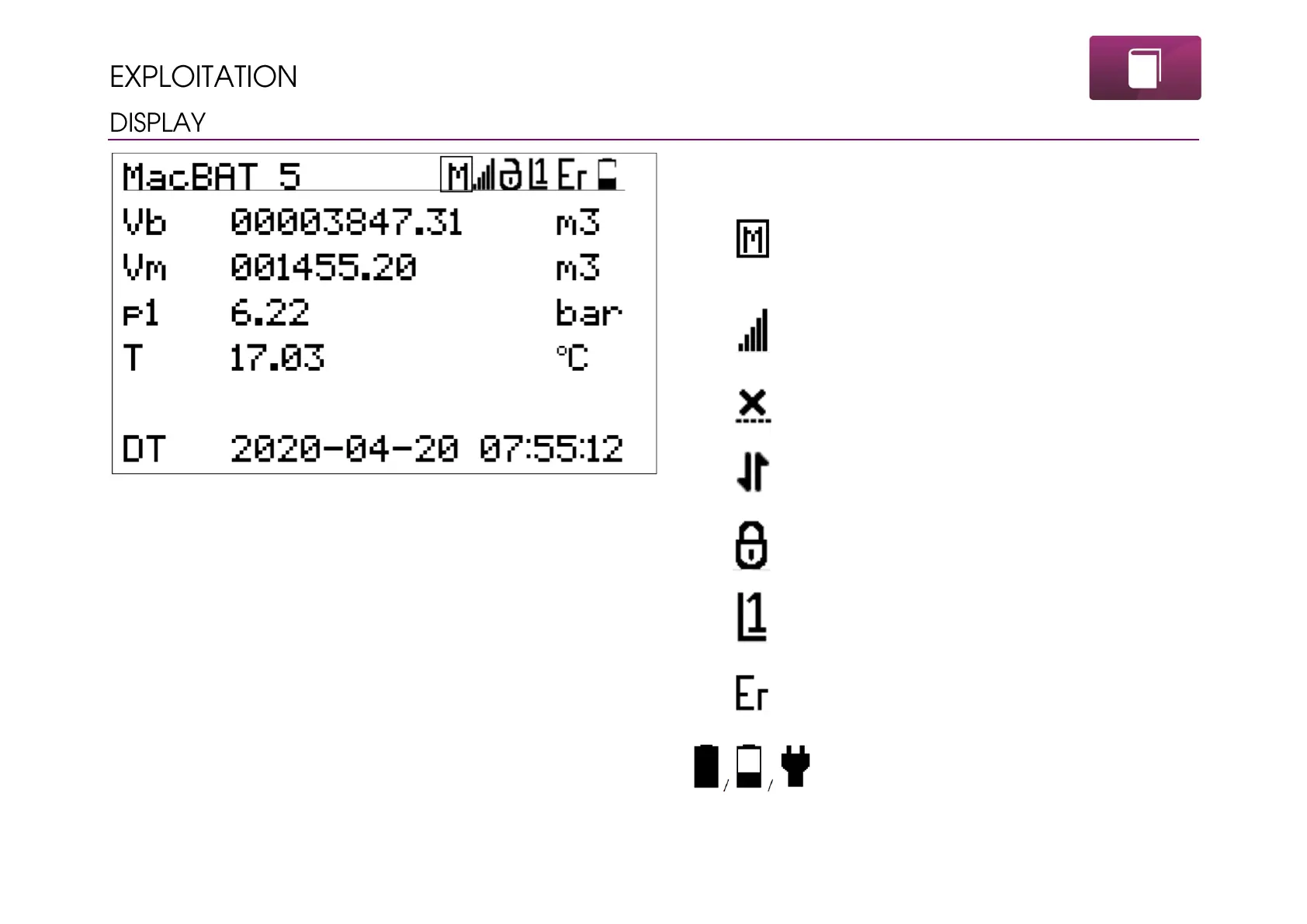
Display is divided to 7 lines, where 6 can be configured freely. First
line is the header bar with status icons. By default rest of the lines
are set to show Vb, Vm, p, T and current date and time.
MID conformity indication. This icon represents the
metrological lock switch closed. Blank square means
opening of MET lock switch. This icon does not exist in
the device non-MID.
Modem range icon. More bars – higher range. This icon
means modem is online, but there is lack of
transmission.
Modem turned off – no transmission, modem inactive.
Modem online – transmission over modem channel is
established and data transmitting is now realized.
Status of CFG lock. Symbol can be locked or unlocked,
what directly represents the status of physical switch.
Current login level. Digit can change up to L9.
Alarms status in the device. Blinking icon ER means
important error appeared. WR icon means warning
presence. OK icon – no active alarms.
Battery level. When device operates on power supply
there is symbol of plug.



 To Next Page