F-8
MacBAT 5 – USER GUIDE. Version 1.0
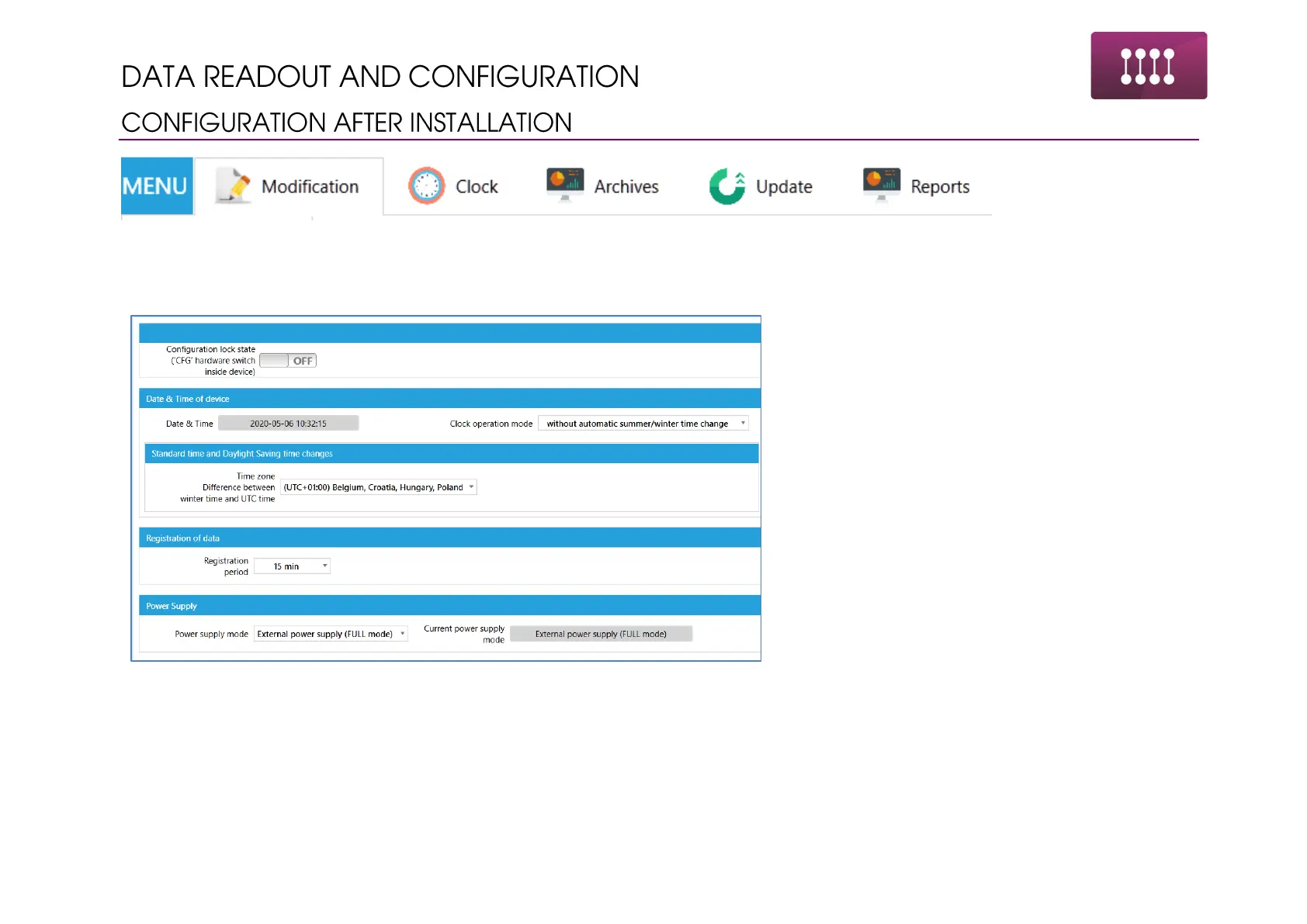
First category in the profile is most essential for the successful device configuration. All the parameters from this section are necessary
for basic device operation. Configuration process is related to the one presented in SETTINGS section with similar order of performing
changes.
1. State of CFG lock – read only
2. Setting time change mode
• Only winter time
• Only summer time
• Automatic time change
3. Setting time zone
4. Setting registration period of the values in the
memory of device – 1 to 60 minutes
5. Power supply mode
• Battery mode – work only on battery,
no external supply connected, no
solar, standalone device
• External mode – work with telemetry
set, possibility of work with HF inputs
from gas meters



 To Next Page