AM0010-4
5
6
7
8
9
10
11
BW100 Belt Weigher [if tted]
INITIAL CALIBRATION SIMPLIFIED GUIDE
1. The Following procedures may be performed when messages E3 and E4 are displayed during routine
calibration.
2. The E3 and E4 messages indicate a mechanical problem: i.e. Bearing failure on weigh idler and also
idlers adjacent to the weigher, new belt tted, build up on the weigher etc.
3. Important: The belt should be stopped and secured prior to suspending or removing the test weights for
span calibration. Safe working practice should be adopted at all times.
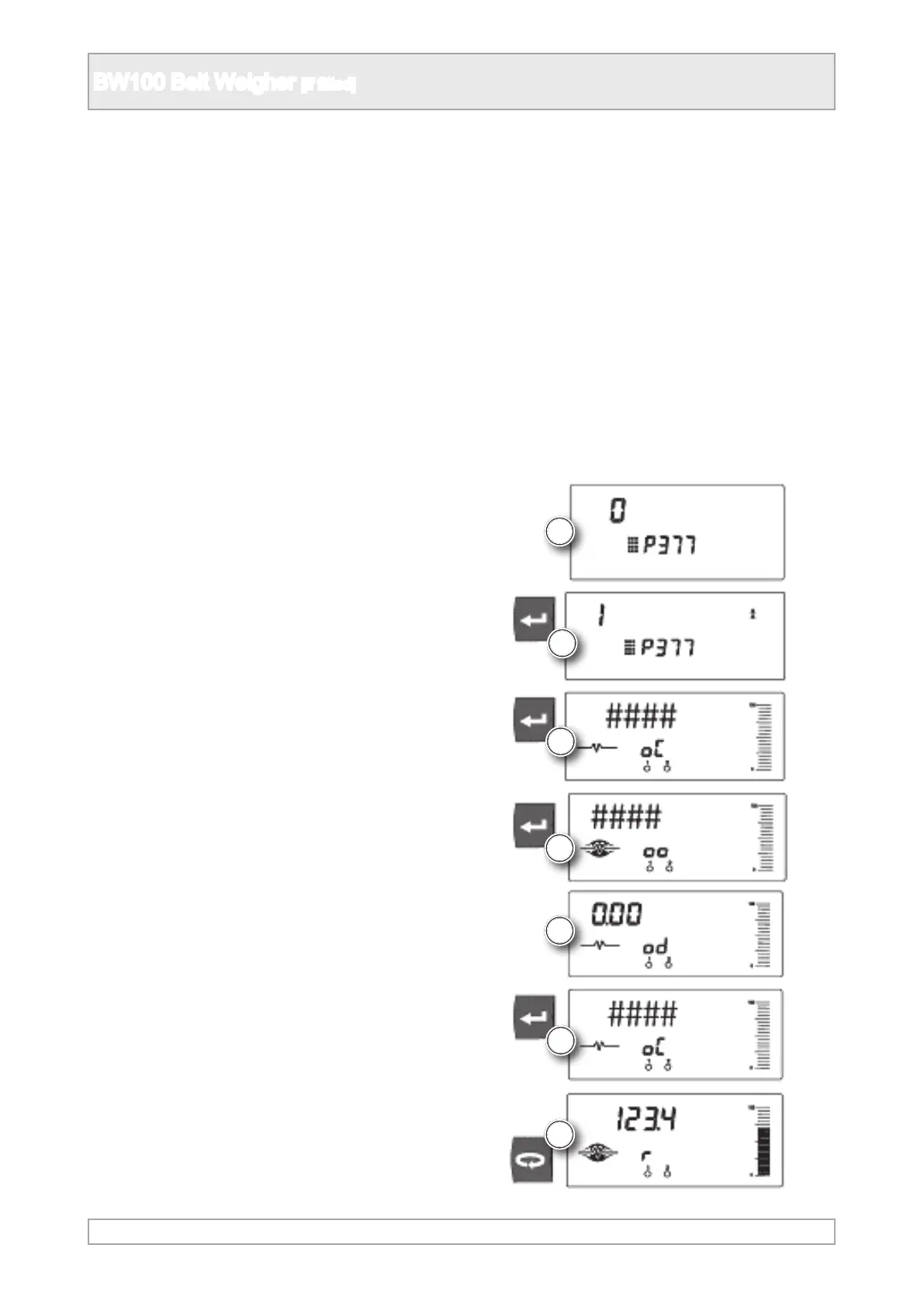
5. SELECT PARAMETER P377.
6. INVOKE INITIAL ZERO ENTER “ 1 “.
7. CURRENT ZERO COUNT.
8. ZERO CALCULATION FREQUENCY COUNT
DISPLAYED.
9. ZERO DEVIATION.
10. ZERO DEVIATION ACCEPTED - INITIAL
ZERO COUNT= ####.
11. PROCEED WITH SPAN CALIBRATION OR
RETURN TO RUN MODE.
Zero Calibration
4. With belt running empty at normal speed with test weights removed.



 To Next Page