one file is to be created each per day,
from 00.00 to 24.00. Then the file name is
= YYMMDD.CSV. You can also record an
endless file and give it a random name.
Data is always saved in CSV format. CSV
stands for
C
omma-
s
eparated
v
alues. This
format can be, for example, read and
edited with MS Excel.
Configuration
Measured value channel 1
A1678
Temperature channel 1
Control variable channel 1
Measured value channel 2
Temperature channel 2
Control variable channel 2
9.1.4.1
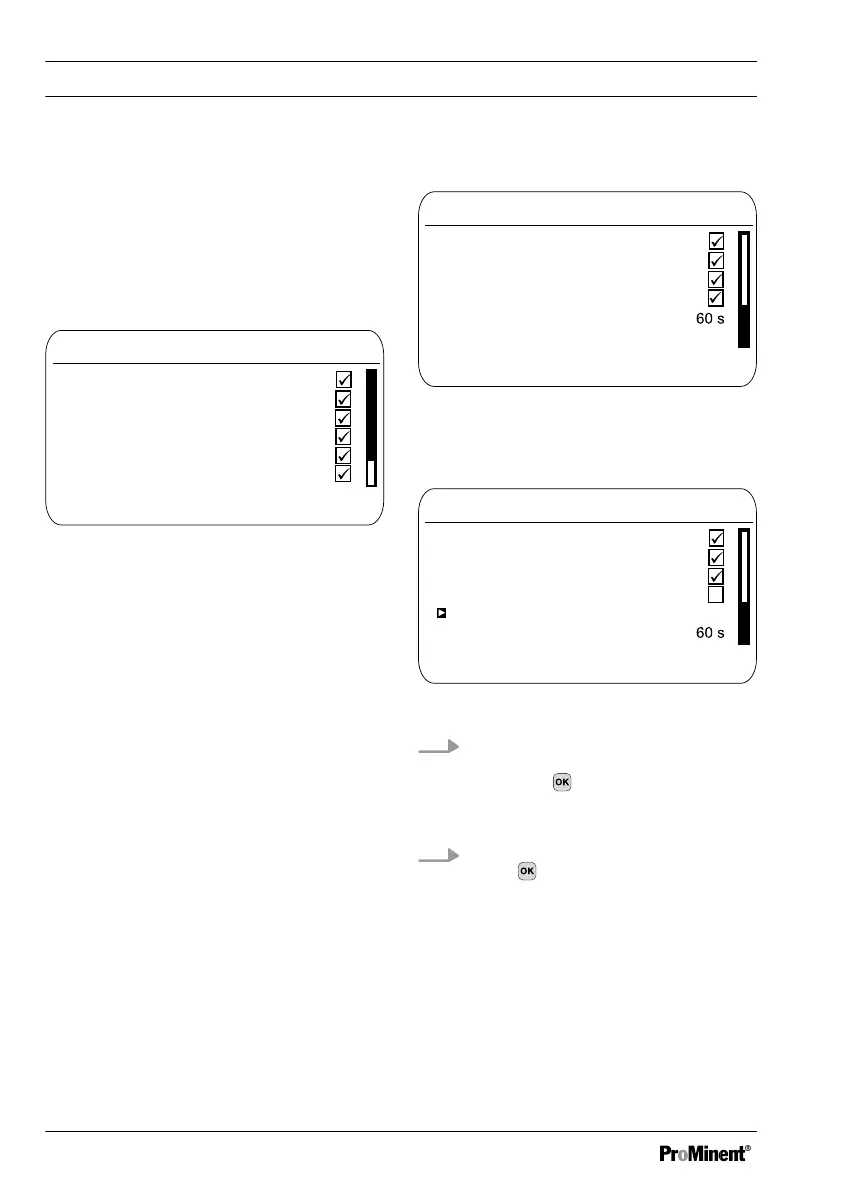
Fig. 107: [Configuration] of the data log
book
[Configuration]
of the data log book
Configuration
One file per day
A1679
Save interval
Digital inputs
Temperature channel 2
Control variable channel 2
9.1.4.13
Fig. 108: [One file per day] checked
If you uncheck
[One file per day]
, then a
new input option appears:
[File name]
.
Configuration
One file per day
A1680
Save interval
Digital inputs
Temperature channel 2
Control variable channel 2
9.1.4.13
File name
Fig. 109: [One file per day] unchecked
1.
If you wish to specify a file name,
then place the cursor on
[File name]
and press
ð
[New]
appears.
2. Place the cursor on
[New]
and
press
ð
You can now enter a random
name with a maximum of 8
digits name as well as the pro‐
posed
[DATALOG0.CSV]
and/
or set from 0 to 1 ... n.
Function: Data logger
144














 To Next Page