4.
Continue with
ð
Calibration is running
.
[Please wait!]
flashes.
CAL pH
Sensor voltage
Sensor calibration in buffer 1
A1017
Buffer temperature
The stability is:
acceptable
good
continue with <CAL>
25.0 °C
0.1 mV
very good
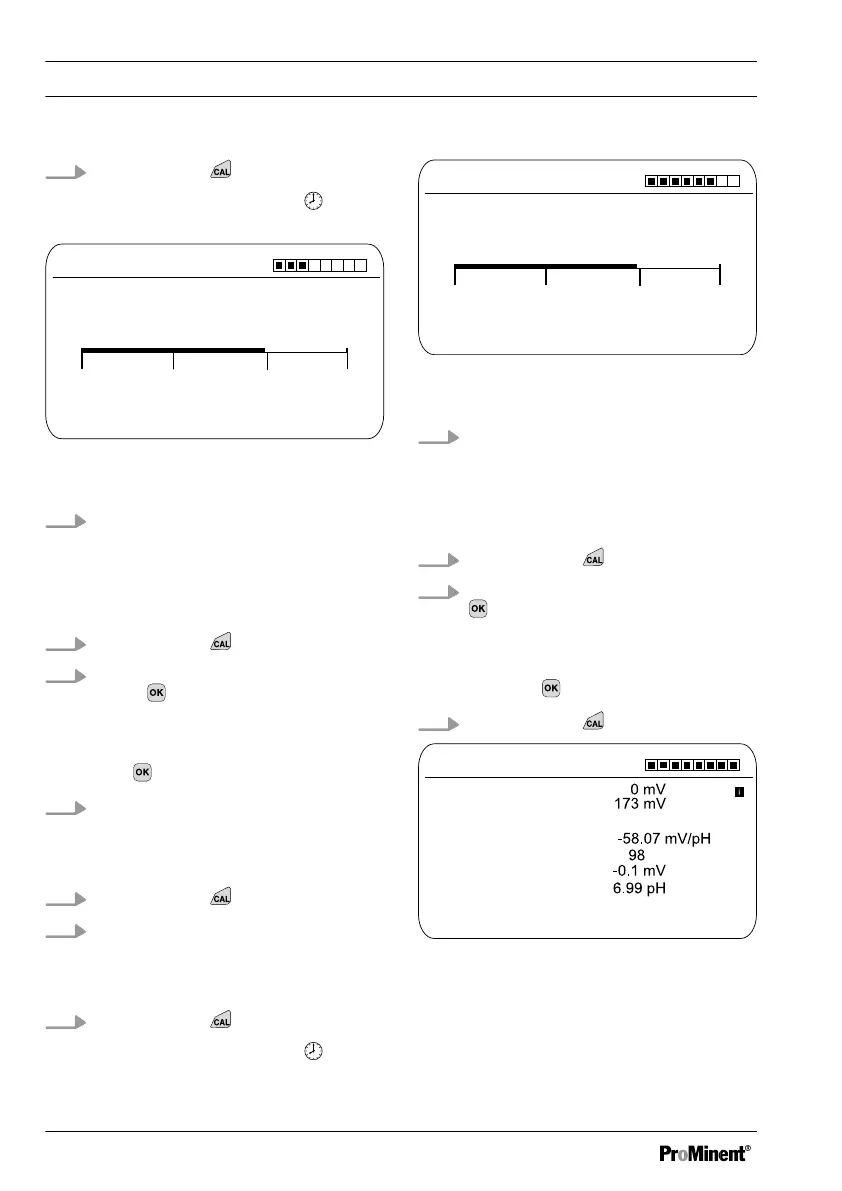
Fig. 36: Display of the sensor stability ach‐
ieved
5. The
[acceptable / good / very good]
range is displayed
ð
The black part of the horizontal
bar indicates the range
detected.
6.
Continue with
7.
[Buffer detection]
e.g.
[Manual]
:
Press
and set the buffer value
for buffer 1 to the value of the buffer
you are using with the four arrow
keys. Confirm the input of the value
with
8. Remove the sensor from the buffer
solution, rinse thoroughly in water
and then dry with a cloth (pad dry,
don't rub!)
9.
Continue with
10. Immerse the sensor in test con‐
tainer 2 containing buffer solution
(e.g. pH 4). When doing so, move
the sensor gently
11.
Continue with
ð
Calibration is running .
[Please wait!]
flashes.
CAL pH
Sensor voltage
Sensor calibration in buffer 2
A1018
Buffer temperature
The stability is:
acceptable
good
continue with <CAL>
25.0 °C
173 mV
very good
Fig. 37: Display of the sensor stability ach‐
ieved
12. The
[acceptable / good / very good]
range is displayed
ð
The black part of the horizontal
bar indicates the range
detected.
13.
Continue with
14.
[Buffer detection]
[Manual]
: Press
and set the buffer value for
buffer 2 to the value of the buffer
you are using with the four arrow
keys. Confirm input of the value by
pressing
15.
Continue with
CAL pH
Asymmetry
Buffer 2:
A1019
Zero point
Slope
% Slope
Accept with <CAL>
Buffer 1:
Calibr.param. for 25 °C
Fig. 38: Display of the calibration result
Calibration
68














 To Next Page