OPC UA Server PLX32-EIP-MBTCP-UA ♦ Multi-Protocol Gateway
User Manual
Page 108 of 156 ProSoft Technology, Inc.
March 8, 2018
7.1.2 NTP Server Time Synchronization
It is important to first set the system time of the PLX32-EIP-MBTCP-UA. It
is best to maintain the PLX32-EIP-MBTCP-UA system time by
synchronizing with an NTP (Network Time Protocol) server.
Important: If the NTP Server IP address is a public IP address, the NTP packet will ONLY be
routed through OPC UA Ethernet port 2. Therefore, Ethernet Port 2 will need access to the public
IP addresses.
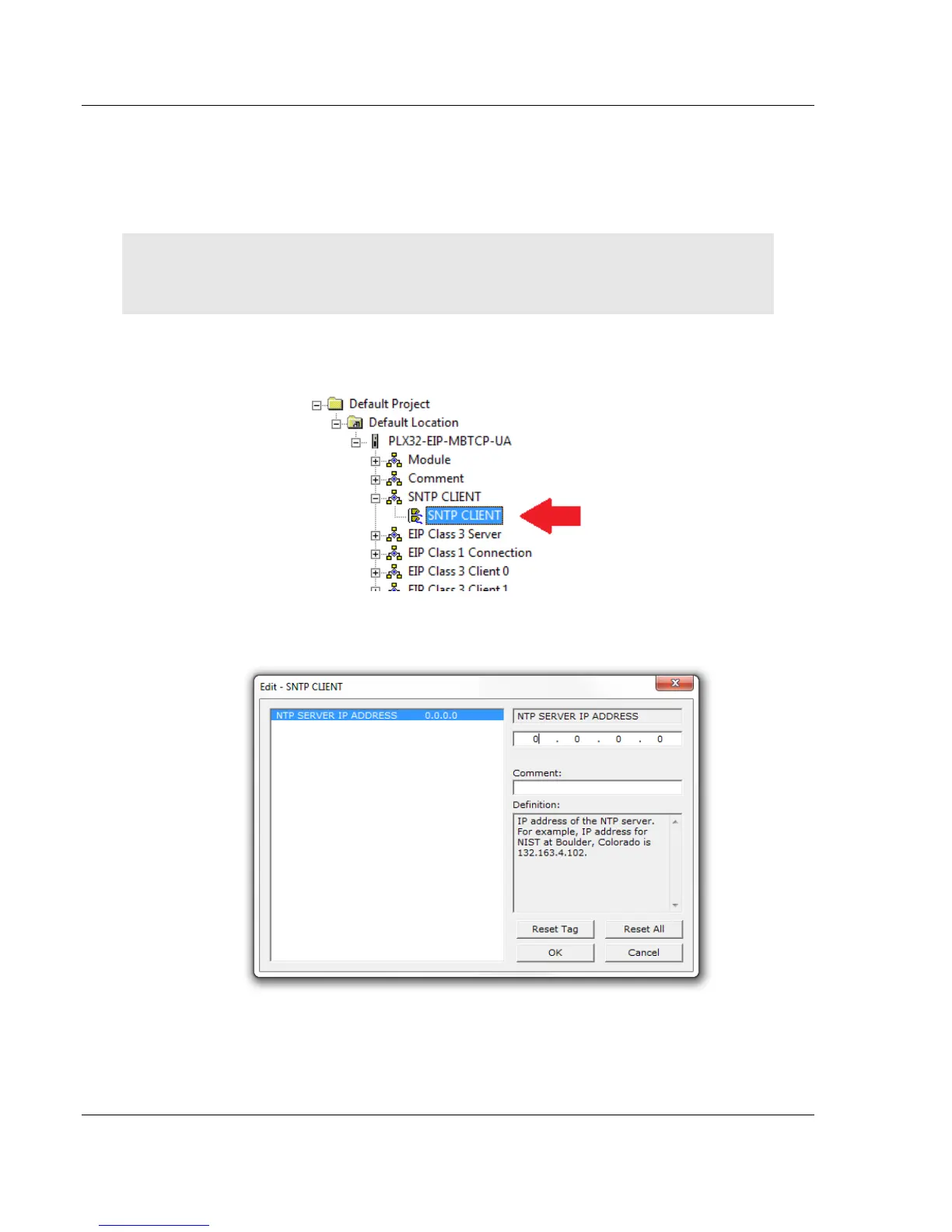
1 In PCB, double-click on the SNTP CLIENT icon within the PLX32-EIP-
MBTCP-UA tree.
2 In the Edit – SNTP CLIENT dialog box, enter the IP address of an NTP
server. Please consult your IT administrator for a suitable NTP server.
3 Click OK.
4 Save the PCB project, then download it to the PLX32-EIP-MBTCP-UA, as
shown on page 27.



 To Next Page